Funding & Pre-order
How do I set up the project schedule?
After the final approval, we will set the project period and reward sending period directly from the scheduled opening date.
- The schedule is set at once in the Schedule menu after the project is finally approved.
- The project that is scheduled to open is disclosed as soon as you want, and the project release date is booked.
- Projects that only proceed with this project without an open schedule can be booked for the project release by selecting the desired date.
- Do you have any project release schedule you want? After submitting the project, please submit it leisurely considering the review period.
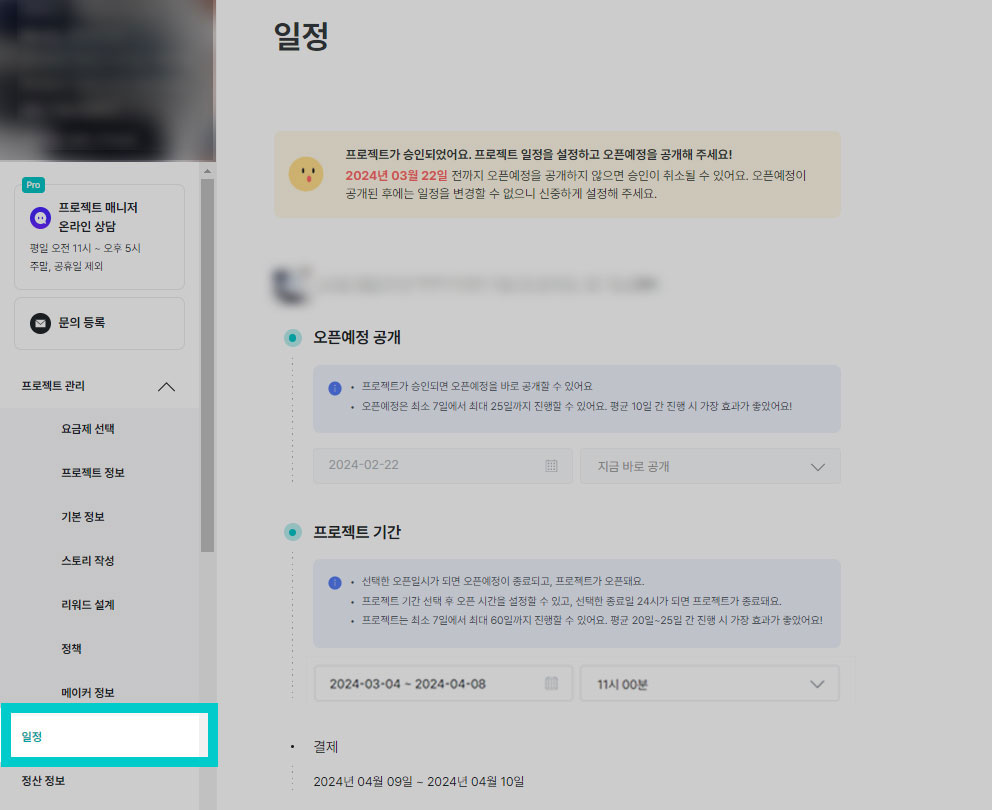 |
1) Open to be revealed
- The scheduled opening can be held from a minimum of 7 days to a maximum of 25 days.
- We can't change the schedule when the project scheduled to open is released. Please design the schedule carefully.
💡How long should I set the scheduled opening period?- If you're going to run an advertisement, I recommend three weeks (21st) as a reference standard. When advertising is combined, notification applications tend to accumulate steadily during the scheduled opening period.
- Even if we proceed without advertisements, we recommend at least two weeks (14 days) so that we can secure notification applicants through our own SNS or our own channels.
- If you haven't decided whether to execute the advertisement or not yet, I recommend setting it up for about three weeks (21 days) considering the possibility of operating the advertisement in the future.
- Please access the [Schedule] menu on the day you want to reveal the opening schedule.
- If you design and [save] the project period and the reward sending period, the scheduled opening will be revealed immediately.
- The scheduled opening is set to [released right now].
- On the day the project is released, the scheduled opening will automatically end.
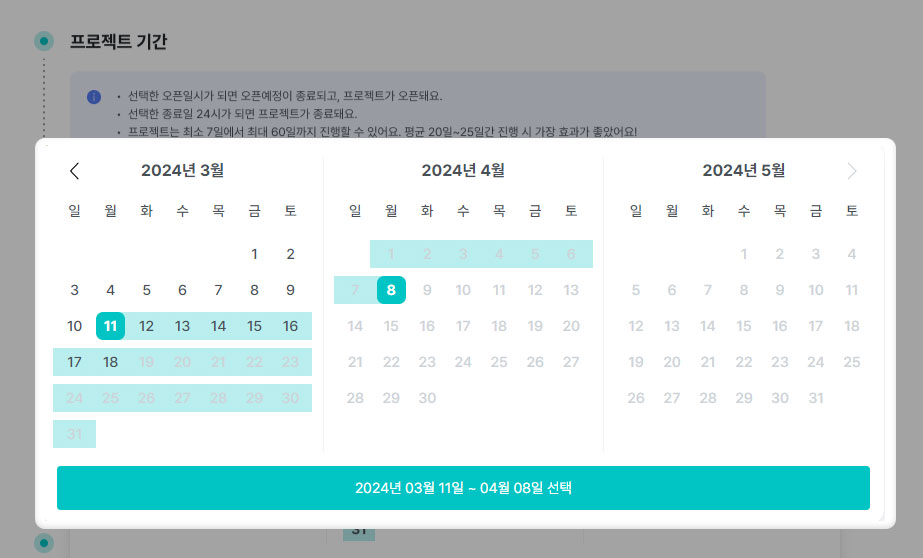
2) Project Period
- This project can last from a minimum of seven days to a maximum of 60 days.
- After the project's open reservation, you can reschedule it until 24:00 the day before the open date. It's difficult to change the schedule any more when the disclosure date comes.
💡 How long should I set the project period?- This project is recommended as a reference for four weeks. Payment tends to continue in the second half of the project, so it's better to secure a sufficient period of time.
- However, if it is expected to take more than two weeks to prepare for the reward delivery after the project is closed, please consider setting the project period to around three weeks. If the waiting period for delivery is longer, the cancellation of the payment may increase.
- Please select a project start date and end date from the Schedule menu.
 |
3) Payment date
- The payment date is automatically assigned based on the project end date.
- If you achieve the target amount more than 100%, it will be held for two days from the day after the project ends.
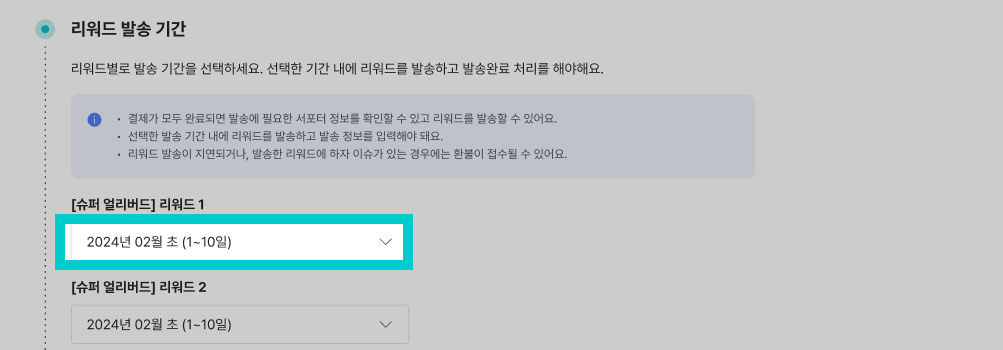
4) Rewards Shipment Period
- Please set the dispatch period for each reward designed in the [Schedule] menu.
- We can't check the supporters' delivery information during the payment period. From the day after all payments are made, you can download the supporters' delivery information and send them a reward.
- If you can't send it within the promised period to the supporters, you can apply for a refund. Please send the reward within the period and complete the process of completing the shipment.
 |
| Rewards Shipment Period Design TIP1) Try to be conservative considering the quantity you can ship per day. 2) Wouldn't it be fresher to send agricultural and fishery products or fresh foods after weekends and holidays? 3) If it's an intangible service, please write the date of use as detailed as possible so that supporters don't get confused. |