Detailed Page Creation Guide | How to Create Images and GIFs That Convince Customers Even Without Video
Updated: September 14, 2026
confirmed by success funding data
Detailed page image ∙How to use GIF
When you create detailed pages, you often place the product photos you have already taken first. Then, similar photos may be repeated, or there may be no appropriate image in the part that needs to be explained. One thing to remember is that putting in a lot of pictures doesn't make the detailed page better. In the introduction, you have to understand the product at once, show your strengths in the middle, and make sure to imprint the reward composition at the end. The role of the image is different for each scene.
In particular, GIF should be used where movement is important, and photos should be used where you need to look closely, such as material or composition, so it's good to understand the difference between these two and make GIFs. In this article, I will tell you where and how to use photos and GIFs according to the flow of the detailed page.
You'll find out when you read this
- You can see the role of the image on the detail page.
- You can choose the right picture for the fourth stage of the story.
- If you use GIF instead of photos, you can distinguish good scenes.
- You can check the level of moving images by category.
Step 1. Decide "what to show" before the photos
Photographs are not decorative decorations, but materials that allow supporters to see the core messages set by the maker. If you fill in the picture without deciding what to say, you'll fit the story according to the picture you have. On the contrary, if you decide what you want to convey first, you will see what kind of pictures you need and which ones you can take out naturally.
| If you fill in the picture first | If you decide on a message first |
|---|---|
| I write according to the pictures I have | Pick a picture that fits what you want to say |
| It's easy to repeat similar images | The role of each image becomes clear |
| There's no scene I need, so I can work on it again | You can prepare the images you need at once |
| There's a cost to photographs you don't use | I know how many images I need and I can get an estimate |
Even if you don't have the final picture yet, you can catch the structure of the detailed page first. First, choose three things below.
- Write in one line who needs this product the most
- Write the advantages that supporters want to remember in one sentence
- Setting the order of the stories that will be on the detail page
Then, put an image next to each sentence that best shows the content. Before explaining it in writing, see if you can show it in pictures, and if movement is important, choose GIF.
STEP 2. Place the image in step 4 of the story
The detailed page can be largely set in four stages. The image to be shown is also different because the content that the supporter is curious about at each stage is different.
Step 1. Please show the product at a glance on the first screen
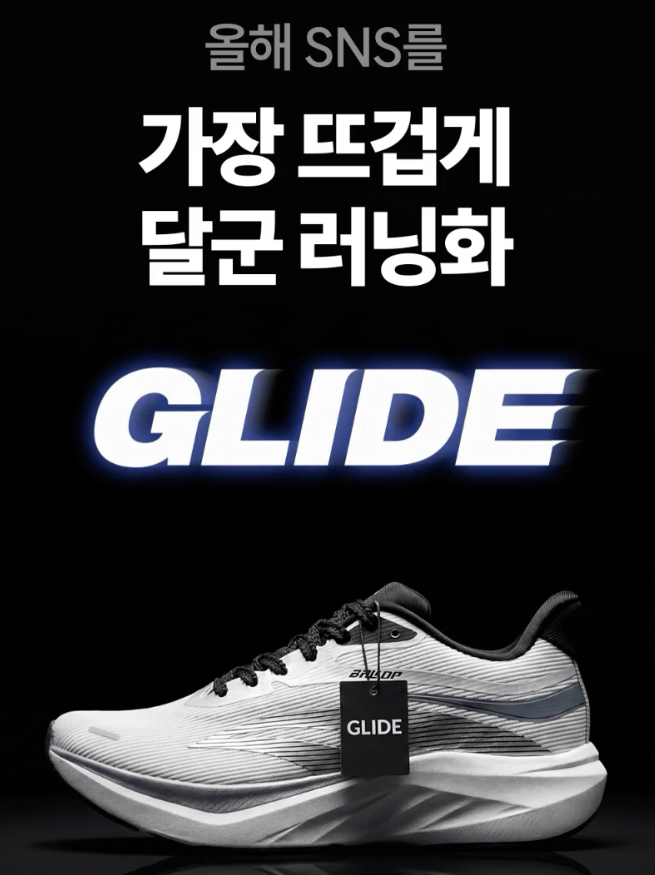
When a supporter comes into the detail page, the first thing to check is "What is the project to introduce?" Therefore, the key to the introduction is to quickly inform the identity and use of the product. Please show me a picture of the entire product clearly and a scene that you actually use first. I also need a picture to measure the size of the product. If you hold it with your hand or take it with something familiar, such as a desk, bag, or cup, the size will be much easier to deliver.
- A picture of the whole product
- The way you actually use it
- a photograph comparing the size of a hand or familiar object
 |
 |
Step 2. Show us your strengths without explaining them
The key advantages of the product are classified into two categories. It's good to choose one expression method that you can understand quickly for each advantage.
- When showing the material, finish, or parts, a close-up picture
- Comparison pictures when showing differences from traditional methods
- Before and after photos when changes before and after use are important
- GIF when folding, opening, and turning movements are important
You don't have to put everything in all at once. If you put moving images while explaining the material, or show several still pictures while explaining the movement, it can be difficult to understand, so please show a picture of what you can see with a single picture and a GIF of what you can understand only when you move.
Step 3. If you show us the process of making it, we can trust you
Supporters participate in products that are not finished yet. So I'm curious about who and how they're making it as well as the advantages of the product. At this stage, images that can check the actual process look better than perfectly produced product photos.
- The maker or the workshop
- a side-by-side appearance of several prototypes
- Certificates, test reports, and patent materials
- The scene where you test the product yourself
Step 4. Show me exactly what you're getting at the end
The last thing the supporters who are about to pay for is the actual composition of the reward. You should be able to see what's in it and what depends on the options just by looking at the pictures.
- Composition of the entire reward
- Options and Colors
- If it's for a gift, it's for wrapping
- Pictures by Rewards Configuration
If you have multiple rewards, please prepare one photo for each configuration. Supporters should be able to see the difference without having to reread the previous description. If you put all the images in the detailed page, take a look at them one by one and ask like this. "What would be difficult to understand without this image?" If there is no answer that comes to mind right away, it is highly likely that it is an image that can be taken out.
STEP 3. Use GIF for scenes that you need to move to understand
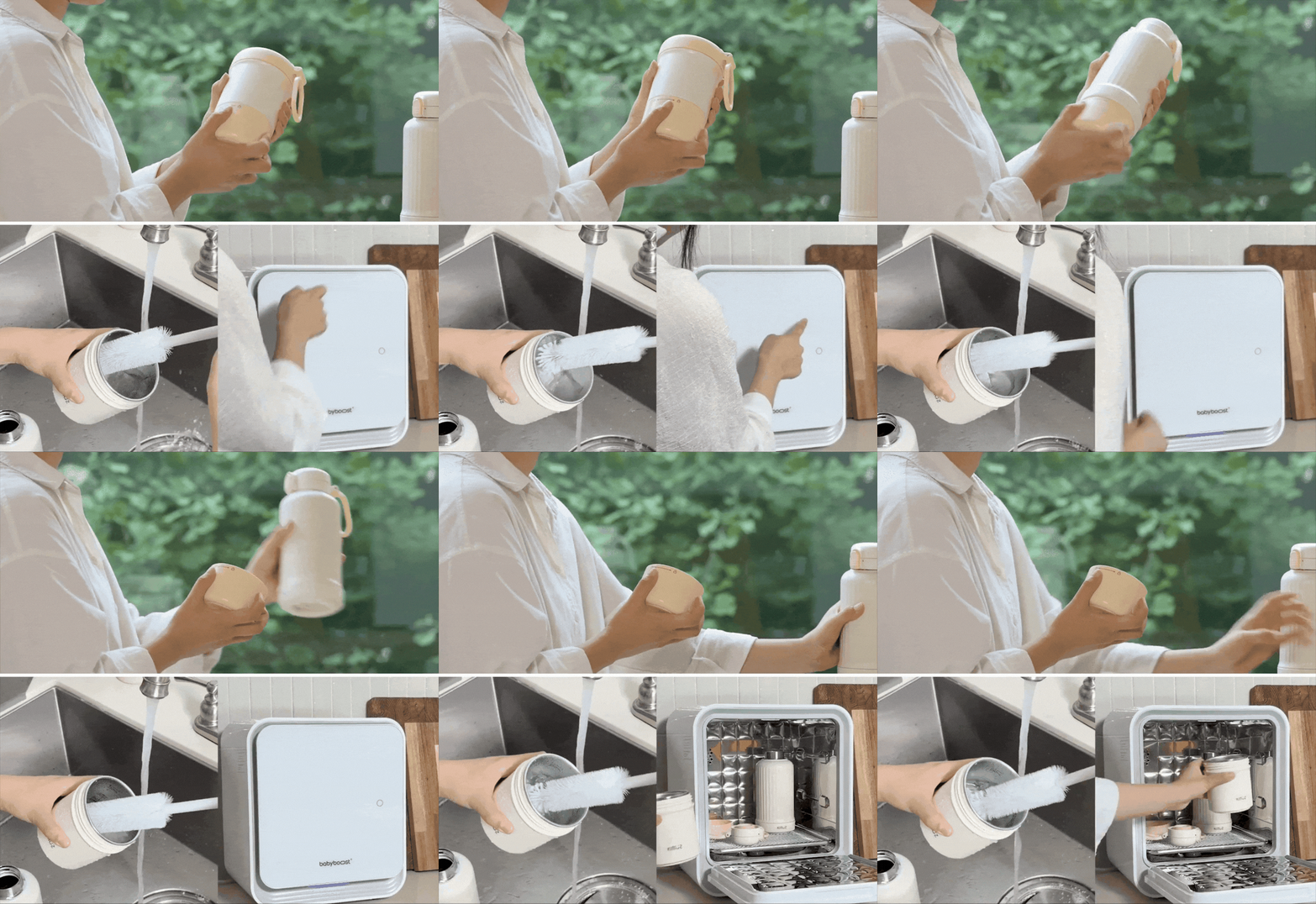
GIFs aren't just images you put in to catch your eye. It is most effective when showing short movements or changes that are difficult to explain with a single picture. So the GIF fits well with the scene as below.
- Folding, opening, turning, and separating
- the process of changing or absorbing color, swelling, or temperature varying
- How to use more than three sentences when described in writing
In particular, beauty, travel, kids, tech, and home appliances use more than 80% of GIF. I film a short video of using the product, cut only the necessary scenes into GIFs, and use them in the story as follows. On the other hand, photos are more suitable if you need to show the material, color, and stopped state in detail, such as the components.
 |
 |
After you insert the image, you must check it on the mobile screen!
If you put both the picture and GIF in, please finally check the full detailed page. It's more important whether it continues naturally within the page than the completeness of an image.
- Did you prepare the representative image separately from the picture for the detailed page?
- Did the maker studio check the representative image ratio?
- Do the products and phrases look safe even if you cut the representative image?
- Did you use GIF for the parts that needed movement?
- Doesn't the lighting and background change greatly from picture to picture?
- Did you leave enough space up and down to fit the vertical screen?
- Can you see the product and the letters well on the cell phone screen?
There is a high percentage of Wadiz supporters who go through detailed pages on mobile. Even photos that look appropriate on PCs may be too long, too small in letters, or the product may look cut off, so make sure to check the mobile screen together.
What if you're not a maker yet? Making My Project
Frequently Asked Questions
Q. Can I fill in the story with sample photos first?
A. It's okay for composing a story and holding a table of contents. However, the image shown to the supporter should not look different from the actual product you will receive. If the color or finish is going to change, it's safe to change it to the final shot.
Q. Is it better to take the picture vertically?
A. The vertical composition of the body image generally fits well. I read the detailed page from top to bottom. However, there is a separate standard for the representative image, so please check it at the studio and take it with enough space so that the product can be seen even if it is cut.
Q. I filmed a video, so would it be better to put it in the story?
A. You can put it in if you have it, but it's not disadvantageous if you don't. Most of the videos by category do not exceed 20%. If there is a video that has already been shot, it is better to cut the key scene with a GIF and place it in the middle of the text rather than putting it in as a whole.
Q. Can I add more photos after opening it?
A. After opening the project, the detailed page modification is restricted. Therefore, I recommend that you finish filming before opening, and if there is a scene you want to show after opening, you can post it as a new news.