Can I just copy and paste this funding story as is? | How to Write the Introduction for a Story That Will Be Launched Soon
Updated: September 8, 2026
Successful Launching Soon Key Formula
Key Formula for the Introduction of a “Coming Soon” Story
The most common approach when writing a “Launching Soon” story is to simply copy the main campaign page. However, the purpose of a wadiz “Launching Soon” story isn’t to drive purchases— it’s to encourage users to sign up for notifications. While the main campaign page explains “why you should buy this product,” the “Launching Soon” story explains “why you should sign up for notifications right now.” So, even though the content is the same, there are parts that need to be adjusted.
The opening paragraph is especially important. The first screen should prioritize showing who the product is for, what problem it solves, when the campaign launches, and the benefits of signing up for notifications—rather than detailed product specifications. In this article, we’ll look at examples to see what to write and in what order—from the first screen through the middle and conclusion—for a Story that is launching soon.
By reading this article, you’ll learn
- What content should be moved forward in a story that is launching soon?
- how to structure the opening, middle, and closing sections
- What information must be omitted from a Story that is launching soon
The 4 Essential Elements for the Introduction of a Story That Will Be Launched Soon
Supporters who visit the page for the project that is launching soon cannot make a payment yet. Therefore, they have no reason to read lengthy technical specifications. If you start by listing detailed Rewards-related specifications, they may leave the page without even clicking the “Sign Up for Notifications” button. It’s crucial for the Story about the project to beconcise and powerful, conveying what the project is about, what makes it appealing, and why people should participate in funding it.
Please define the following four points in a single line each and include them in the introduction.
- What: What is the project you’re introducing?
- To Whom: Who will benefit from this?
- Why now: Why should people check out this project right now?
- Benefits: What benefits will you receive if you sign up for notifications now?
Try writing one line for the target audience, one line for the challenge, and 2–3 key benefits
When listing the key benefits, keep them as keywords rather than full sentences. Supporters should be able to scan them in 3 seconds or less!
Writing Example✍️
"For those who have to repack their suitcases every time they travel just to make room for a neck pillow."
"The problem with neck pillows was their bulk. Even when folded, they still took up an entire compartment in my bag."
"Fits in your pocket · Inflates in 3 seconds · Designed to support your neck at the perfect angle"
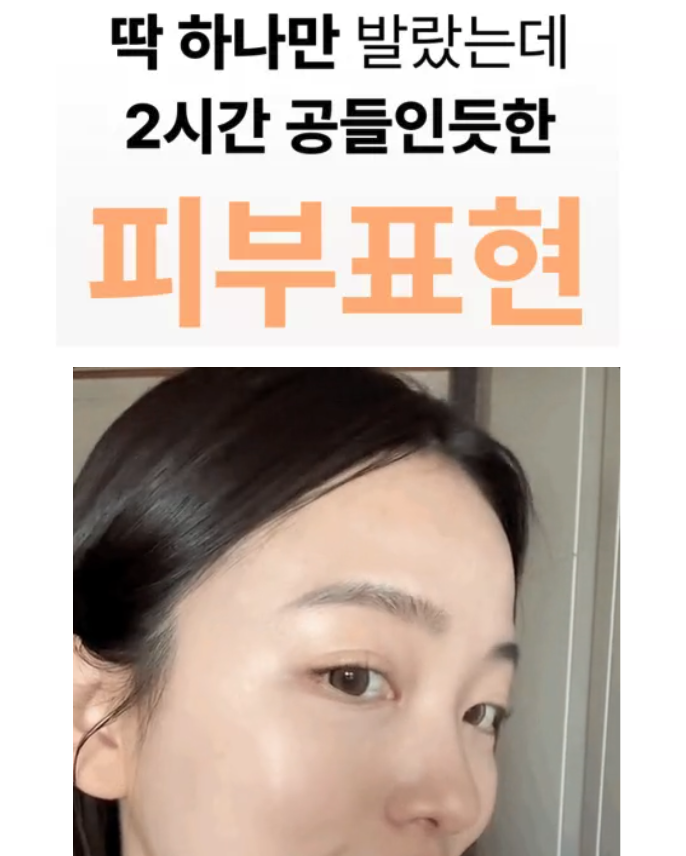
Based on this content, try creating an introduction that makes people want to keep scrolling, as shown below.
 |
 |
The introduction serves as the basis for the AI story summary
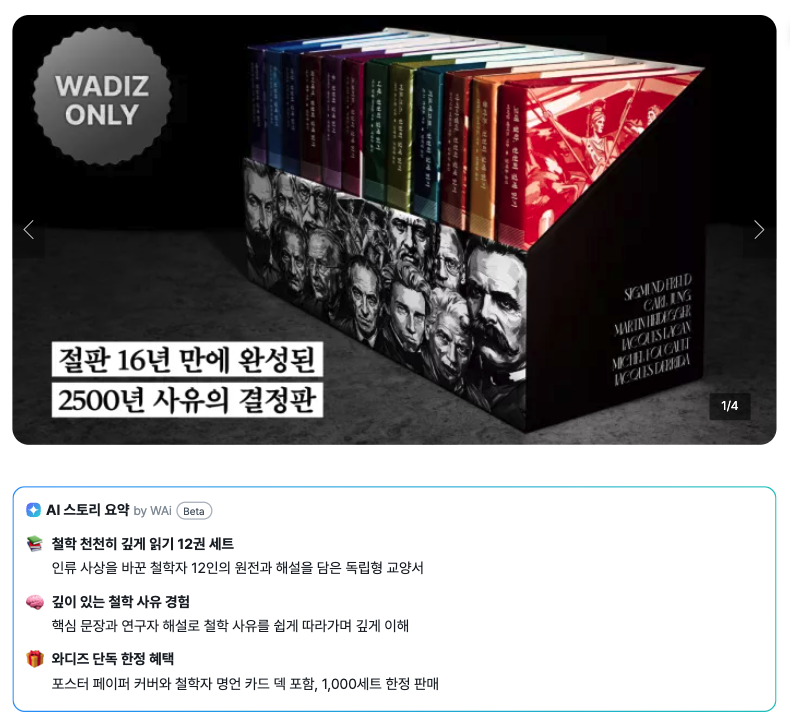
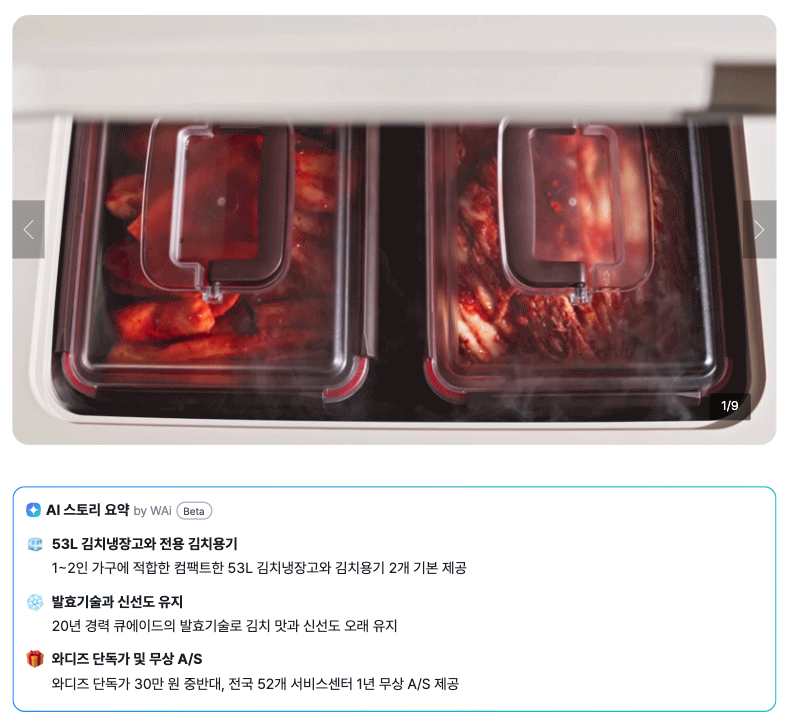
An AI story summary generated by WAi will be displayed at the top of the page that will be launched soon. This allows supporters to get a quick grasp of the project through this summary before reading the full text. This AI summary is automatically generated from the story that the maker wrote. If the explanation in the beginning of the Story doesn’t effectively highlight the project’s strengths, it will be difficult for the summary to clearly convey the product’s features and the reasons to sign up for notifications. Therefore, the introduction must make it clear what the product is, who it’s for, and why people should sign up for notifications now.
 |
 |
Guide to Writing the Middle to End of a Story That Will Be Launched Soon
If you’ve captured supporters’ interest in the opening, you can go into a bit more detail about what you, the maker, want to convey starting from the middle section.
Fill the middle section with key features and the maker’s story
You can highlight key features and benefits, the difference before and after use, specific metrics, and key ingredients or technologies. At this stage, information that allows readers to visually compare or verify details is easier to understand than abstract descriptions.
For example, instead of just saying “it’s light,” specify “weighs 180g.” After explaining the product’s unique features, include a paragraph about the maker’s story. Share why you created this product and what challenge inspired you to start. When the story is told in the maker’s own words, supporters will feel a connection even to an unfamiliar brand or product they’ve never seen before.
Example Showing What Sets This Product Apart✍️
“Conventional neck pillows still took up a whole compartment in my bag even when folded. This product is the size of my palm when folded.”
Example featuring the maker’s story✍️
“I threw away six neck pillows over three years of business trips. It was always because of how bulky they were.”
In the conclusion, explain “why they should sign up for notifications now.”
A vague suggestion like “Sign up for notifications—it’s a good idea” isn’t enough. Be specific: explain whether there are benefits available only to those who sign up, and if so, how limited the quantity or timeframe is. You can also briefly mention the launch date and any early-bird or limited-edition Rewards. It’s enough if supporters can immediately understand when the campaign launches, what they’ll receive, and why they need to sign up for notifications.
However, please omit any information about Rewards shipping. Since no payment is made during the “Launching Soon” phase, shipping details could actually cause confusion.
Example of a closing statement✍️
“It goes on sale at 12:00 PM on September 12.”
“We’re offering a ‘Super Early Bird’ sale exclusively for those who sign up for notifications. Limited to 30 units, with a 45% discount off the regular price.”
“We’ll send an opening notification via text message. Since quantities are limited, you might miss out if you don’t receive the notification.”
Go to the “Launching Soon” Story
Not a maker yet? Create Your Project
Frequently Asked Questions (FAQ)
Q. What are the essential elements to include in a story that is launching soon?
A. On the first screen, include a one-line target audience description, 1–2 lines addressing supporters’ concerns, and 2–3 key benefits. In the conclusion, list the launch date and exclusive benefits for those who sign up for notifications, including quantities and prices. These five elements are the minimum required.
Q. Is it more helpful to write a “Launching Soon” story from scratch, or is it better to just pull in my existing project story?
A. You can use the existing project Story, but it’s best to edit the beginning. The main Story usually starts with a product description, but for a story that is launching soon, the reason “why you should sign up for notifications now” should come first. Also, be sure to remove any shipping information.
Q. How should I adjust the “Launching Soon” Story to highlight specific price benefits?
A. Don’t just save the benefit for the end—highlight it again right next to the key benefits on the first screen. Also, be sure to include the condition that “you must sign up for notifications to receive this” along with the limited quantity to encourage sign-ups.