 MMWO
MMWO
Do you know exactly how many hours you spent on your drawing today?
When you go running, your watch keeps track. It records how many kilometers you ran, how long it took, where you took breaks, and whether you improved compared to last week—all without you having to write anything down. What about drawing?
You sat for three hours today, but how much of that time did you actually spend drawing? How many days did you spend on this one piece? Did you draw more or less than last month?
Usually, we only have a rough estimate. Some people use a timer, but often forget to turn it on or off. Sometimes, 40 minutes away from your desk gets counted as work time. Screen recording is heavy, takes up storage, and you rarely watch it again.
Tracking drawing time is especially cumbersome. You have to split your attention between drawing and recording your time.
All you have to do is keep it running.
Sigan is a program that quietly runs next to your drawing software.
Just draw as you normally would in your usual program. Clip Studio Paint, Photoshop, Krita—whatever you already use.
You don't need to press a timer.
It does not record your screen.
It does not touch your drawing files.
You don't have to change your workflow.
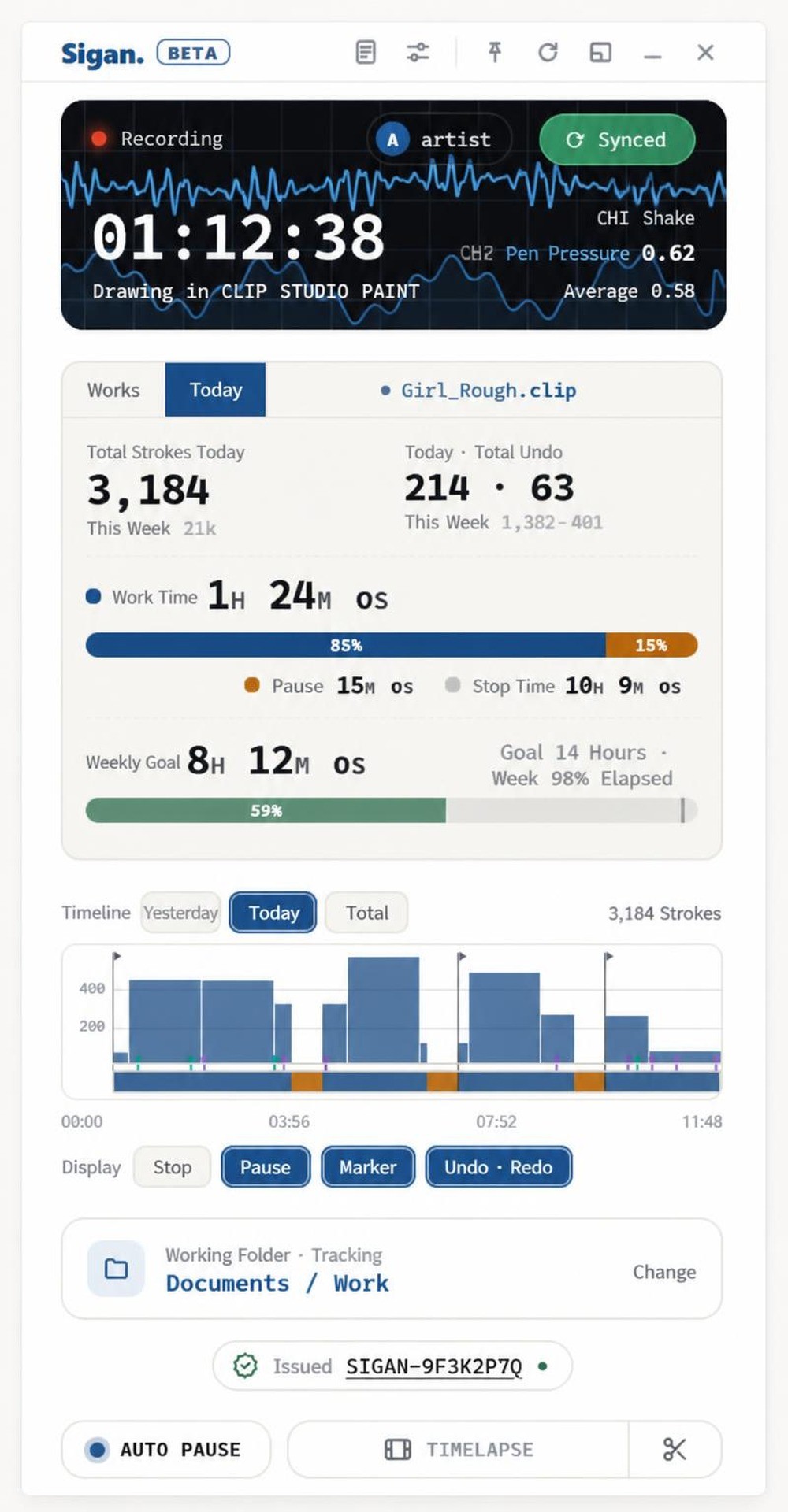
While you draw, it quietly records your brush strokes, pressure, and time in the background. You'll forget it's even running. That was the goal.
The time you spend sitting and the time you spend drawing are different.
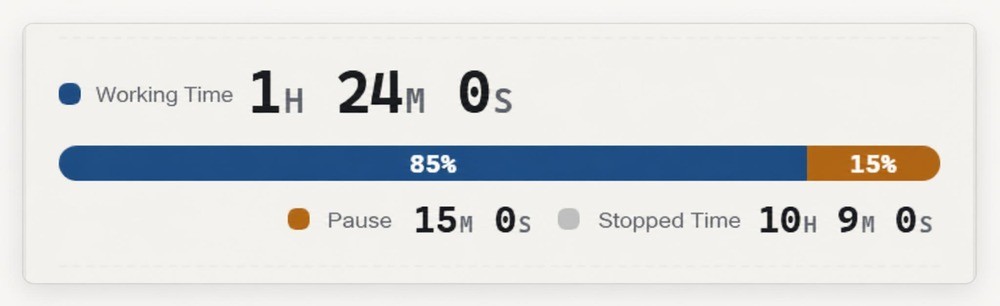
The recorder divides time into three categories.
- Work — The time your hand is actually moving.
- Pause — The time you briefly stop. This includes looking for references or stepping back to view your work.
- Stop — The time you are away from your desk.
Just because you sat for three hours doesn't mean you drew for three hours. Twenty minutes making coffee, fifteen minutes searching for references, thirty minutes on the phone.
What Sigan counts is your actual drawing time.
The reason this is important is that when someone later asks, "How many hours did you spend on this drawing?", you can answer with the actual drawing time, not just the time you were sitting at your desk. And this time becomes a measure of your skill improvement.
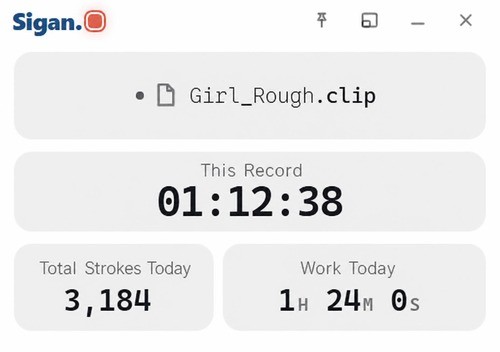
Next to the drawing screen, in a small window,
You can minimize the recorder window and place it next to your drawing screen.
You can immediately see how much you drew today and how much you have drawn this week. Watching the numbers go up can motivate you to draw a bit more.
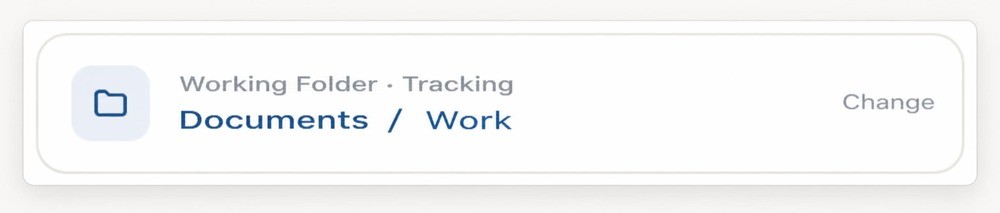
If you set a work folder, it will automatically continue tracking.
For drawings created over several days, records can easily be interrupted. If you have to manually combine what you drew yesterday and today, you will eventually stop doing it.
Once you designate a work folder, the record continues for that piece as soon as you save. Whether you continue drawing from yesterday or reopen it next week, it all accumulates as the same work.
As it accumulates, you start to see things like this.
■ Calendar and 1-Year History
You can see at a glance which days you drew and which days you rested. You can visually check whether your feeling of "I haven't been drawing lately" is true or not.
■ Weekly Goals
You can see how much you planned to draw this week and how far you've come. It also shows how much of the week has passed, so you can adjust your pace according to the remaining days.
■ Time and Estimate by Work
You can see exactly how many hours went into a single drawing. If you enter your own hourly rate, it will show you the value multiplied by your actual working hours. When setting a commission price, you can start from your records instead of guessing. (This amount is only visible to you. It does not appear in the link sent to clients.)
■ My Equipment and Pen Nibs
It tracks how much you drew with which device and program, and even when you changed your pen nib.
And the same records become proof.
From here, this is the second story. You may have heard someone say, "Isn't this AI-generated?" about your own drawings. If you've heard it even once, you know that no matter what you say afterward, it rarely convinces them.
Even if you show your layers or upload screenshots of your work in progress, the response is, "Anyone can make that much."
A single finished drawing contains too little information. It is becoming increasingly difficult to distinguish by just looking at the artwork, and it will only get harder in the future.
However, the process of drawing leaves behind something completely different from the finished work. The order in which the brush moves, the rhythm of pressing and lifting, the spots erased and redrawn, the moments of long pauses—these exist only during the act of drawing and are not present in the final result.
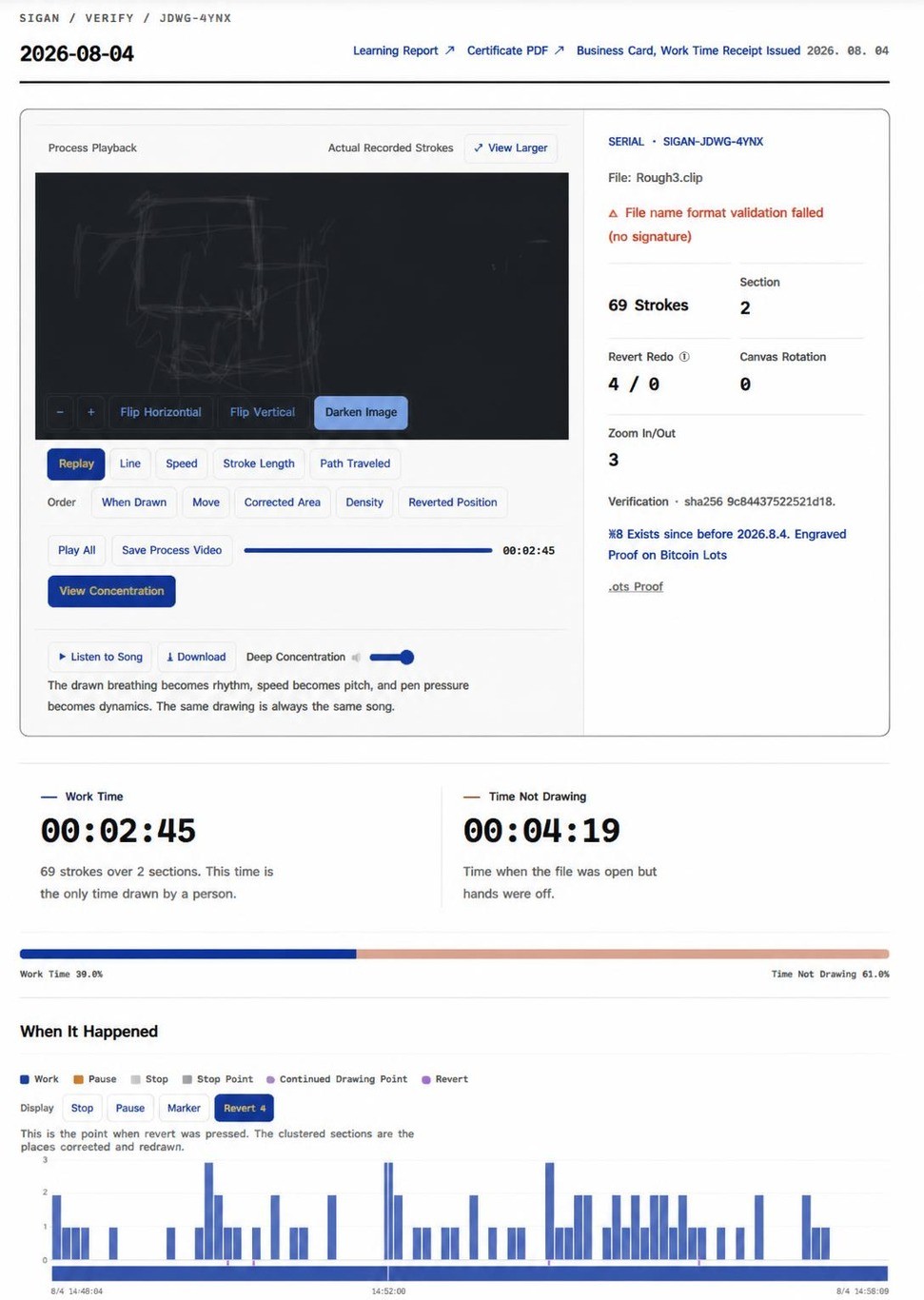
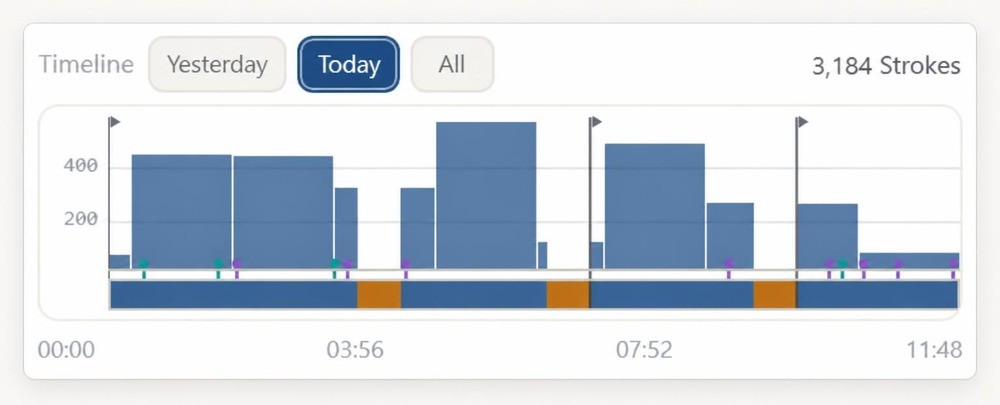
The records left to manage time become evidence as they are. This is because both are matters of time.
You can view it again from the beginning.
When the work is finished, the records of the day are grouped together and assigned a confirmation number.
On the page opened with that number, the drawing is replayed from the very first stroke. It is not a fast-forwarded video, but a playback of the recorded coordinates and times as they happened. So you can clearly see where there was hesitation and where there were long pauses.
For drawings created over several days, you can view each day's work separately.
It only takes a single link.
The confirmation page is just one address. You can send that address to clients, academies, competitions, or anyone you simply want to show. The recipient does not need to install anything. You can also embed it in your portfolio site.
What we do not do.
The playback screen you just saw does not contain any image files. Only the coordinates and times of the strokes are saved. Brush textures, colors, and layers are not reproduced. No matter how much you save that playback screen, the original drawing will not appear.
· We do not upload artwork images to the server. Both the finished work and the work files remain only on your computer.
· This is not a social feed. We have no plans to create features for viewing others' work.
· We do not capture keyboard input.
· Academy features only allow viewing of practice times for students who have agreed. Even instructors cannot see the content of the drawings. Attendance, grades, and attitude are not handled, nor do we plan to. Accounts and records belong to the students themselves and remain with them even if they leave the academy.
· We do not claim that unverified drawings are fake. Whether it is a drawing on paper, an old drawing, or a drawing made without recording, we do not make judgments.
Recording and confirming will continue to be free.
There is no charge for creating certificates or opening those links. If confirmation is not possible, this product has no reason to exist. It is not a paid feature, but the product itself.
What we charge for are the additional layers built on top. These are features that read and interpret the accumulated records.
"This week, the number of undos increased." "This work got stuck for a long time at the 60% mark."
Features available only in this package
· Founding Supporter Number (starting from 0001) - This is assigned only to those who participate in this project.
· Founding Supporter Badge - Remains on your profile.
· RefDrop PRO Code - A program for collecting reference materials when drawing. It is developed together by the creators of Sigan. You can paste web images directly into Pureref from Chrome without right-clicking. Includes a Windows capture tool.
· Sigan PRO Code - You can purchase at a more discounted price than the regular PRO payment.
· Transferable to another artist - You can pass it on as is to an artist you know.
Goods unrelated to the product are not included. All items are delivered as codes, and there is no shipping.
Frequently Asked Questions.
Q. If I display an AI-generated image and trace over it, won't I still get a certificate?
Yes, you will get a certificate if you do that. However, you would have to redraw the entire image by hand from start to finish. What used to take five minutes will now take five hours. What Sigan does is not make forgery impossible, but raise the cost of forgery to the same level as actually drawing it. At that point, there is no reason to forge.
The record also keeps track of the number of undos, hesitation points, and stroke order. We do not judge automatically, but if a dispute arises, there is evidence for a person to review.
Q. Do you use my stroke data to train AI?
We do not. Also, we do not store any pixel images at all.
Q. Does an unverified drawing mean it is AI-generated?
No. Sigan only speaks for "verified" works and says nothing about "unverified" ones. We are creating an option for situations where verification is needed, not trying to make a world where everyone must verify.
Q. In what environments can it be used?
It is available only on Windows 10 (1809) or later and Windows 11. It cannot be used on Mac or iPad yet.
Works with Clip Studio Paint, Photoshop, Krita, and more. Drawing with a mouse is recorded, but pen pressure is only recorded with a pen tablet.
Q. Will my drawing program become slower?
It only records input in the background, so it does not affect your drawing. It does not record your screen, so it uses almost no storage space.
Q. If the internet disconnects, will my records be lost?
No. The records made while drawing are saved on your computer, and will be uploaded once the connection is restored.
Q. What happens to my records after the period ends?
Only the paid features will end. All records, issued certificates, and verification links will remain available regardless of the period. You can download and keep your record files at any time.
Please make sure to check.
· Operating environment — Windows 10 (1809) or later · Windows 11. Internet connection is required to save or check records.
· Support scope — Program updates and error support are provided during the usage period.
· Copyright — Only the coordinates and timing of strokes are recorded; artwork images are not stored on the server.
· All Rewards are digital and there is no shipping. After payment is confirmed, we will send you the code.