 SaiBridgePeople

Just one photo and a single note, and you're done!
A memo app organized by Apple Intelligence.
Problems that arise when memos pile up.
Writing memos is really easy, but once they start piling up, it's a different story. At some point, organizing them becomes a burden, and you even start accumulating memos you can't remember the purpose of.
So my first thought was simple: "Wouldn't it be easier to distinguish if I divided them by category?" But if categorizing is something you have to do manually, that just becomes another tedious task. So I thought, what if this classification itself could behandled by AI instead?— This was the second idea that became the starting point for Pilofy.
Basic memo app & Pilofy - What's the difference?
All memos may look the same, but the difference shows when you try to find them later.
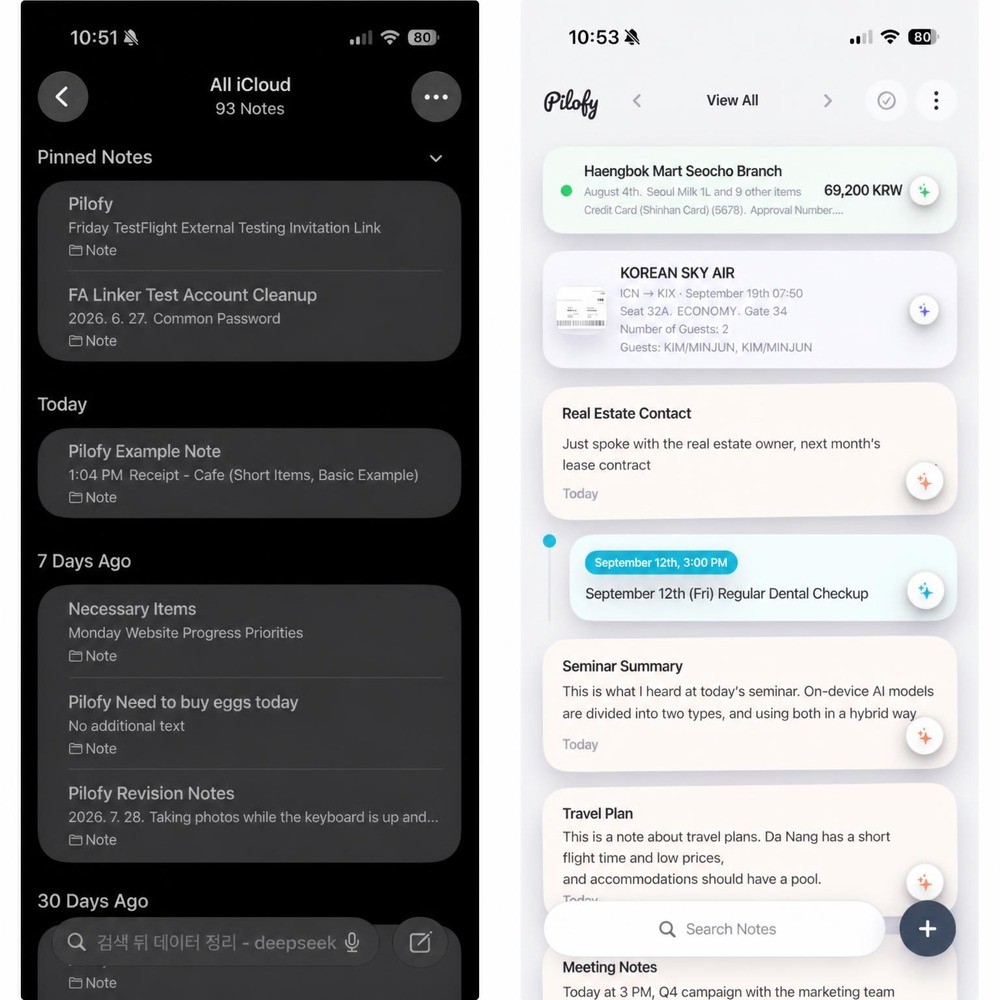 Memos categorized by topic are organized for easy viewing at a glance.
Just drop it in, and AI organizes it for you.
Pilofy is a memo app where you simply drop in photos and text, and AI takes care of organizing everything neatly. There's no need for users to create, move, or organize folders themselves—just jot it down, and Pilofy moves it to the right place. The organized memos are stacked as colorful cards, making it easy to scan through at a glance.
✨ Even regular memos are summarized in one line by AI.
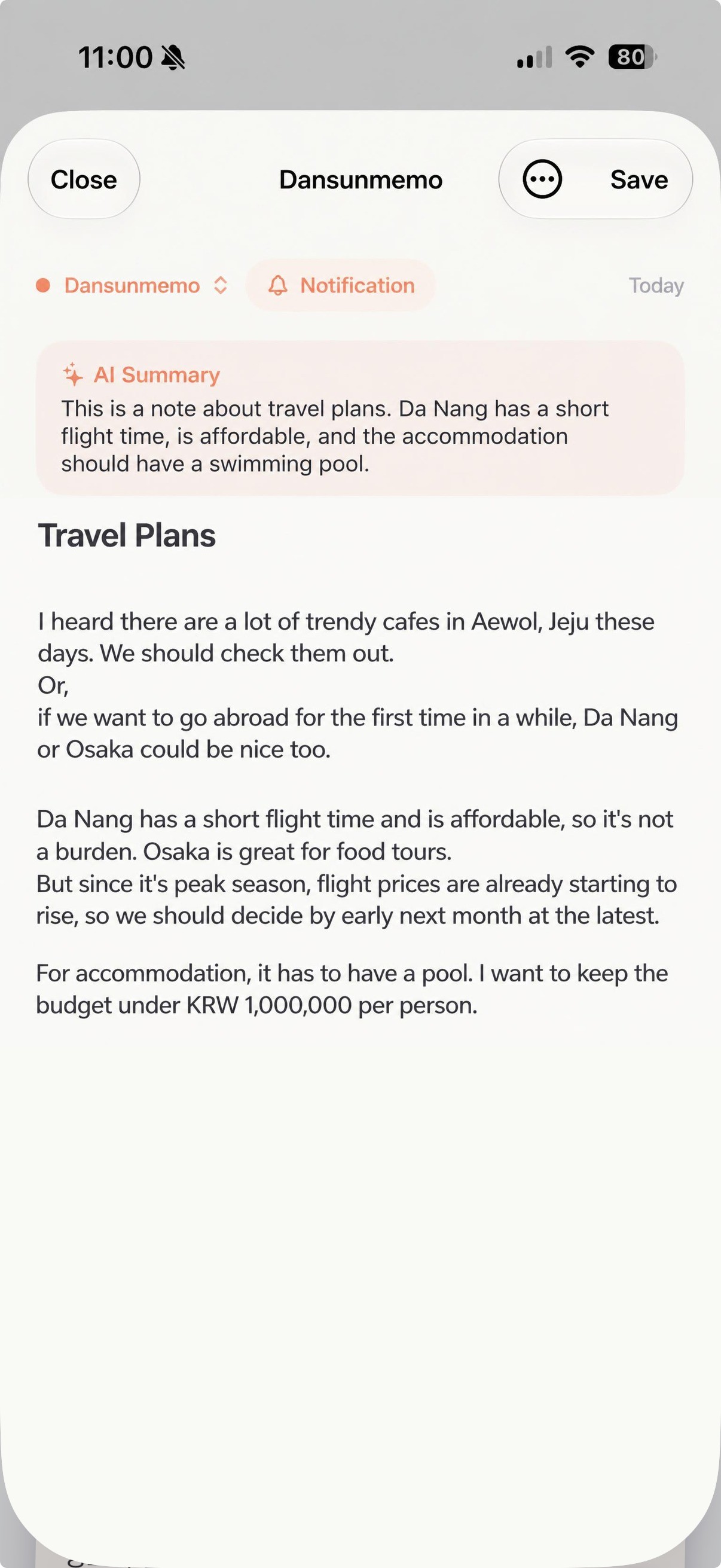 Without any extra request, long memos are automatically summarized by AI into a single key line when saved.
📷 When you add a photo, AI analyzes and organizes it automatically.
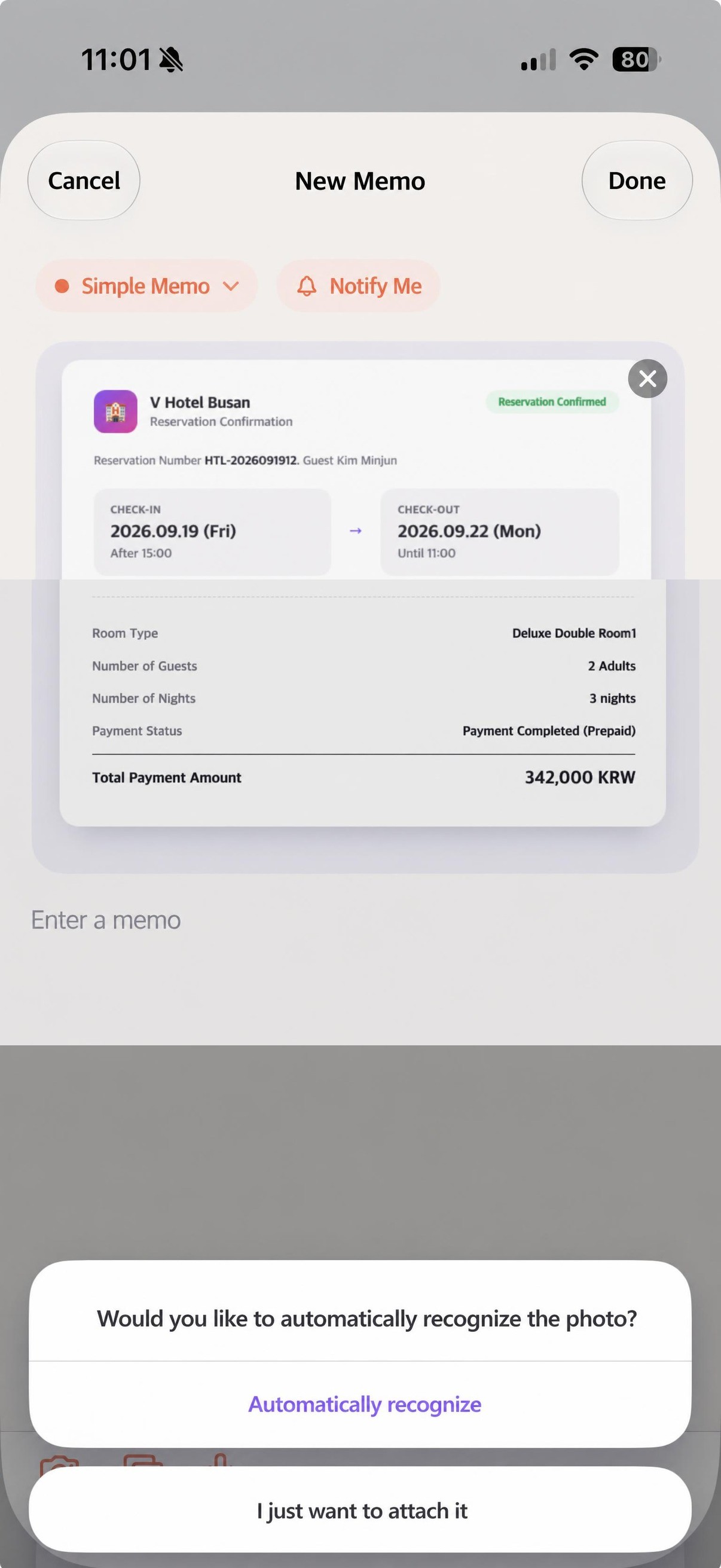 When you attach a photo, it first asks—should it be recognized automatically, or just attached as is?
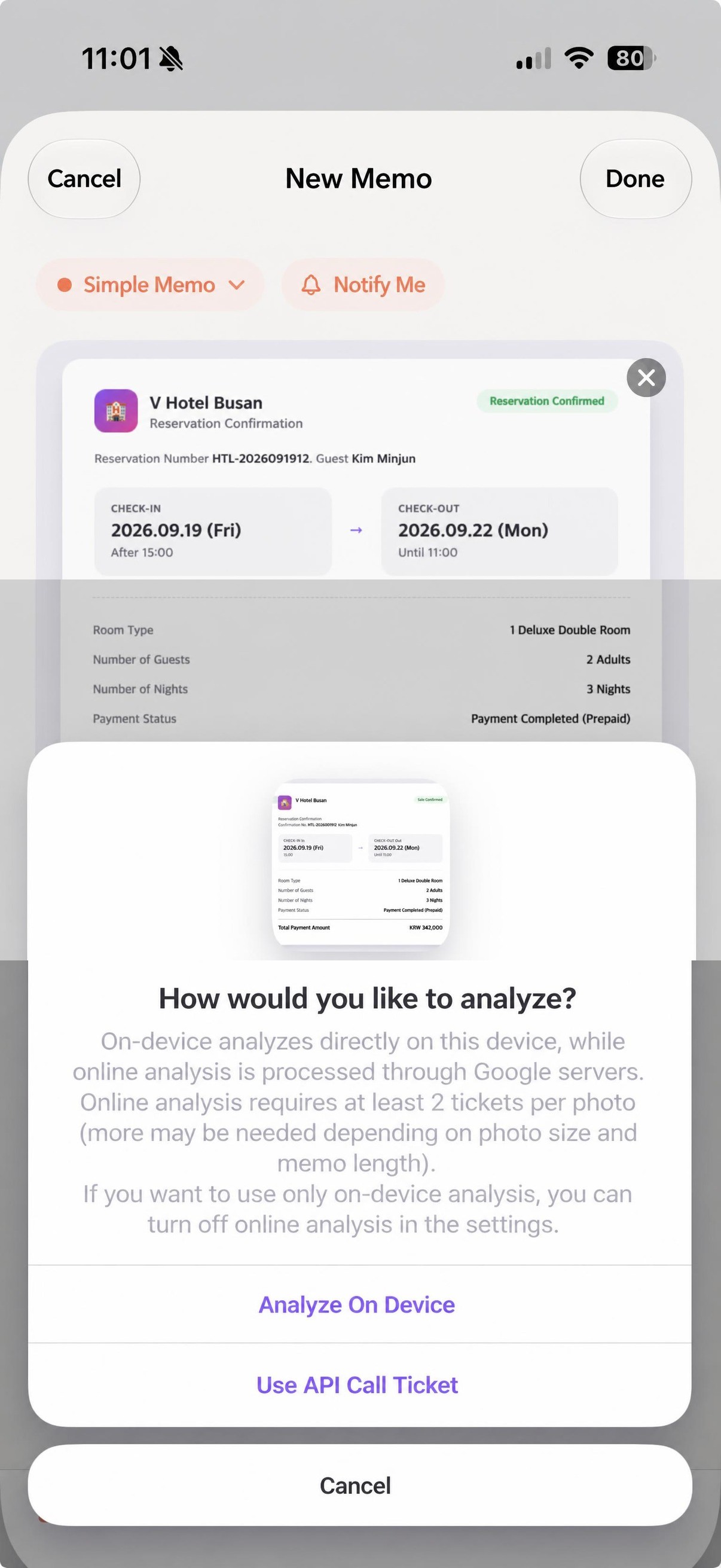 Choose whether to view it directly on your device or analyze it more accurately online.
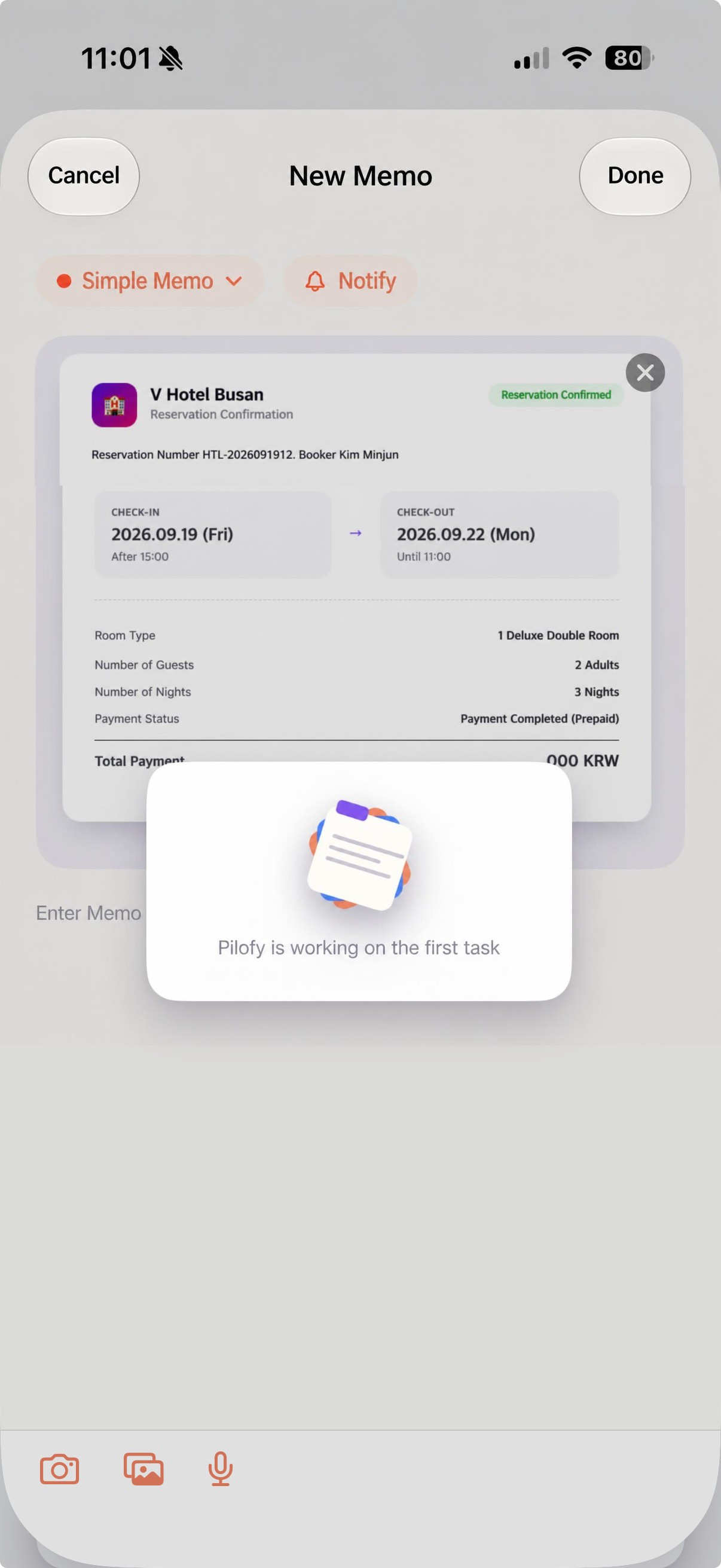 Just wait a moment while AI reads the contents of the photo.
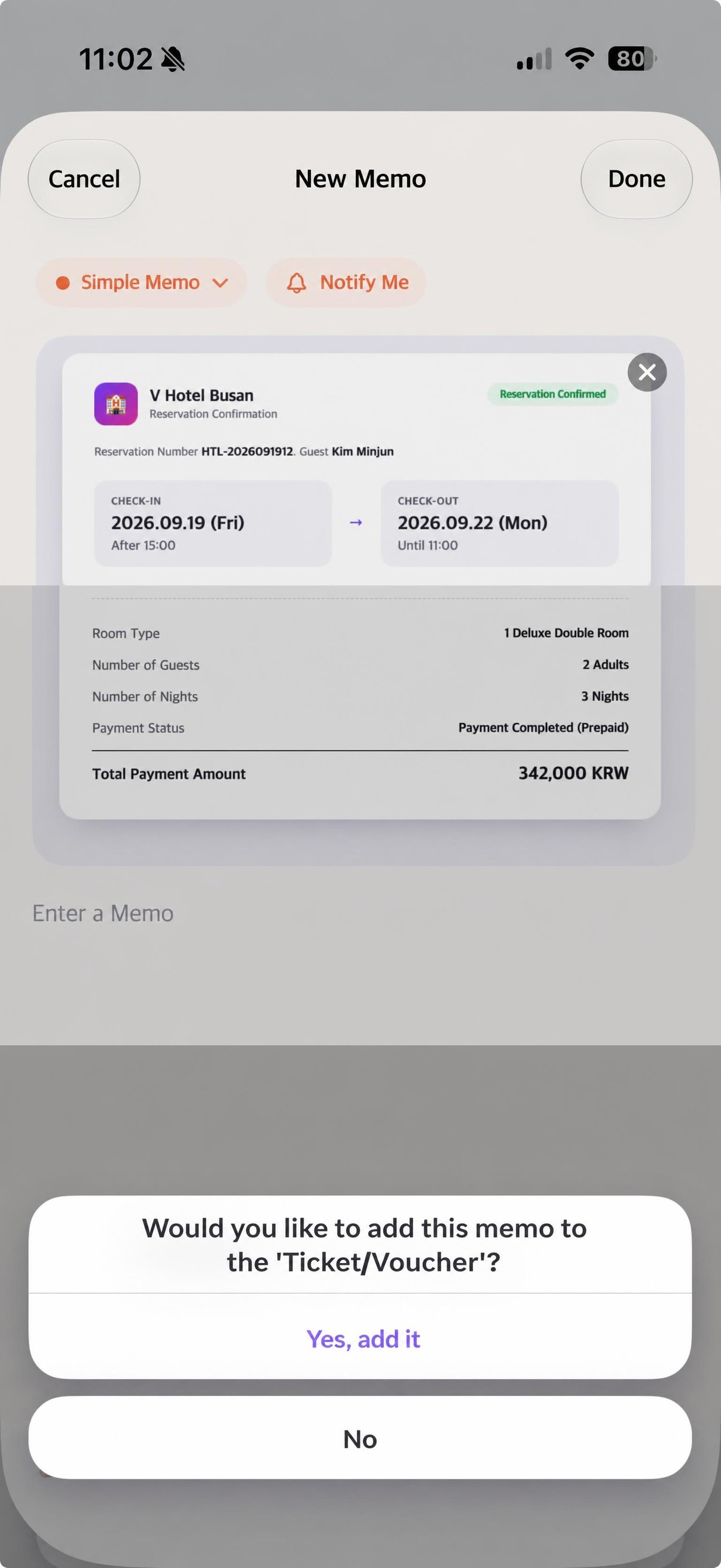 It suggests the appropriate category by asking, "Shall I put it here?"
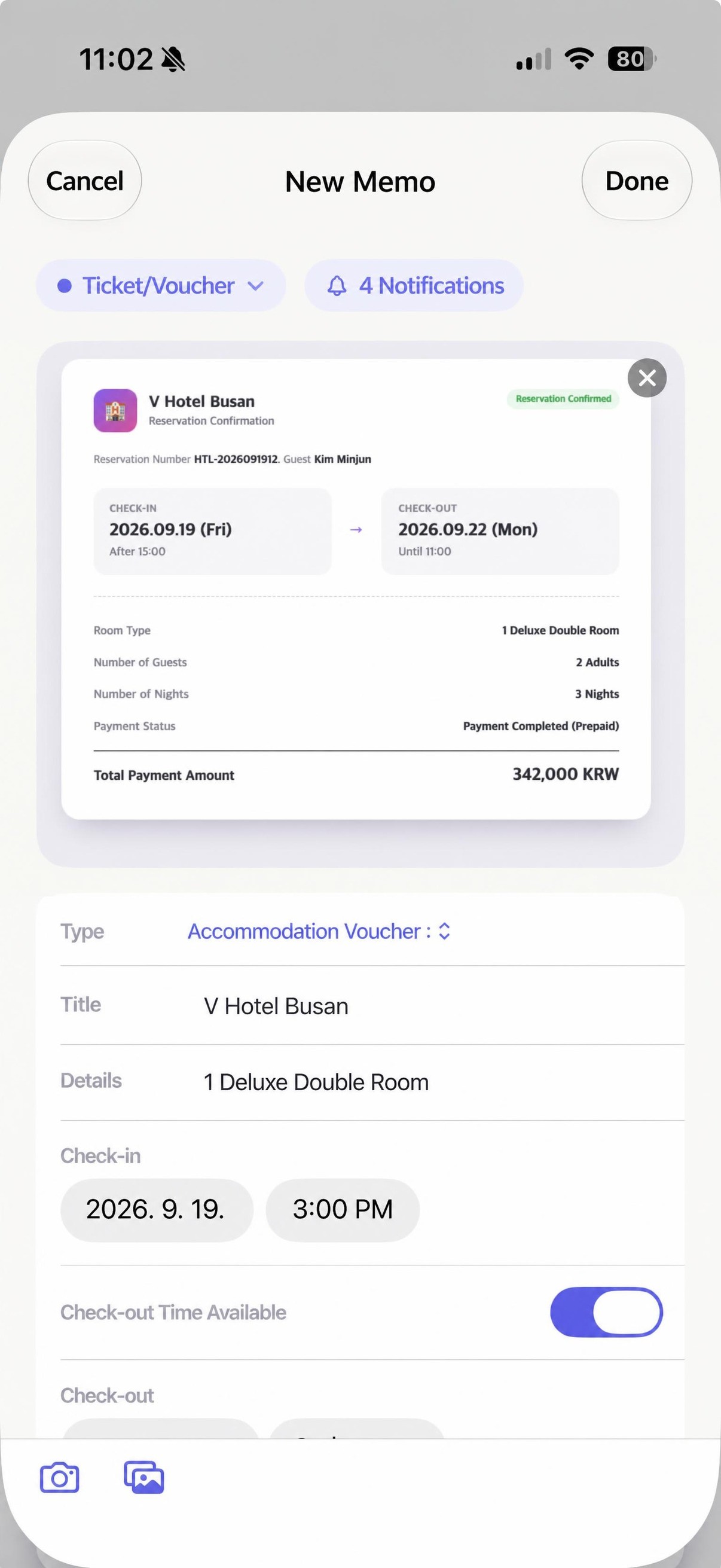 Even detailed information like check-in/check-out is automatically organized.
Notes are organized differently depending on their type.
The core of Pilofy is that AI does more than just automatically categorize notes. The way notes are organized actually changes depending on their type.
⚠️Pilofy is currently continuing to enhance its AI recognition capabilities.

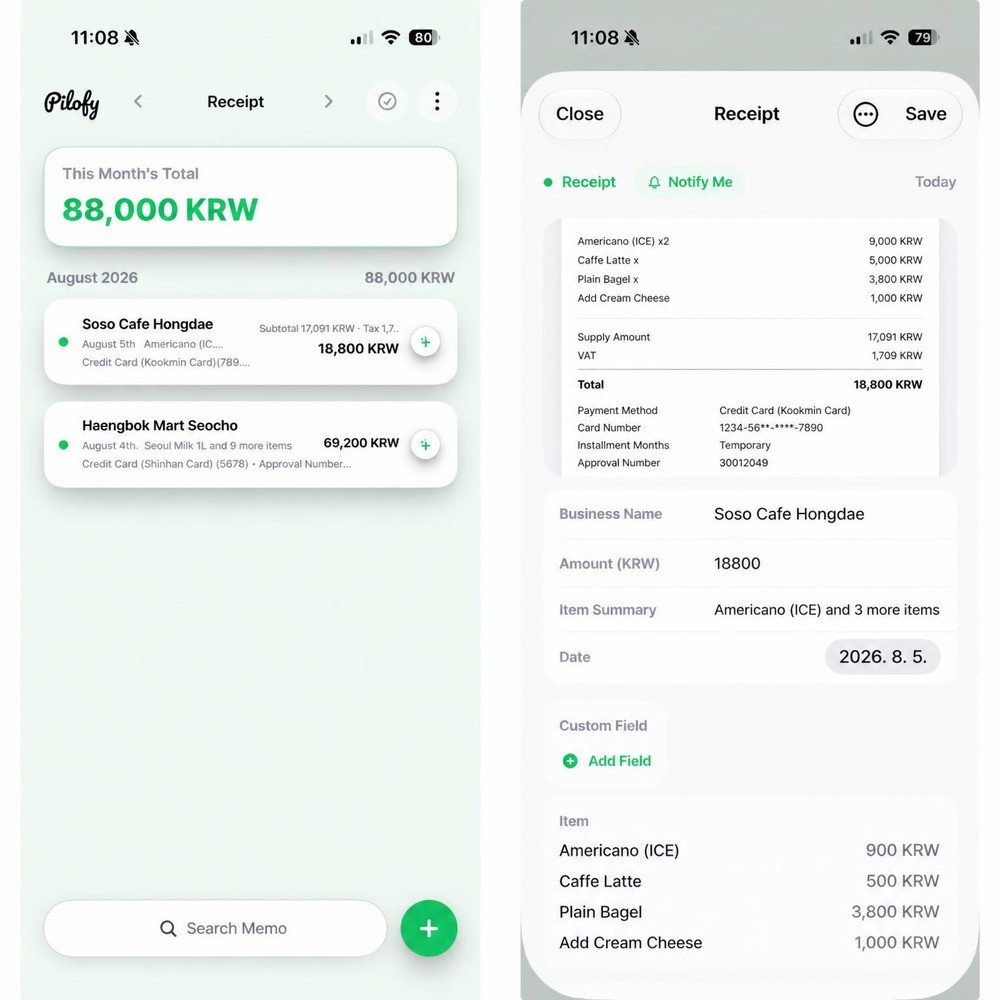
🔜 Coming soon: Receipts that overlap with schedules will be organized together with the relevant schedule, allowing you to easily check expenses for a specific period at a glance.

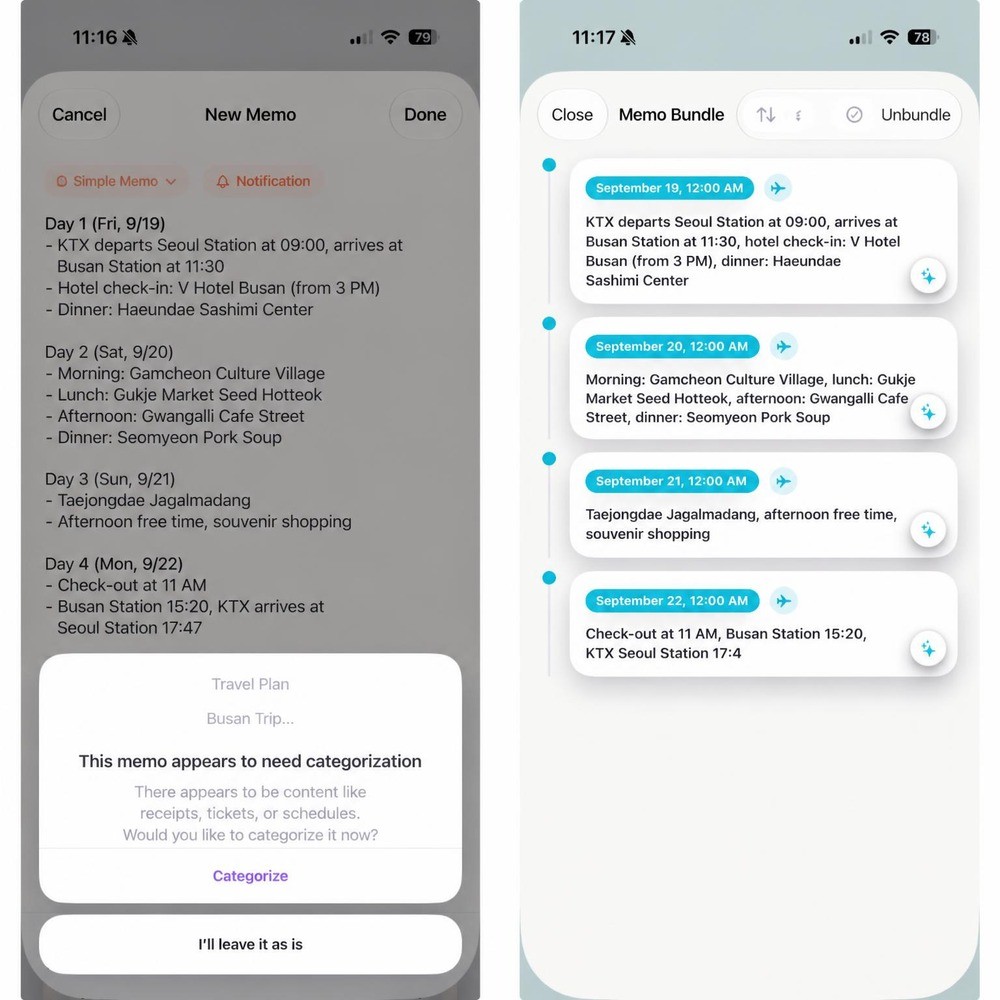

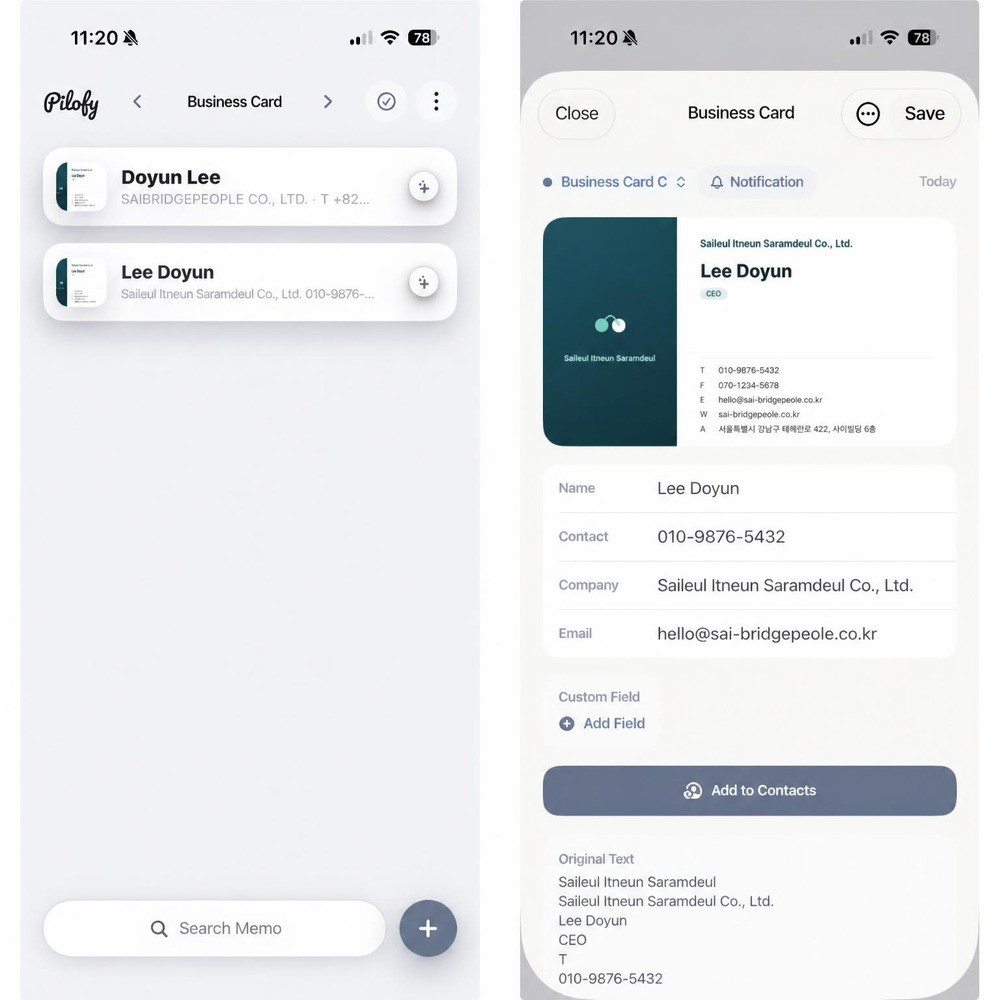
🔜 Coming soon: We are preparing a feature to group business cards with the same company name and to link with the default iOS Contacts app.

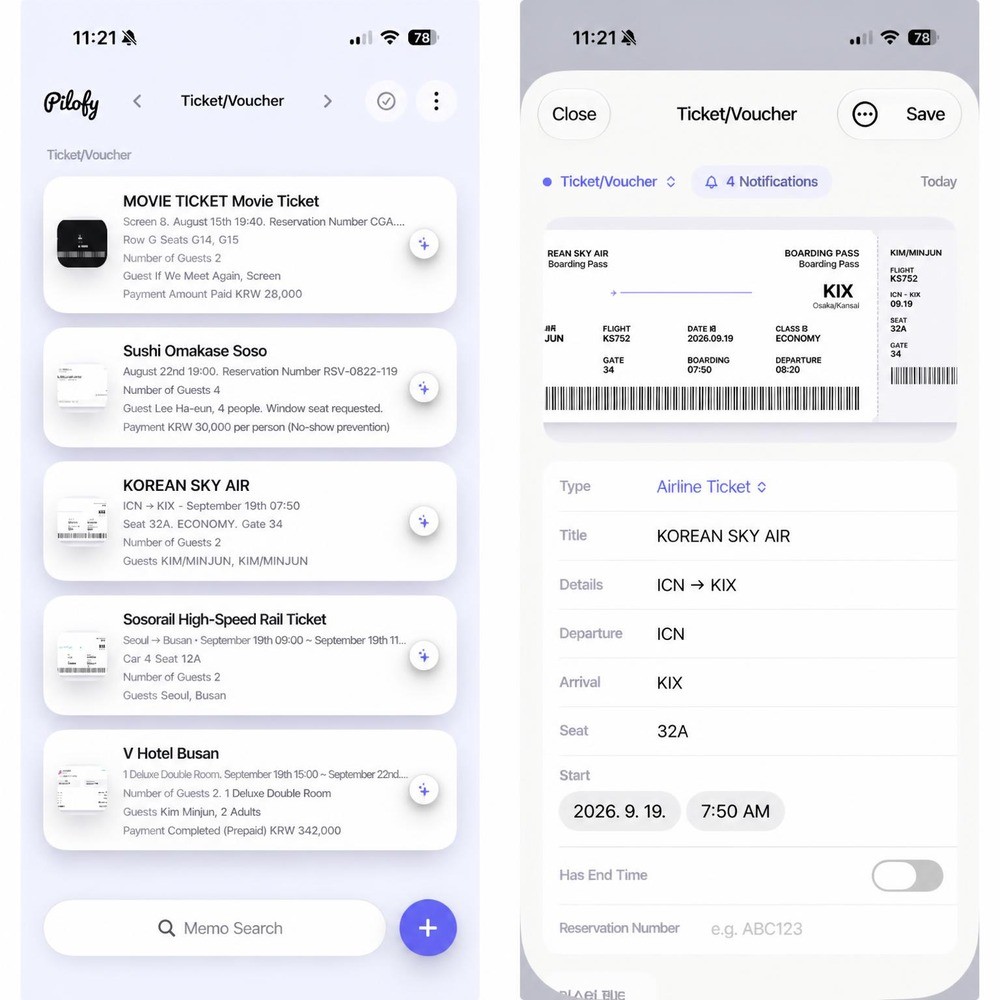
🔜Coming soon: If a schedule in the schedule category overlaps with a date, it will be incorporated into the relevant schedule so you can view them together.

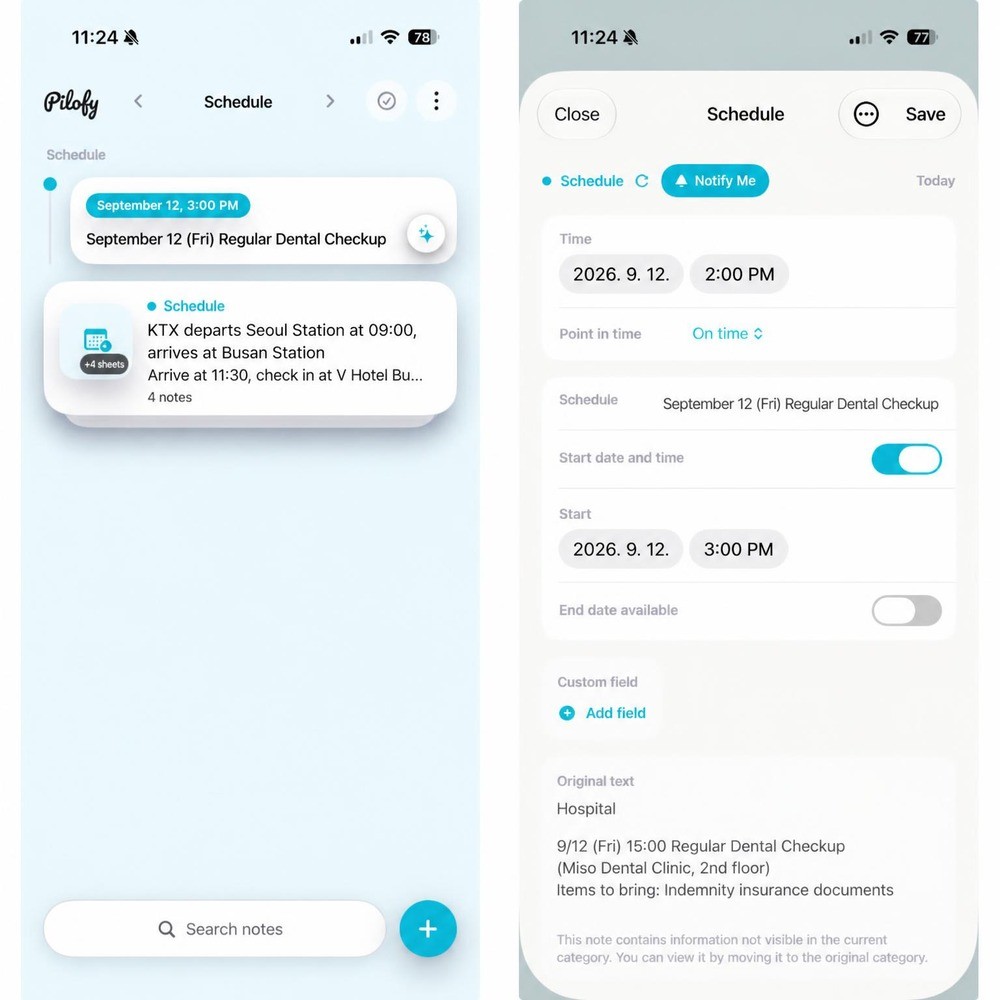
🔜Coming soon: We are preparing a feature to easily register with the default iOS calendar and to synchronize so that deleting a note also removes the calendar entry.
You can do these things right now.
The way you write notes is exactly the same as before.
If you type on a blank page, it is saved as is. You can also take a photo or add an image.
🔜 Coming soon: We are also developing and enhancing a recording feature and a function to instantly convert voice to text.
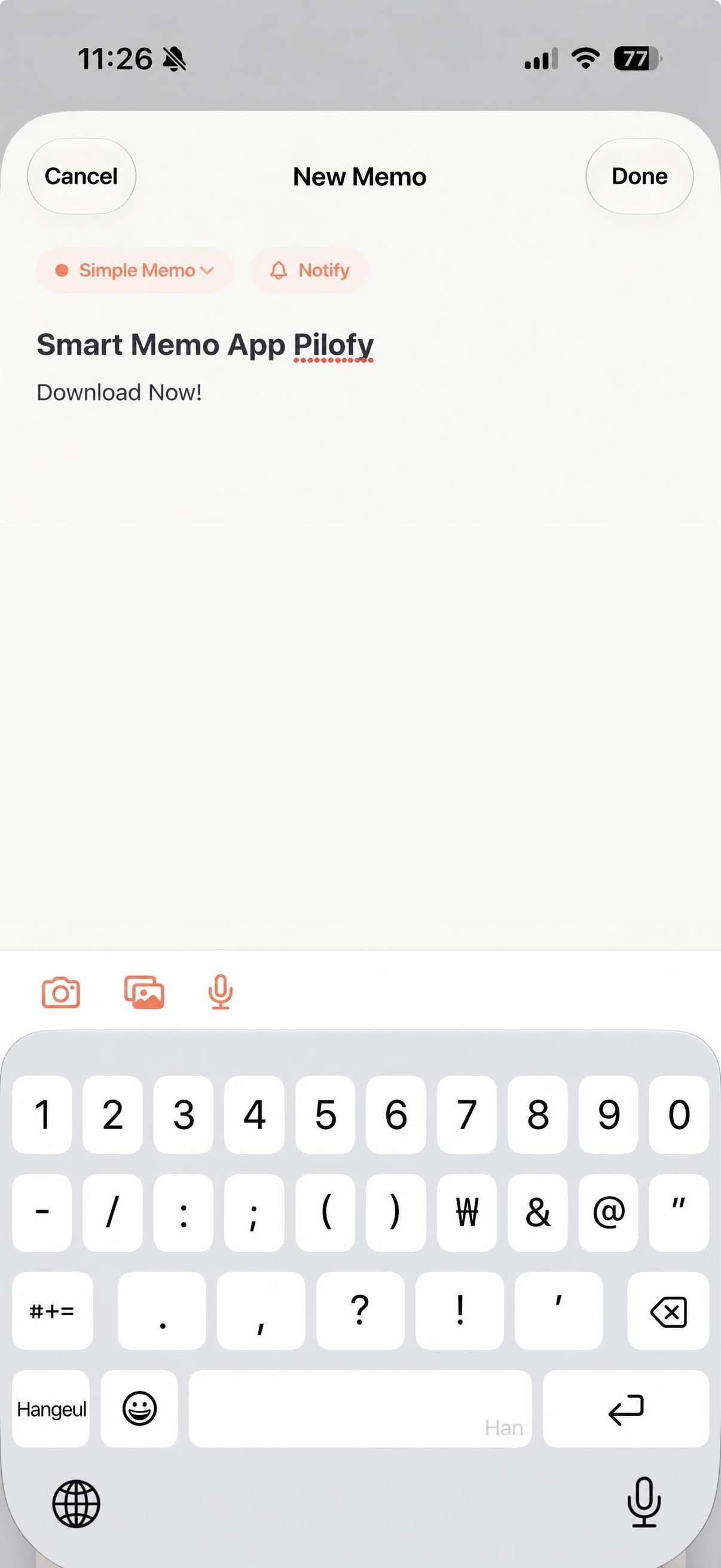 Note creation screen - entering content by typing.
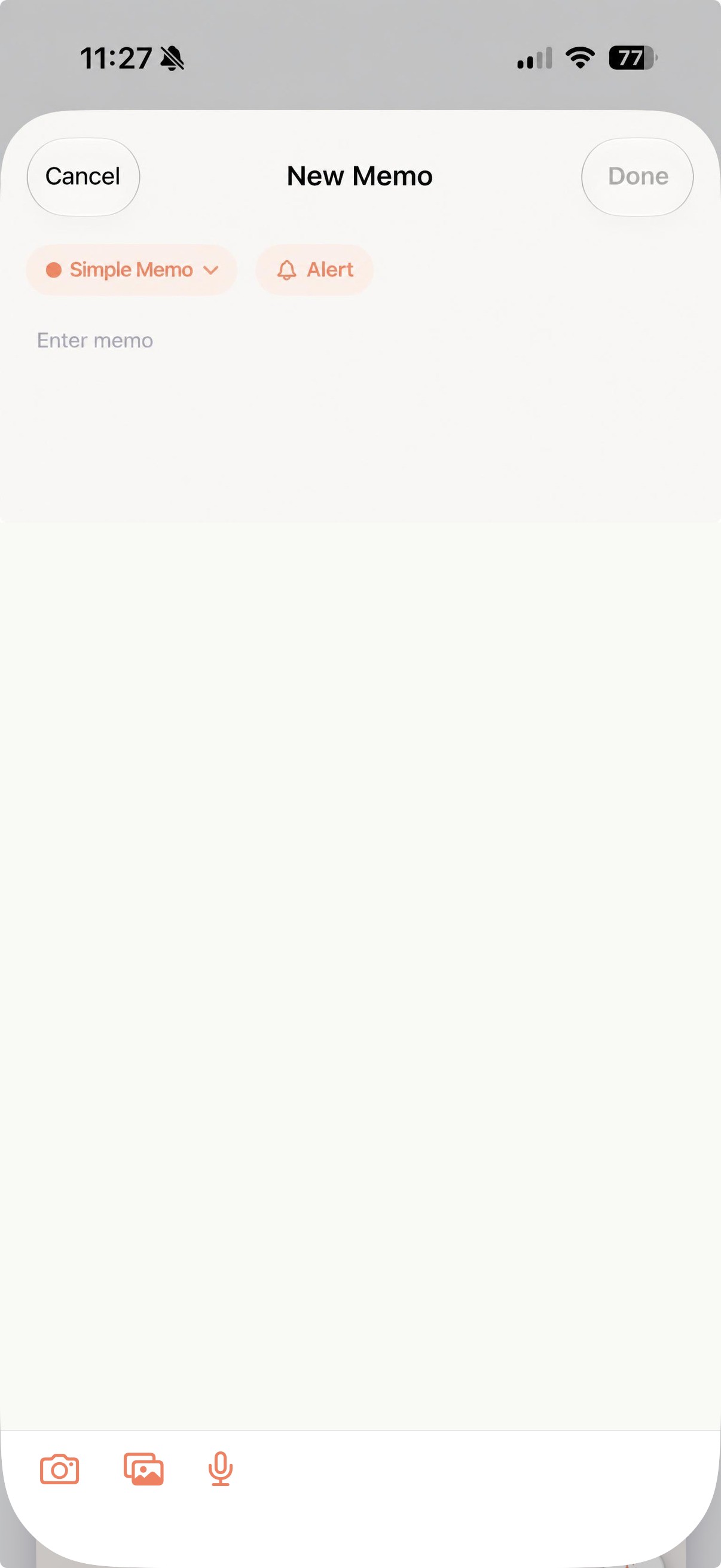 New note creation screen - shows camera/photo/voice buttons on a blank note.
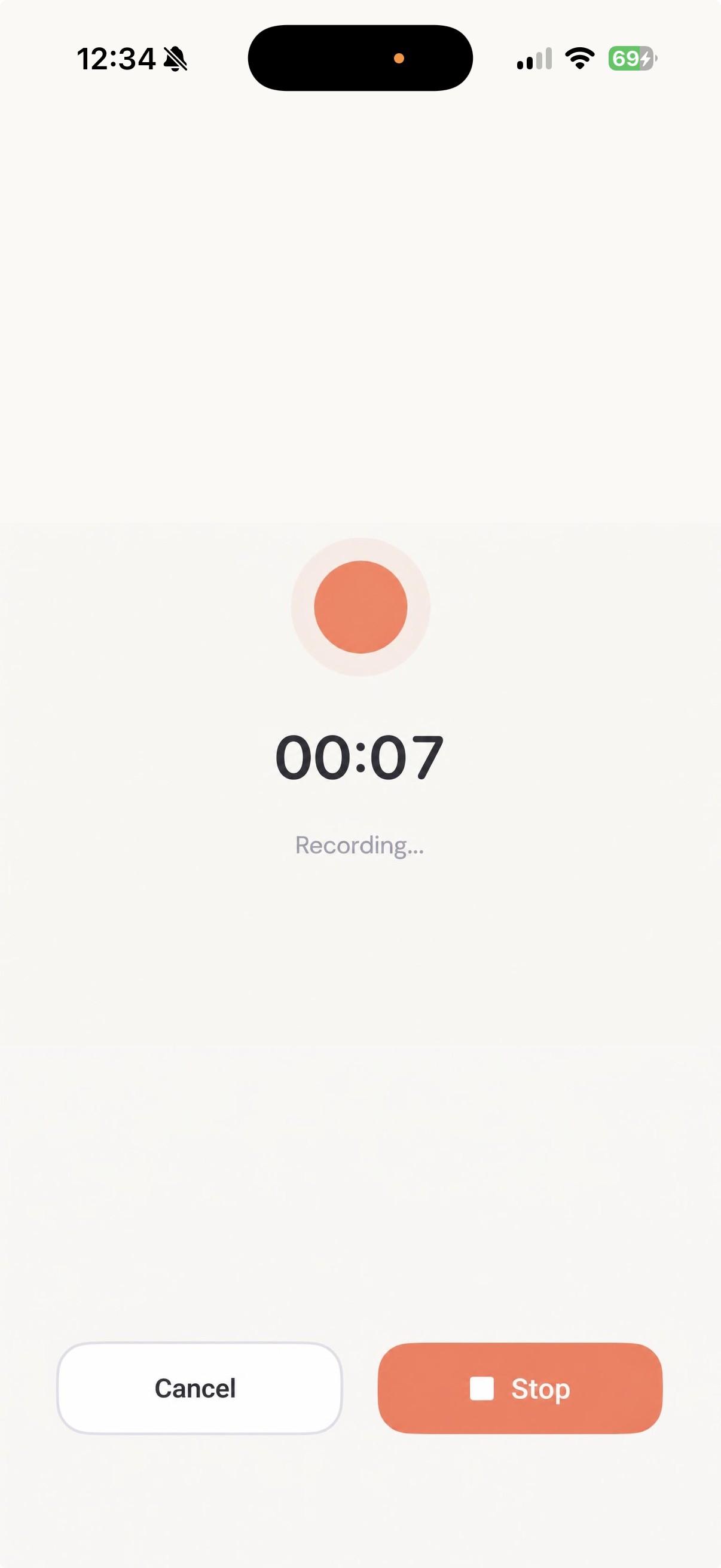 Voice recording screen - a screen where you can record spoken content and save it as a note.
Receipt -> Expense details automatically organized.
AI recognizes not only the store name, amount, and date, but also provides a one-line summary of what was purchased. When you open the category, the total expenses are automatically calculated.
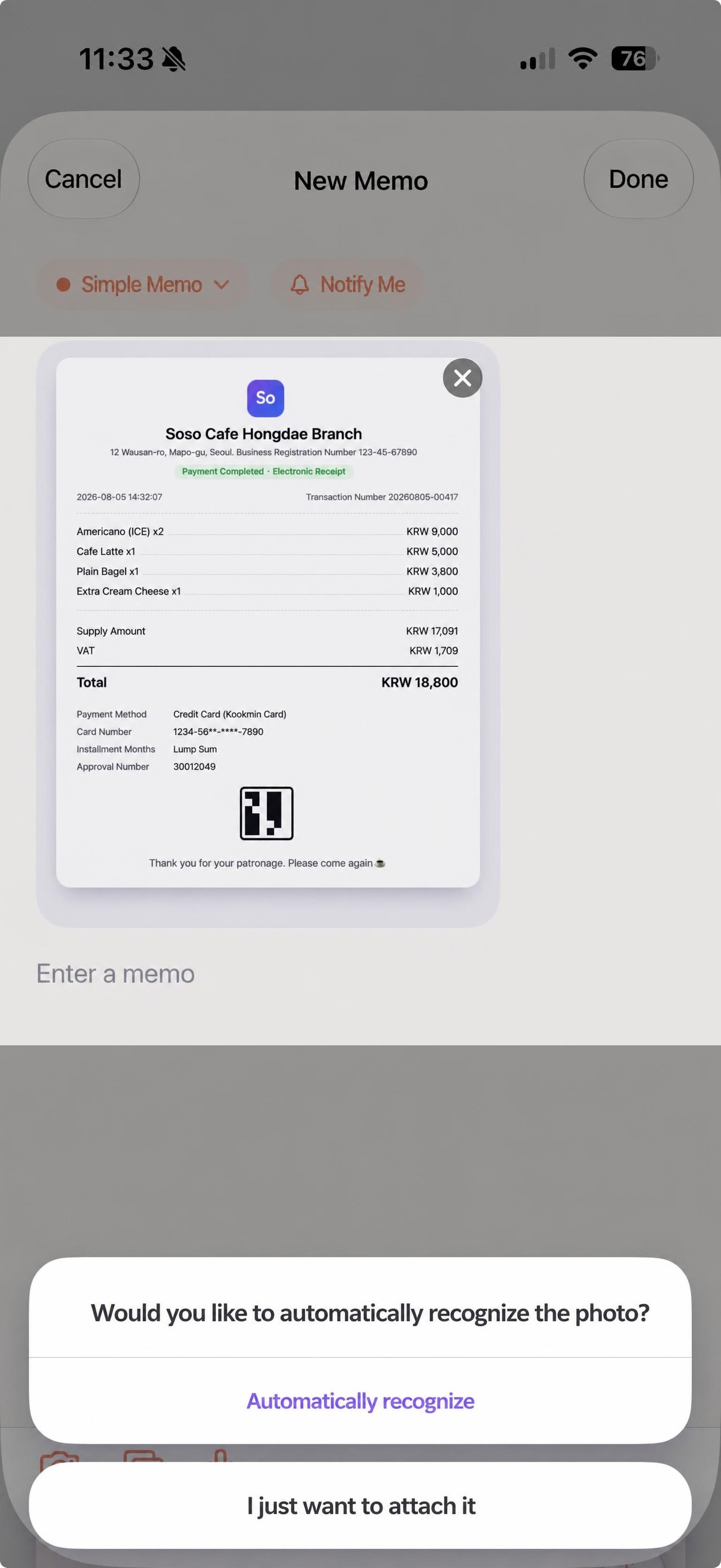 A screen asking if you want to automatically recognize the receipt when you attach a photo.
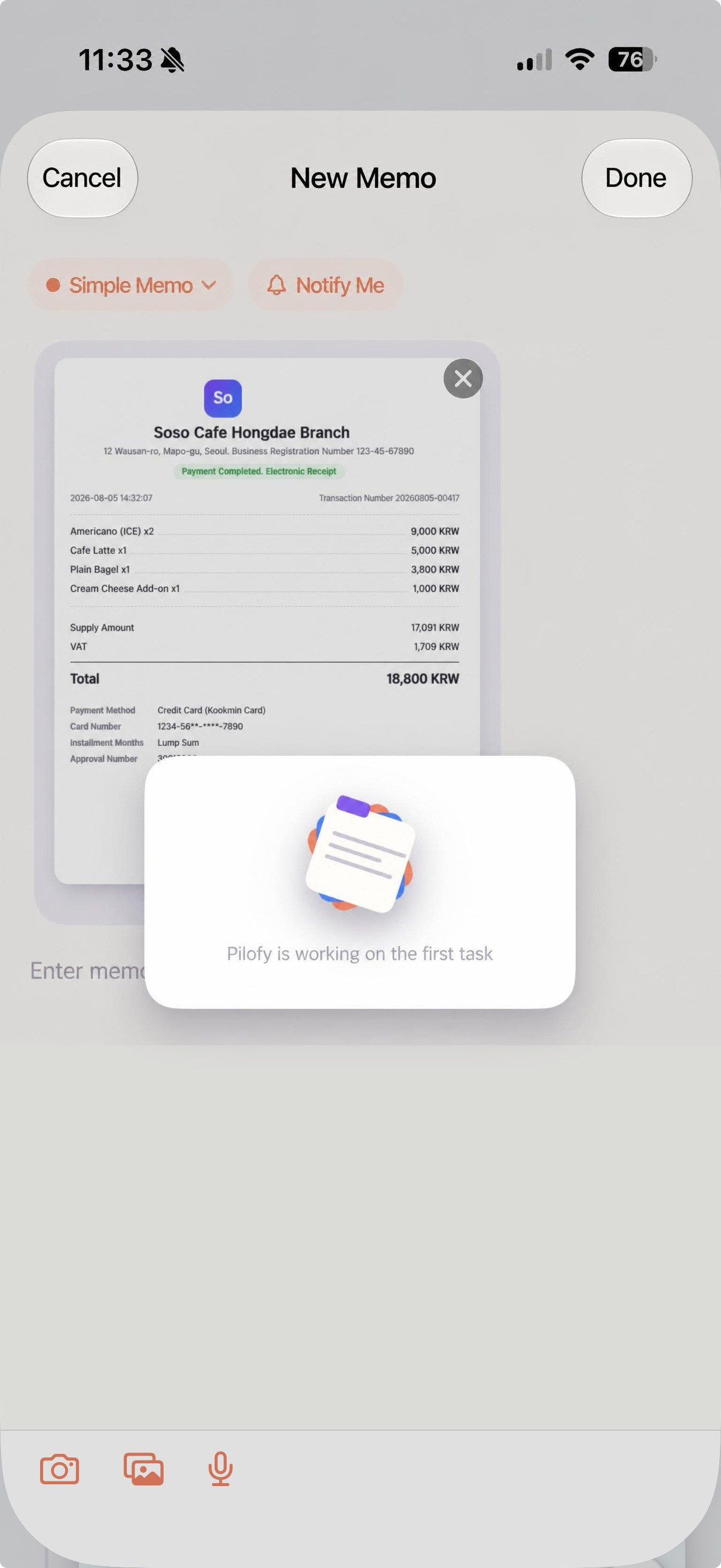 Loading screen displayed while the AI recognizes the receipt details.
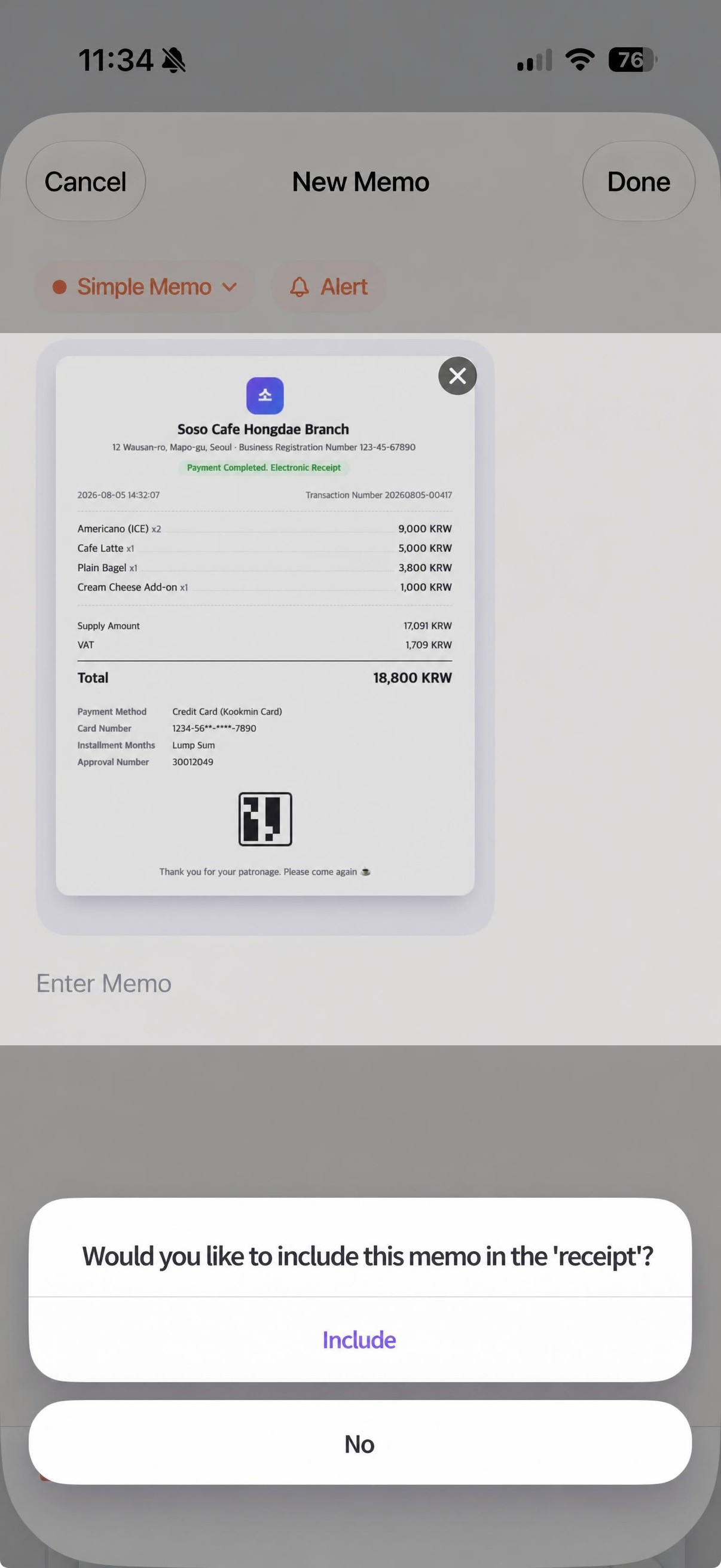 A screen asking if you want to put this note into the receipt category.
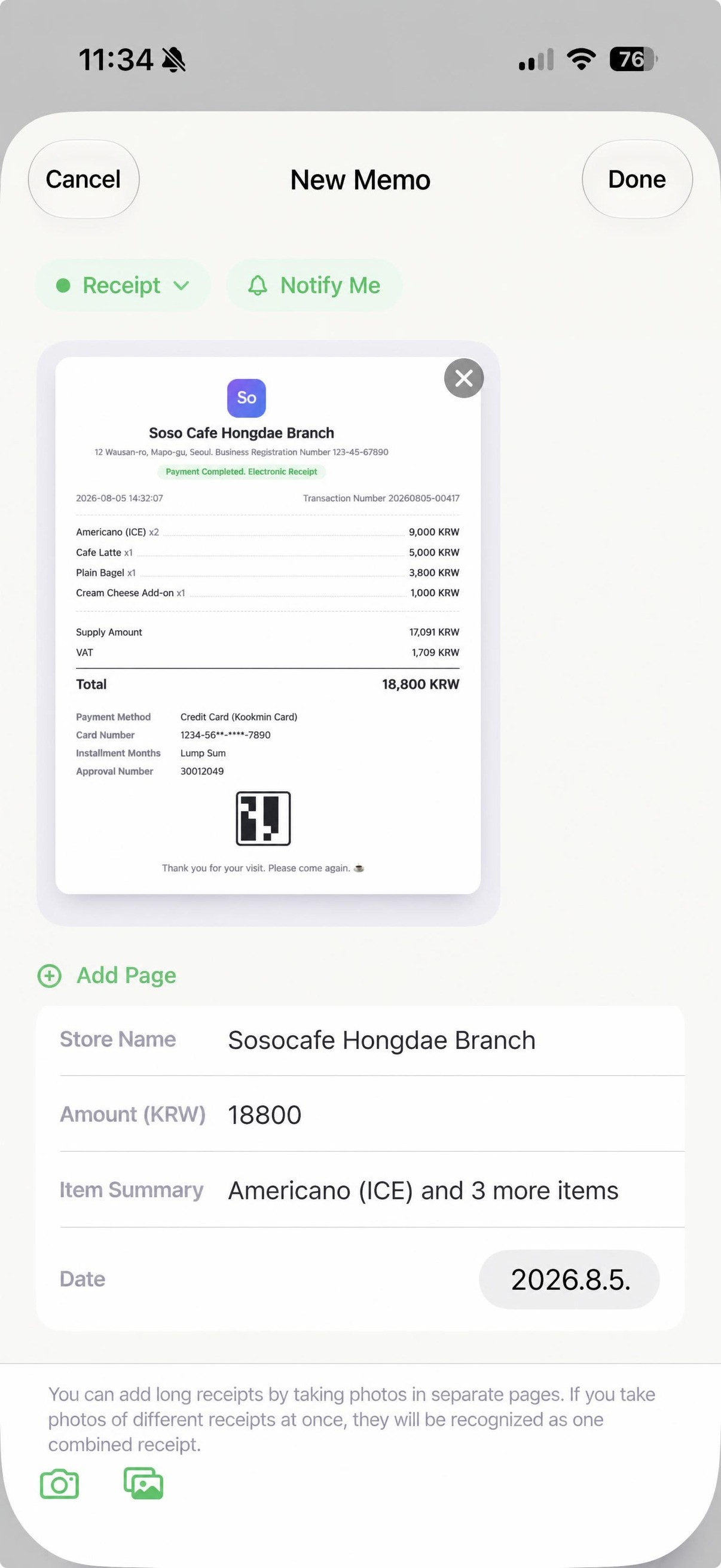 Receipt form — A screen where the store name, amount, items, and date are automatically filled in.
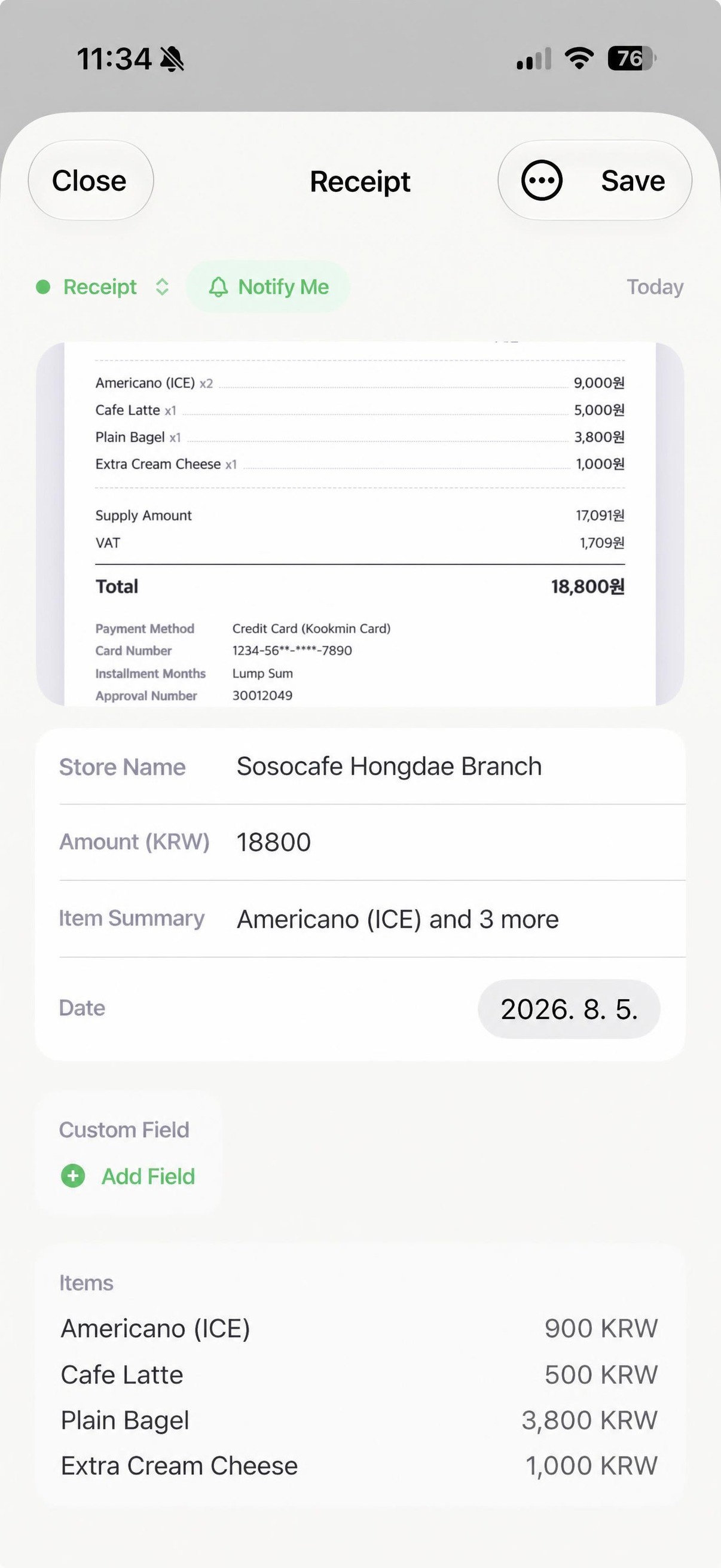 Receipt details — A screen where the amounts by item are automatically organized.
Travel plan -> Timeline automatically organized.
You can view your schedule in a timeline format organized by day.
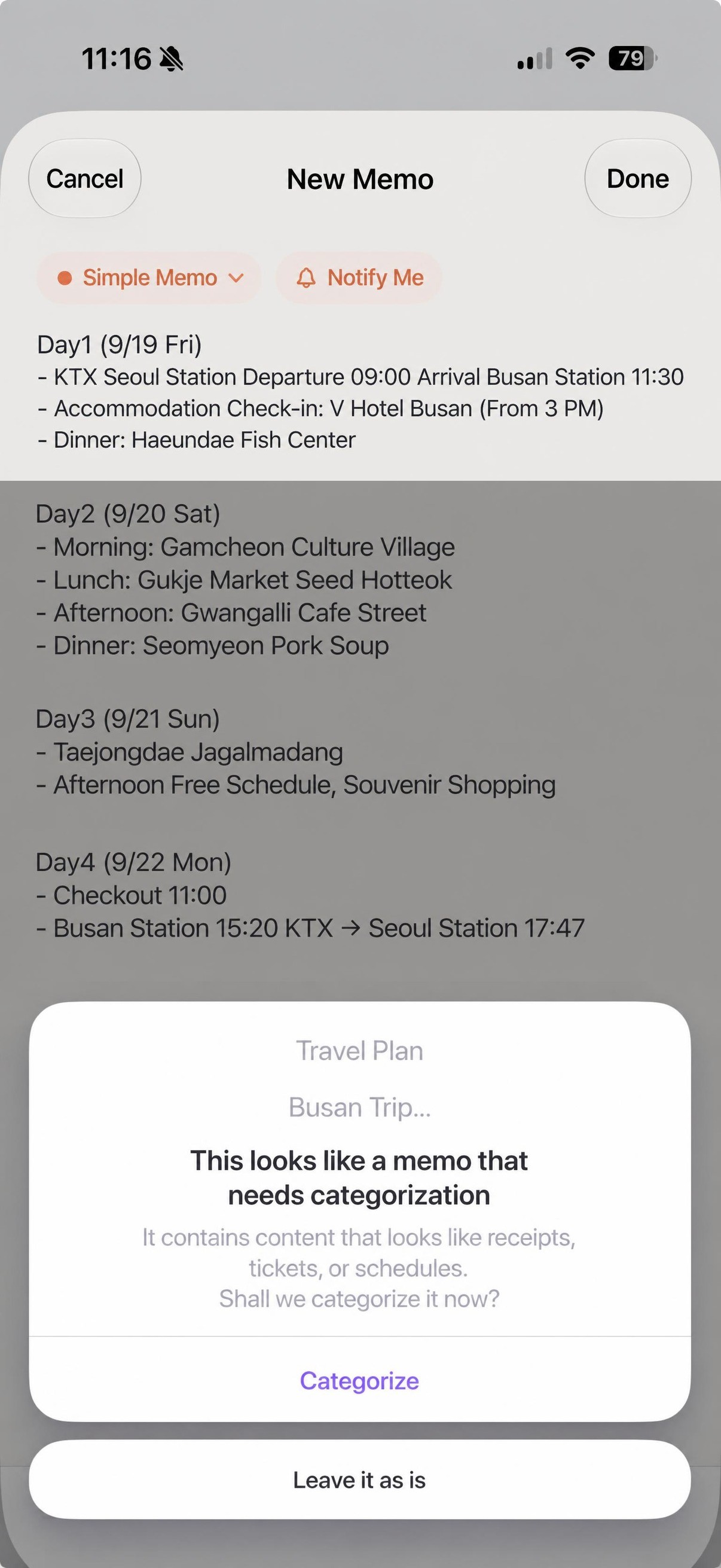 A screen where the AI recognizes a travel plan note as needing categorization and asks if you want to categorize it.
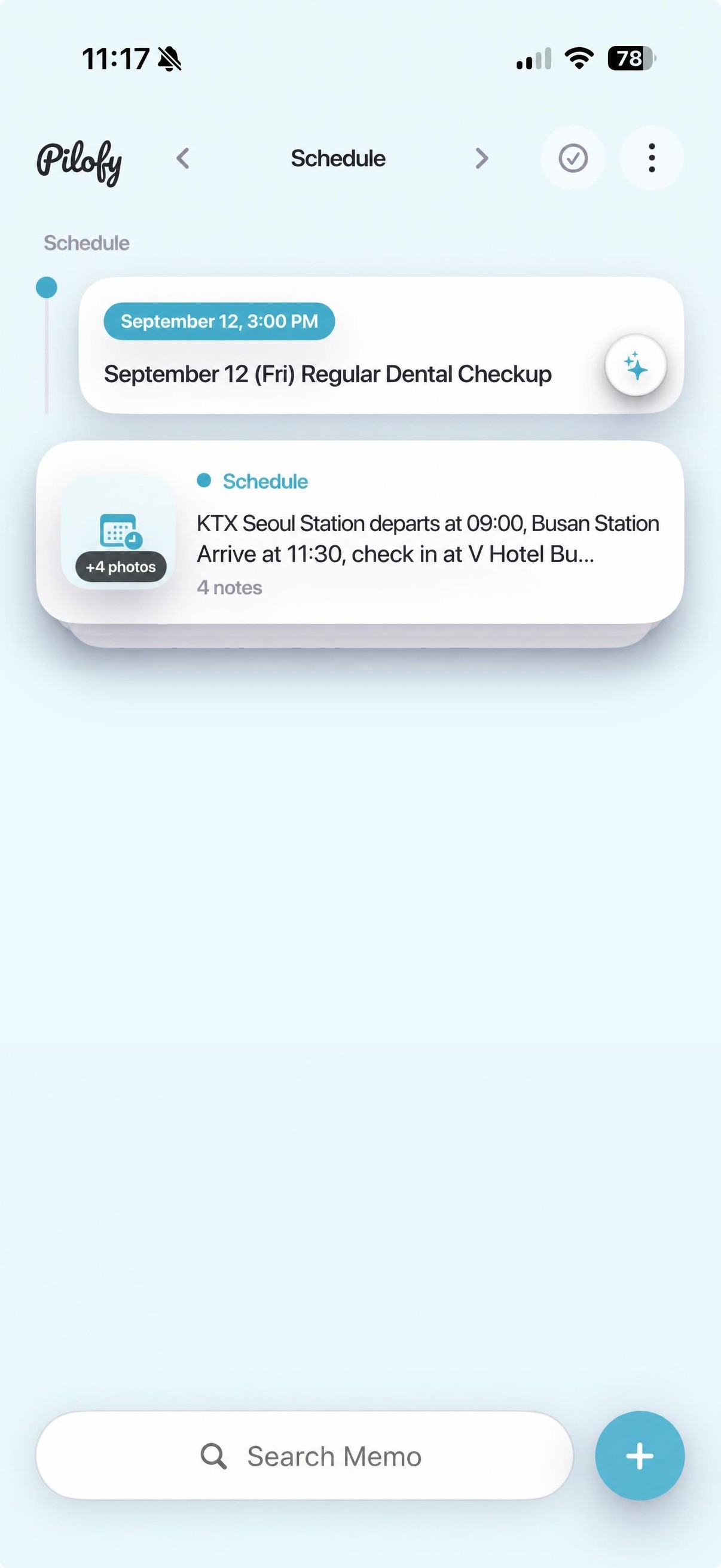 Travel plan card grouped into four notes in the schedule category.
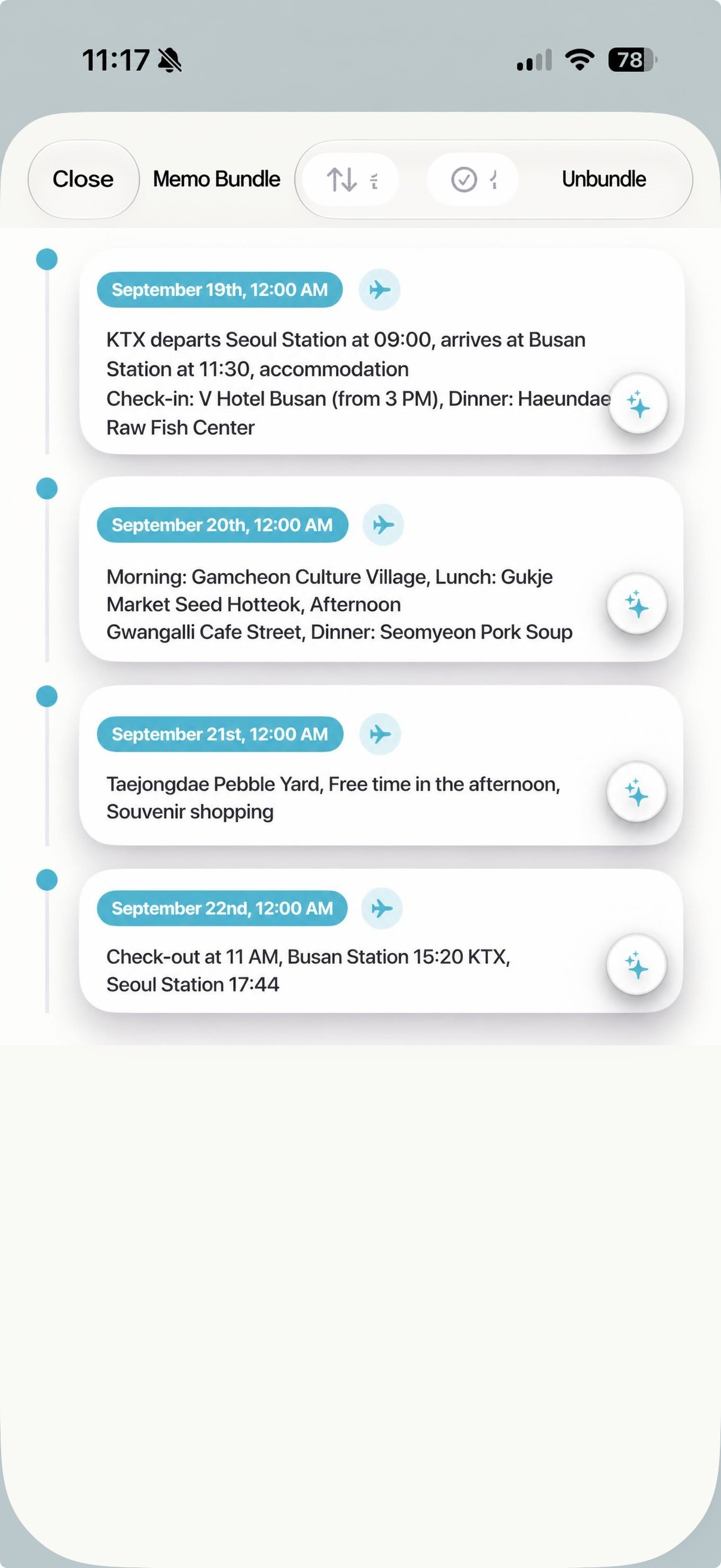 A list of travel schedule cards divided by day when the group is expanded.
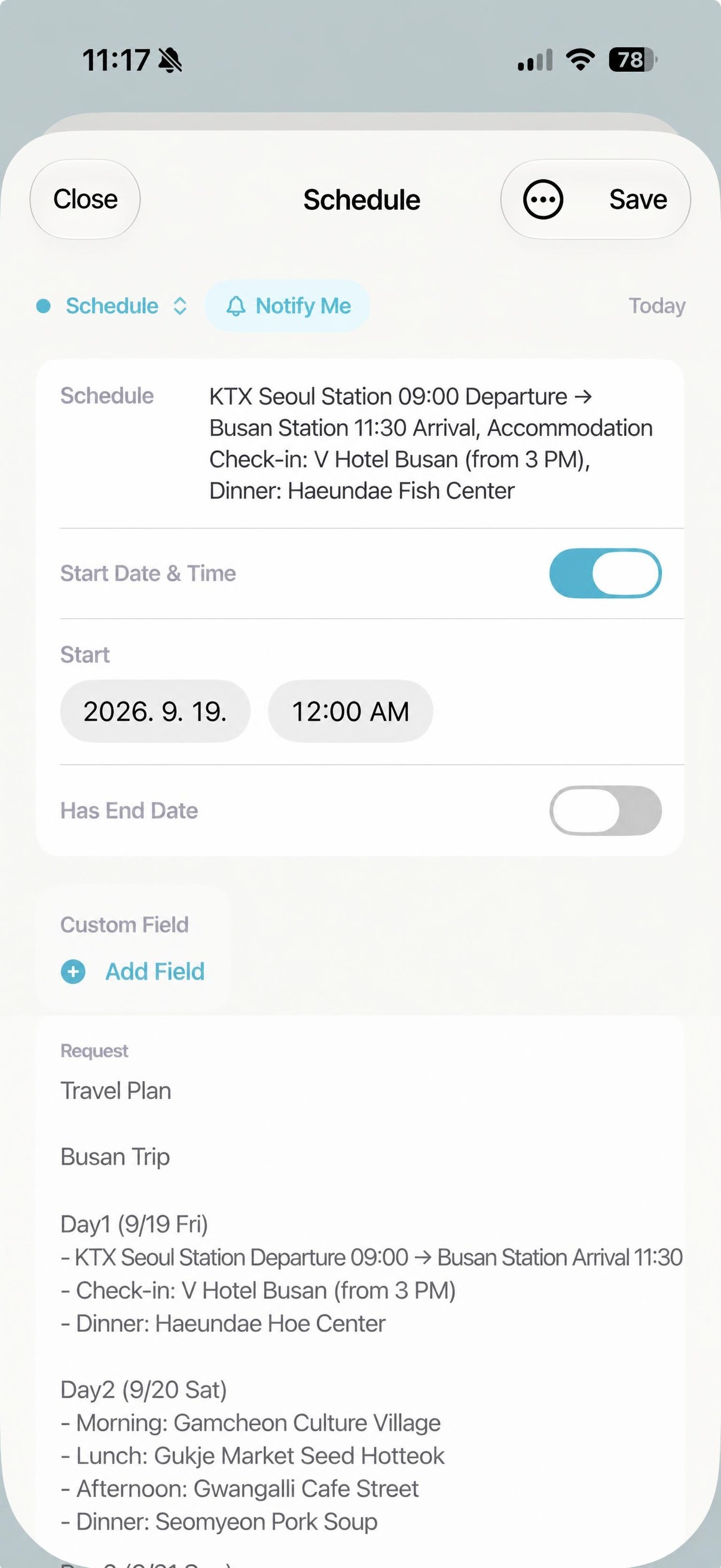 Day 1 travel schedule details screen — Structured schedule information and the original text are preserved together.
Business card -> Contact information automatically extracted.
It recognizes and organizes the name, contact information, company, and email.
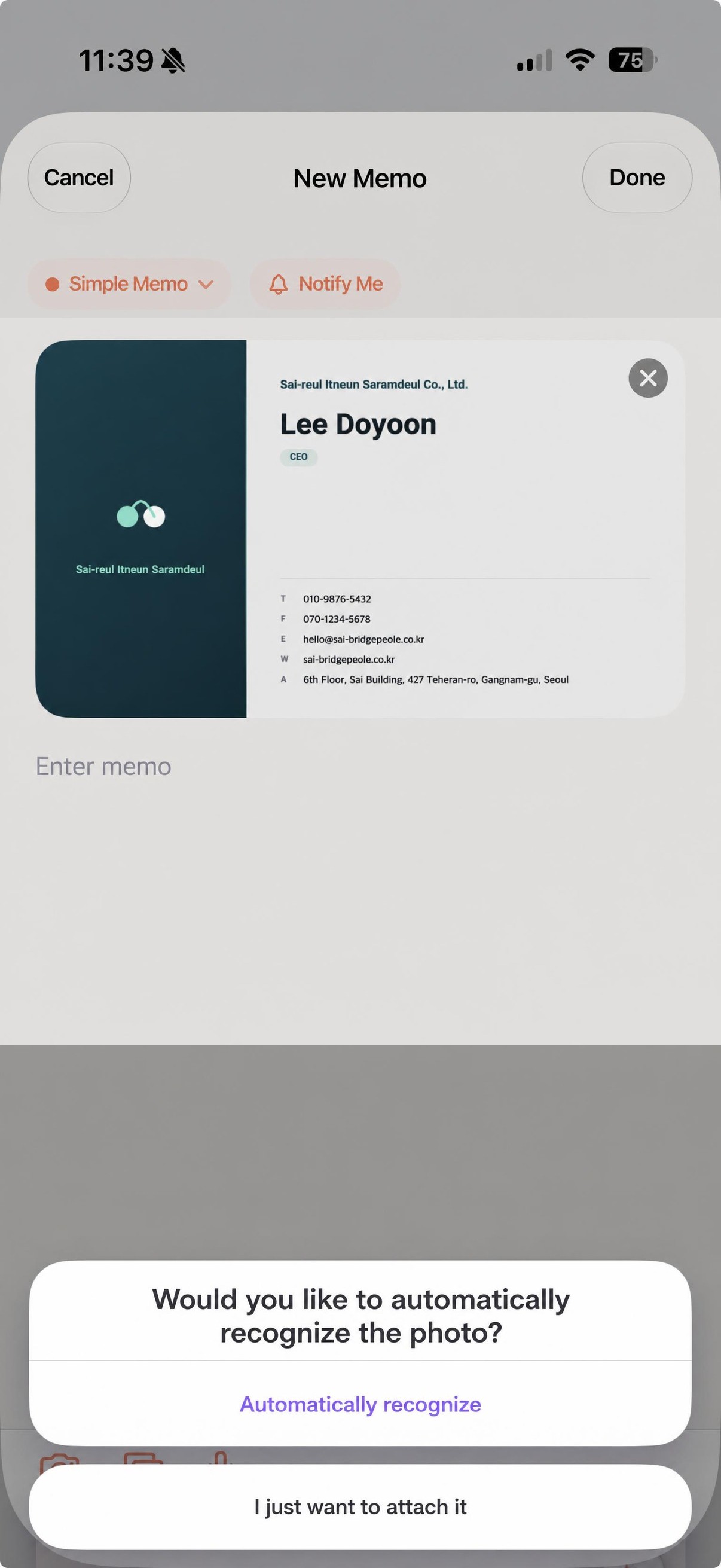 A screen asking if you want to automatically recognize the business card when you attach a photo.
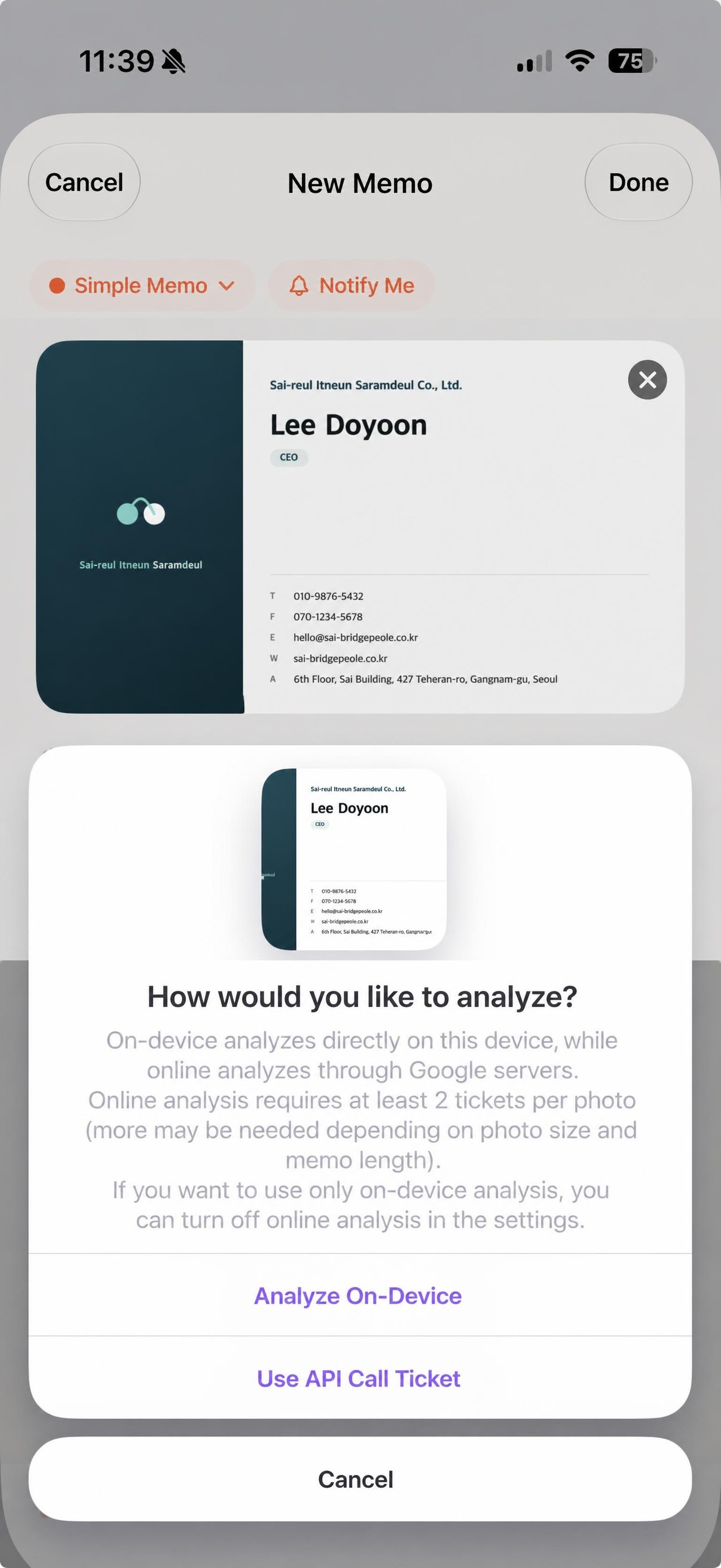 A screen to choose between on-device or online analysis methods.
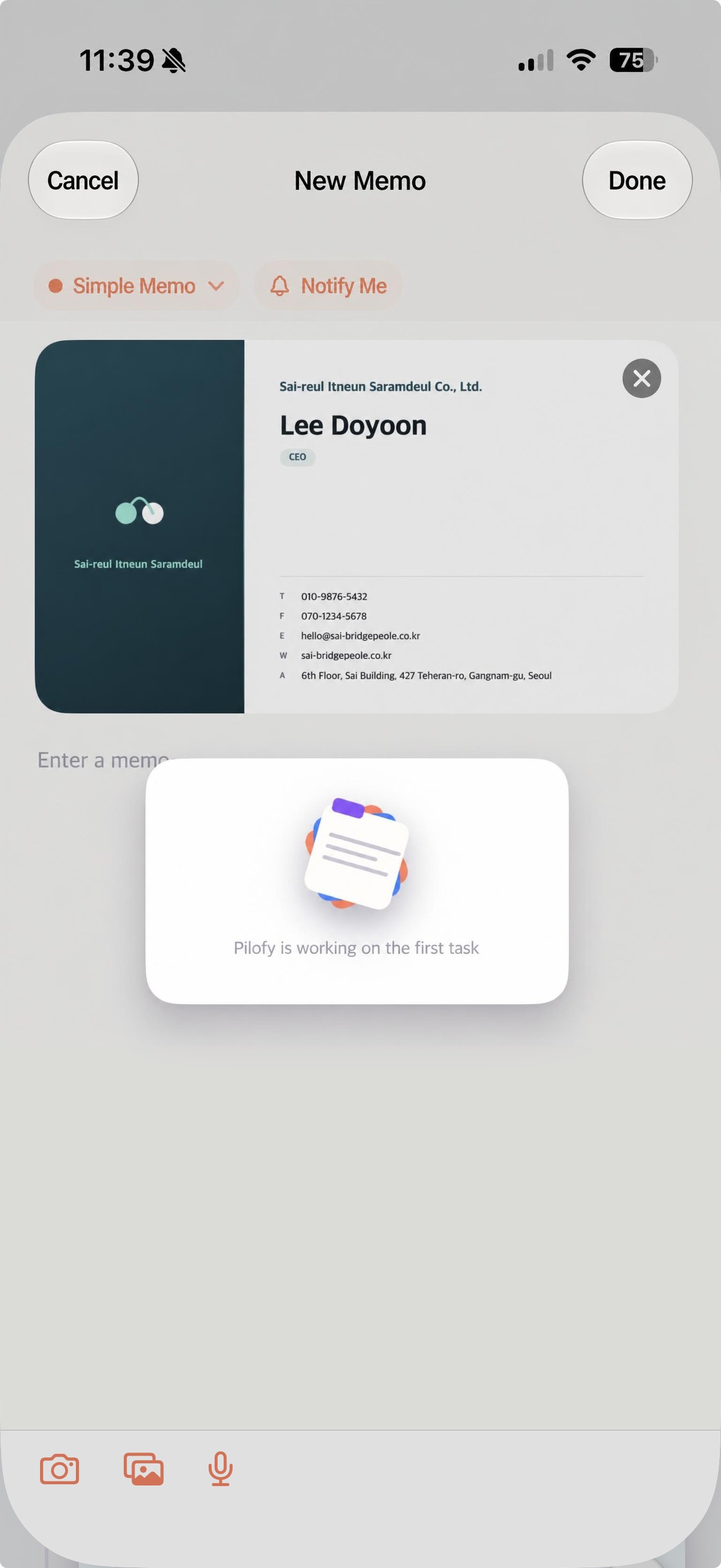 Loading screen displayed while the AI recognizes the business card details.
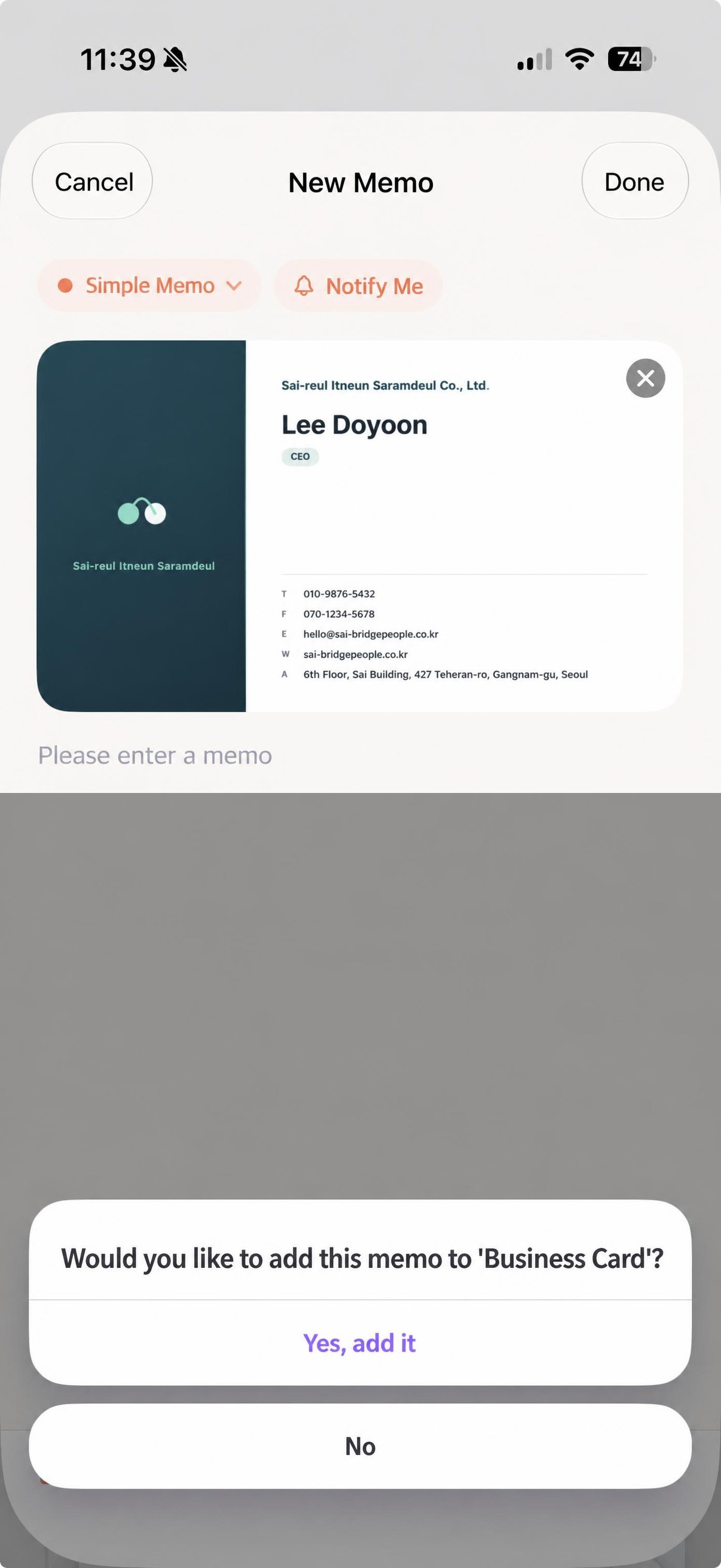 A screen asking if you want to put this note into the business card category.
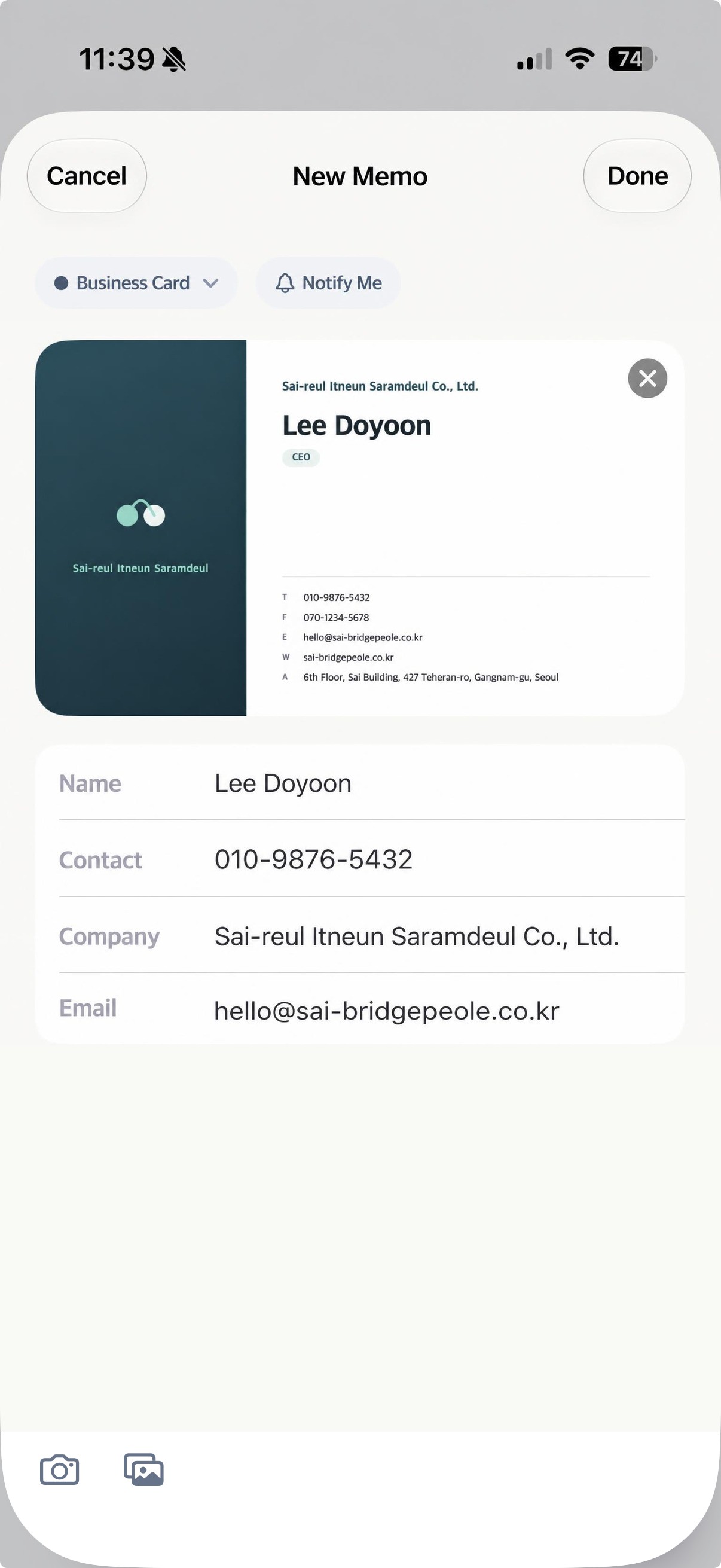 Business card details screen — A screen where the name, contact information, company, and email are automatically filled in.
Ticket/Reservation confirmation → Itinerary information organized.
It recognizes mainly information you may need to look up later, such as flight number, seat, and reservation number. If you enter it along with your travel plan, you can organize it side by side with the corresponding travel schedule.
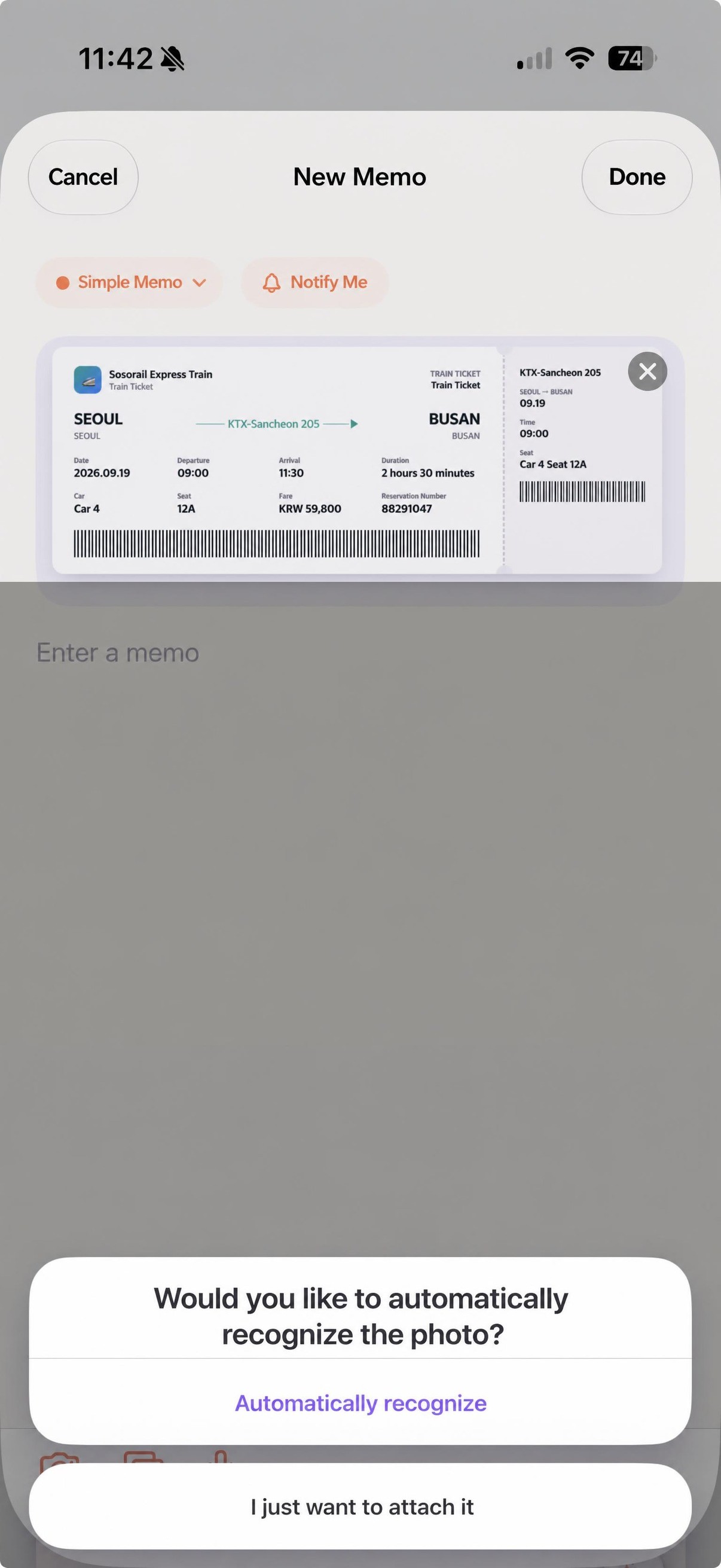 A screen asking whether to automatically recognize the ticket when a photo is attached.
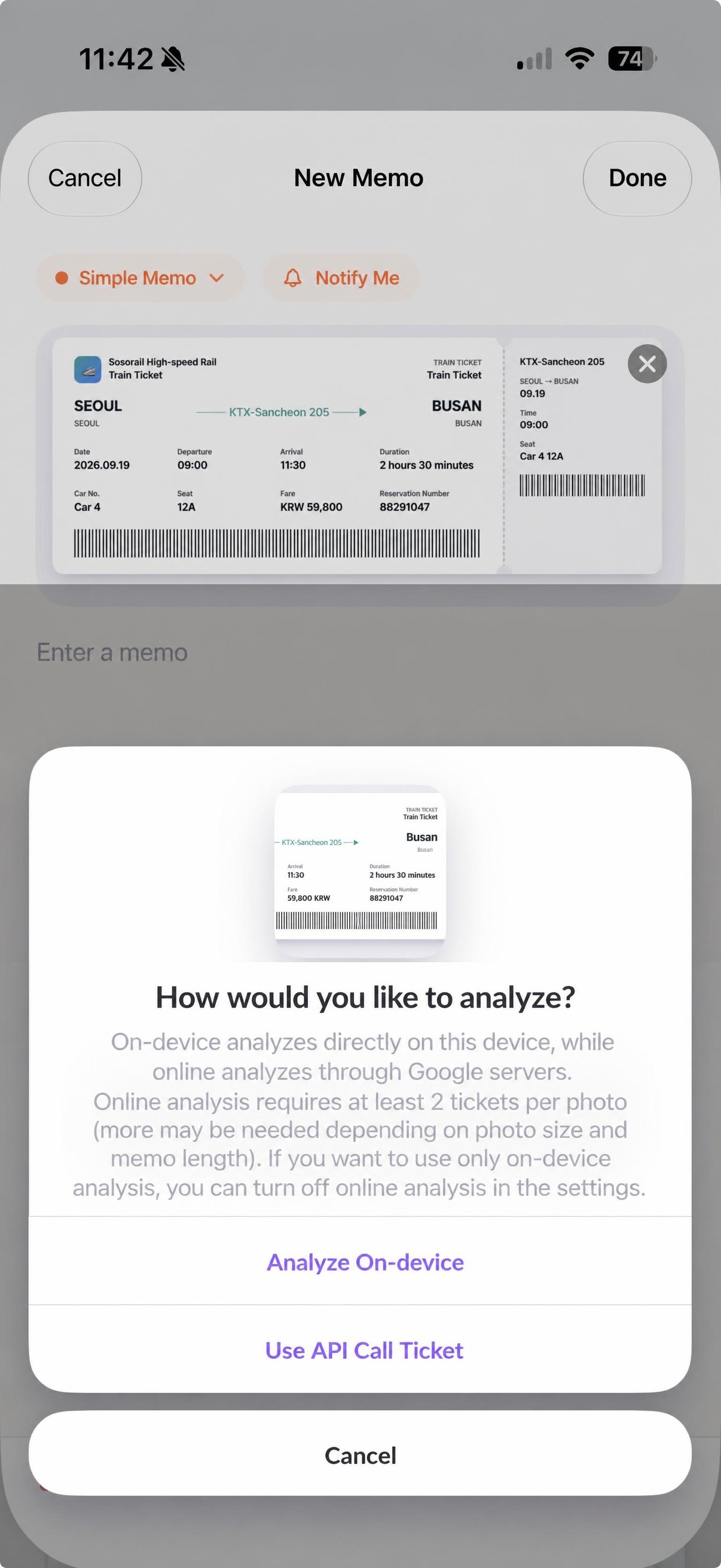 A screen for selecting the analysis method between on-device or online.
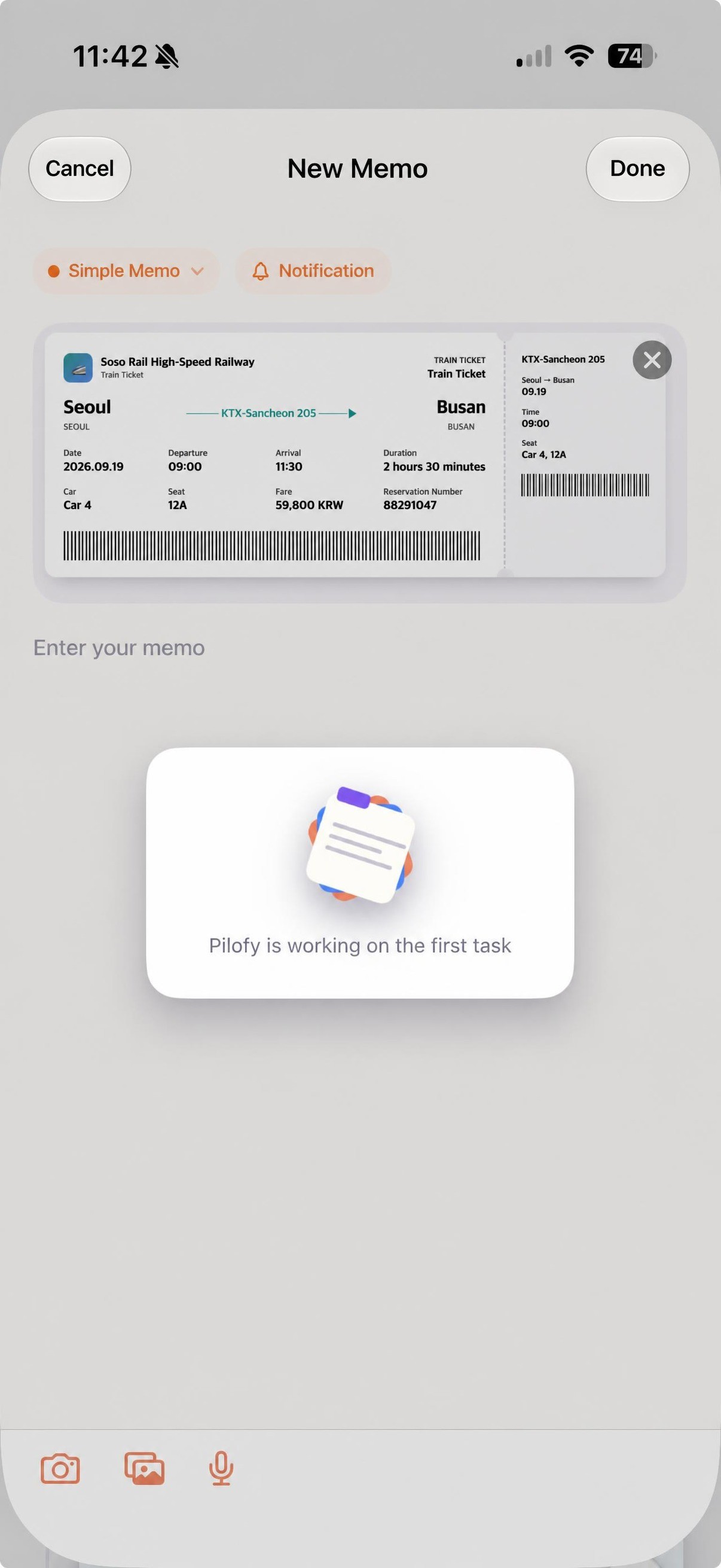 A loading screen displayed while the AI recognizes the ticket details.
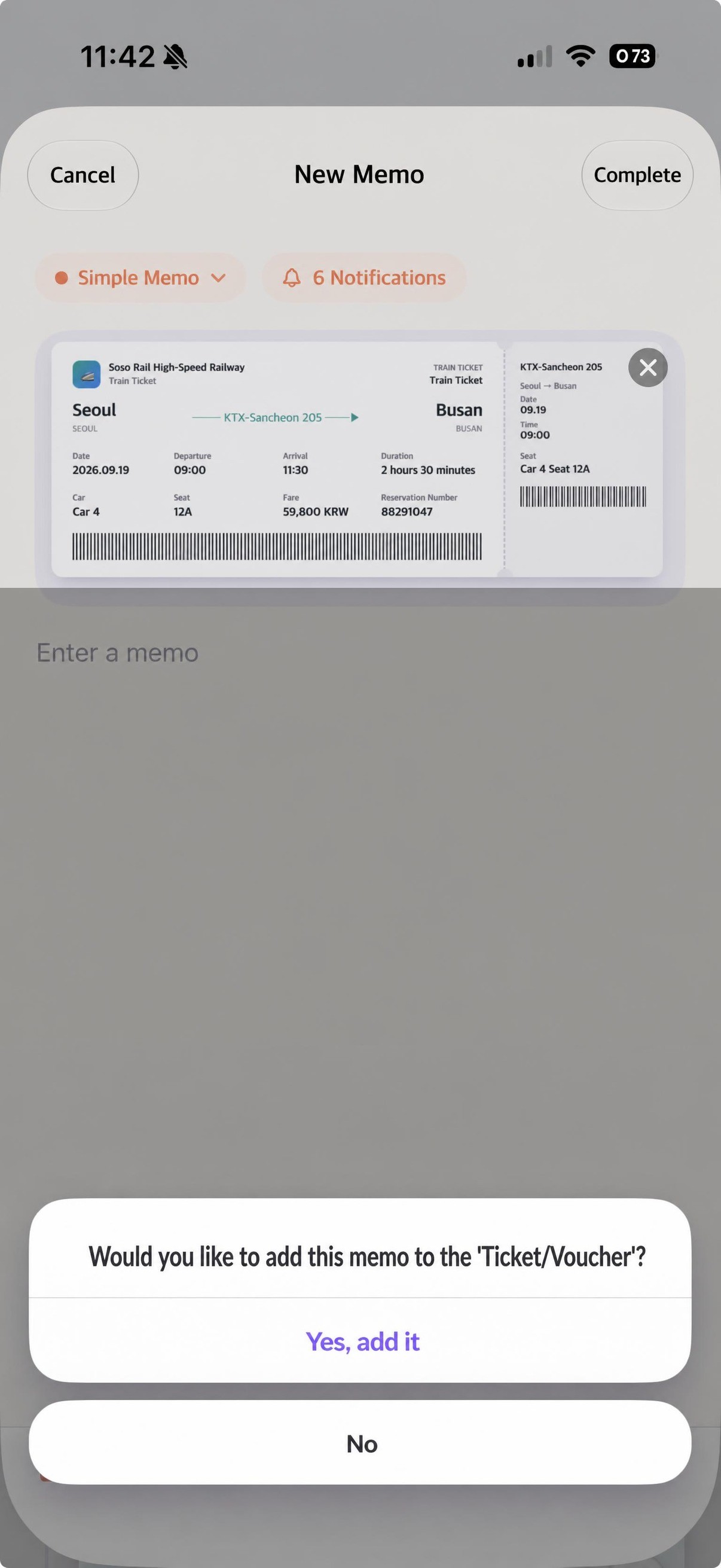 A screen to confirm whether to place this memo in the Ticket/Voucher category.
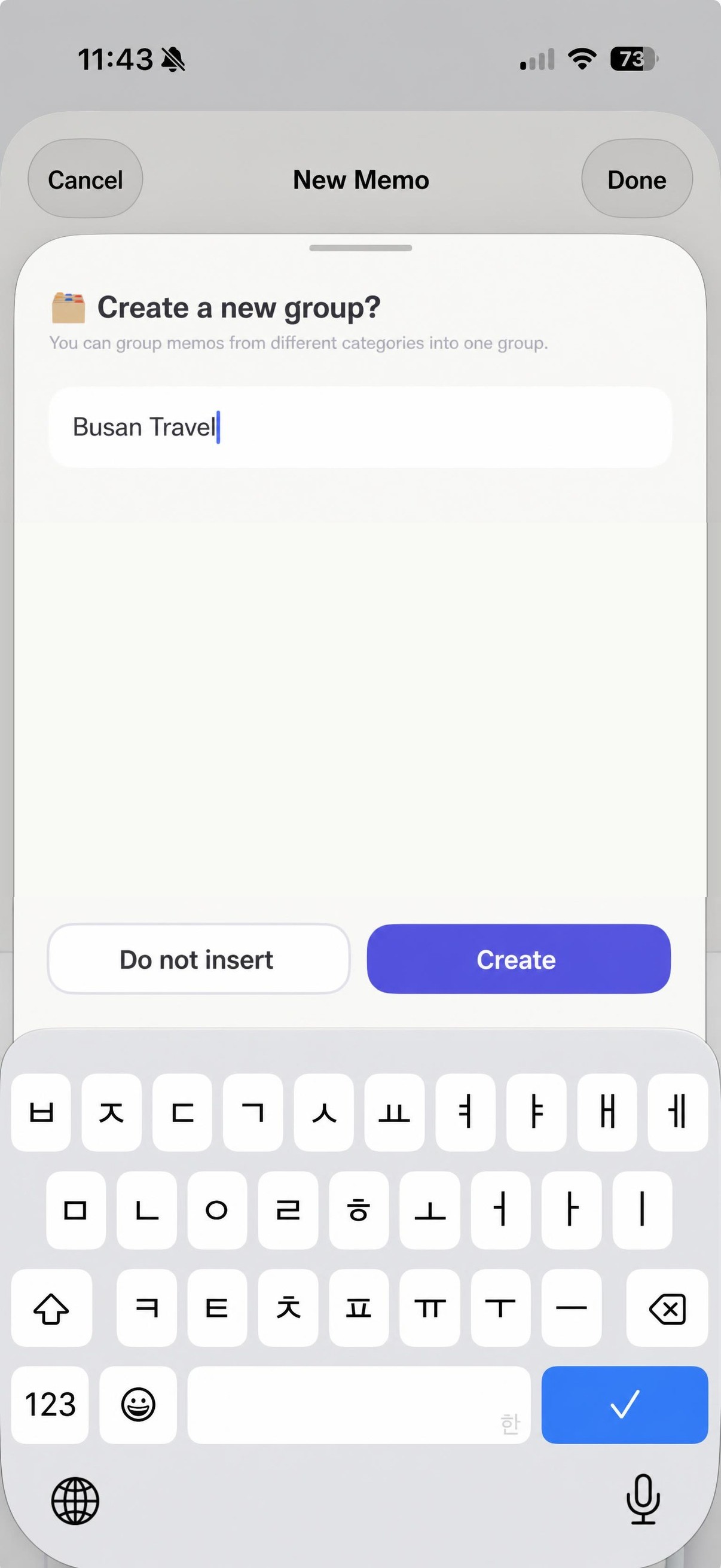
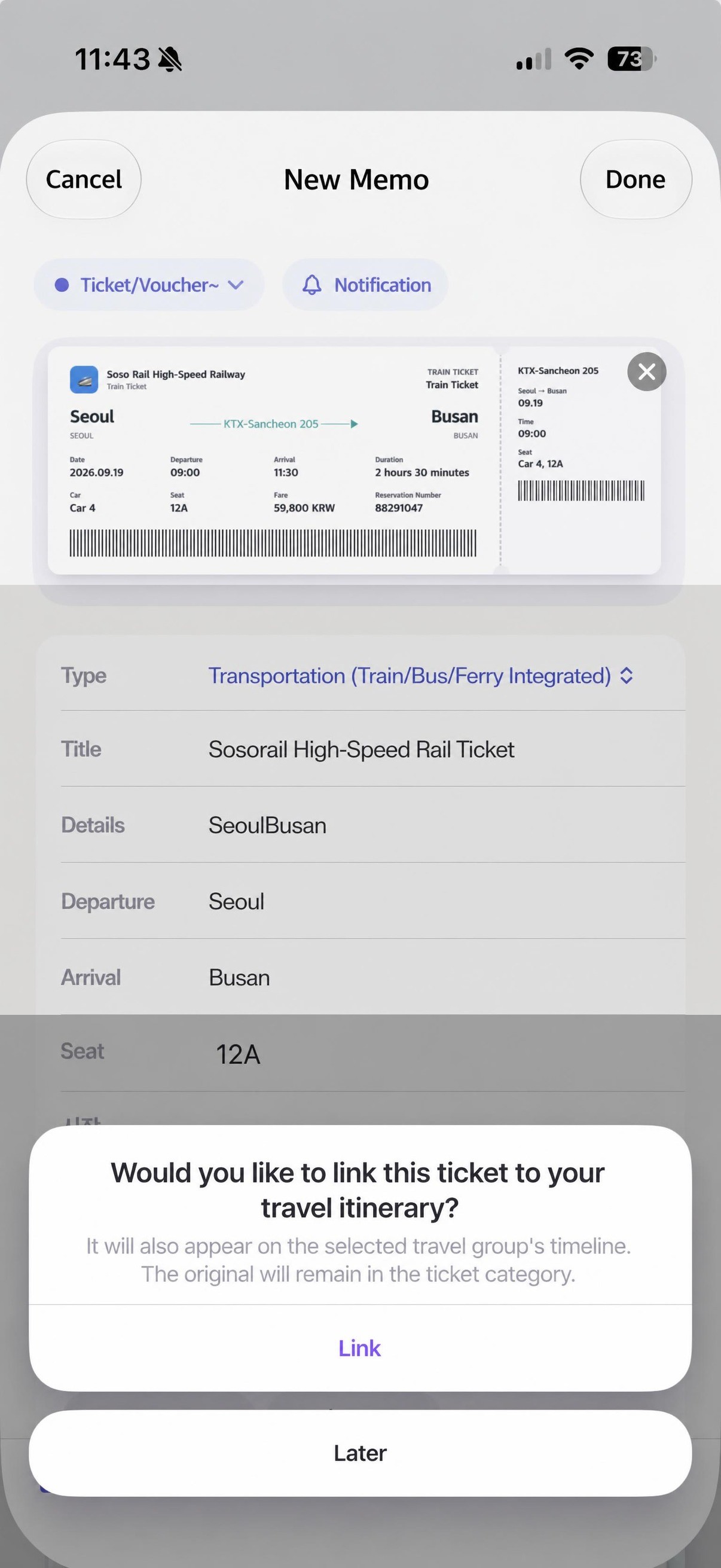 The registered information will also be organized in the schedule if there is a schedulable event among the schedule information. (In development)
 Ticket detail screen — a screen where departure, destination, seat, and time are automatically filled in.
Schedule memo → Set automatic notification.
We automatically set notifications by recognizing the date so you don't miss it. (Not just once the day before, but the notification timing may vary depending on the situation.)
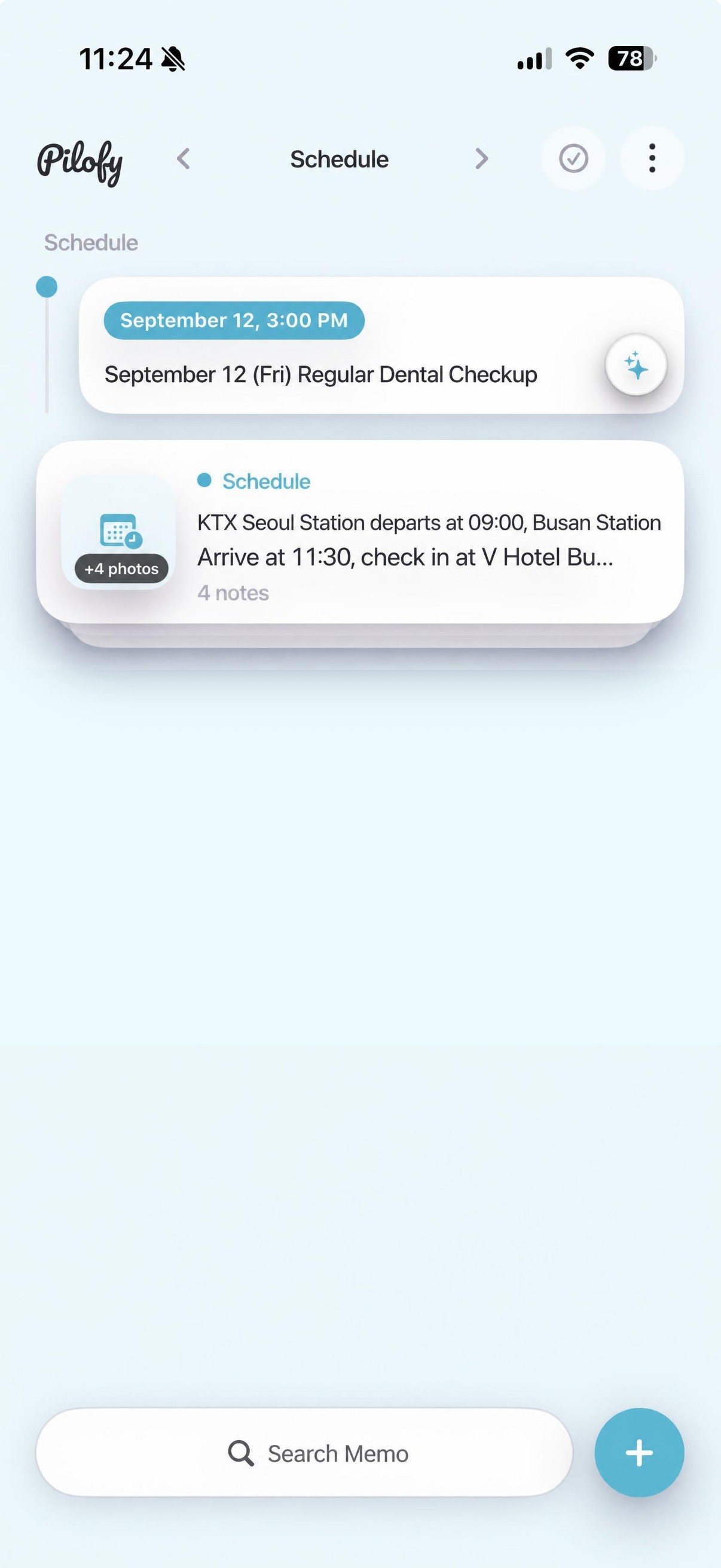 Schedule category list — schedule card with recognized date and time.
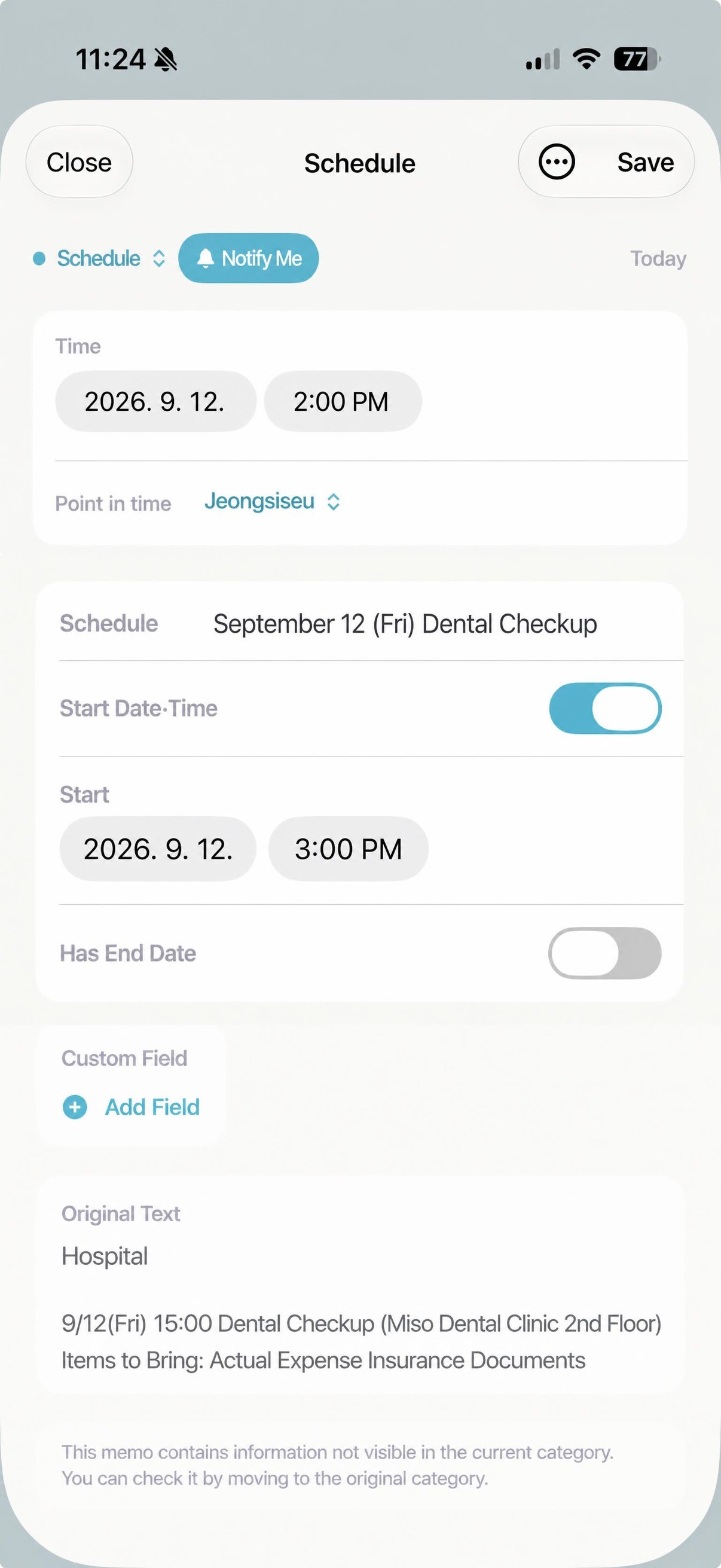 Schedule detail screen — a screen where time and notification timing are automatically filled in.
A different way to "find" as well.
Instead of opening a search bar, you can browse through cards and find what catches your eye. Of course, keyword search is also available.
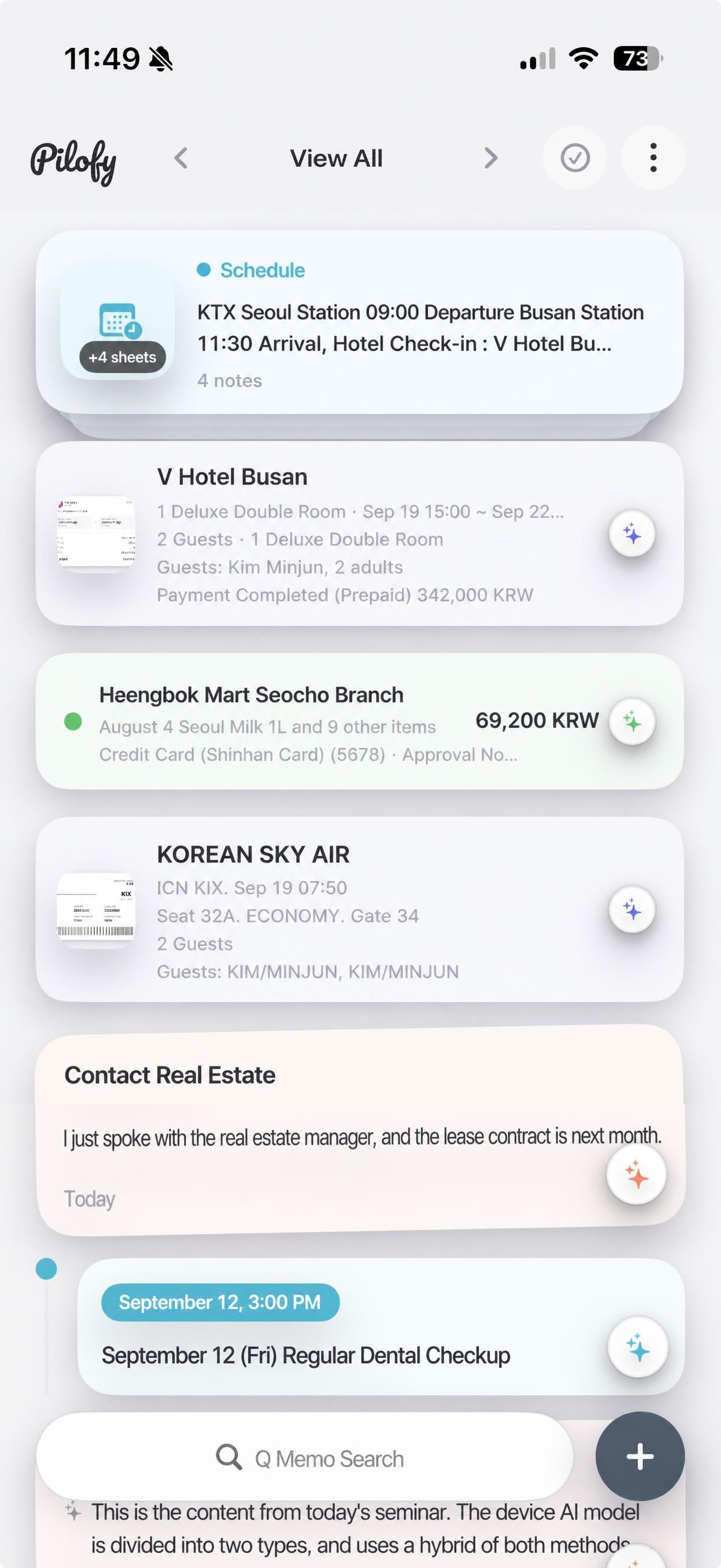 View all — a screen for browsing through cards from multiple categories to find what you need.
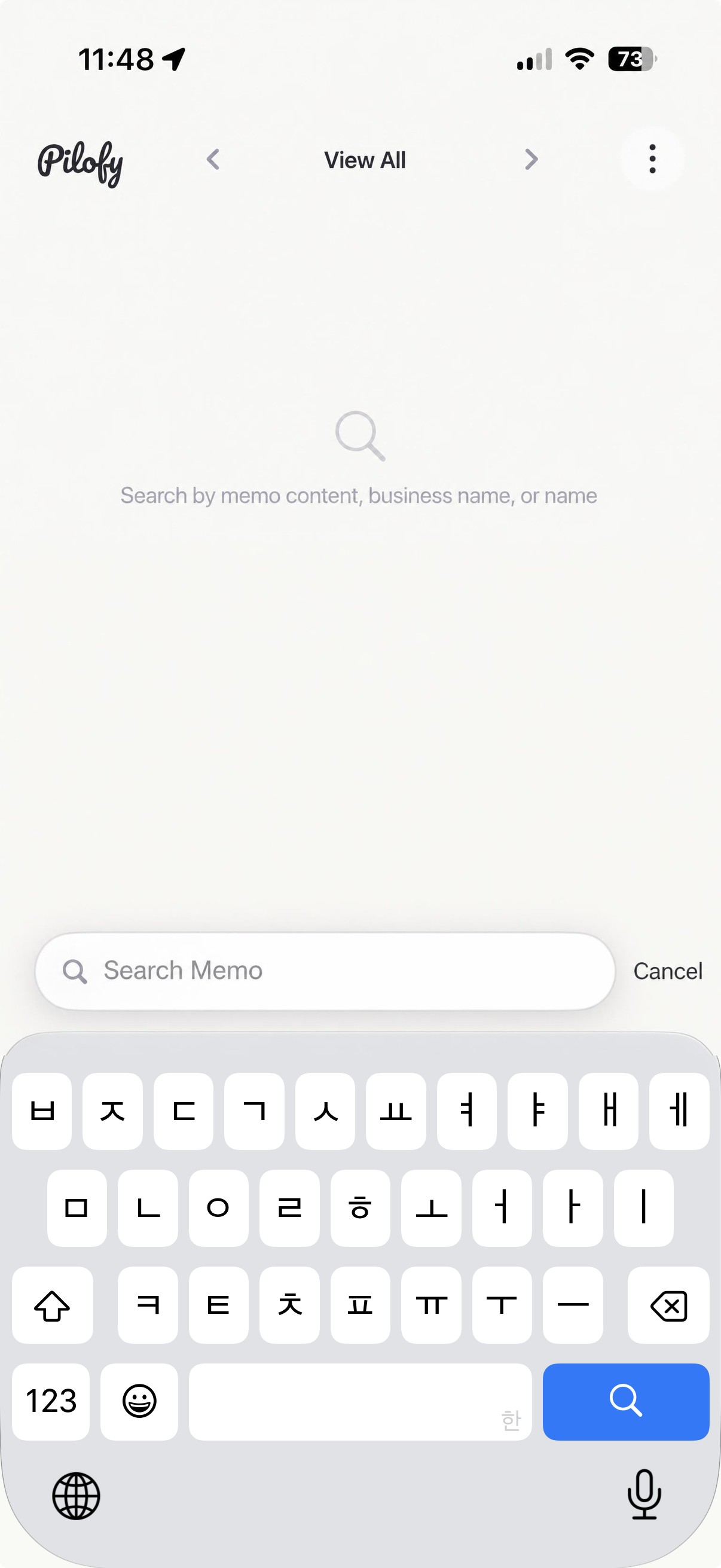 Memo search screen — empty search bar.
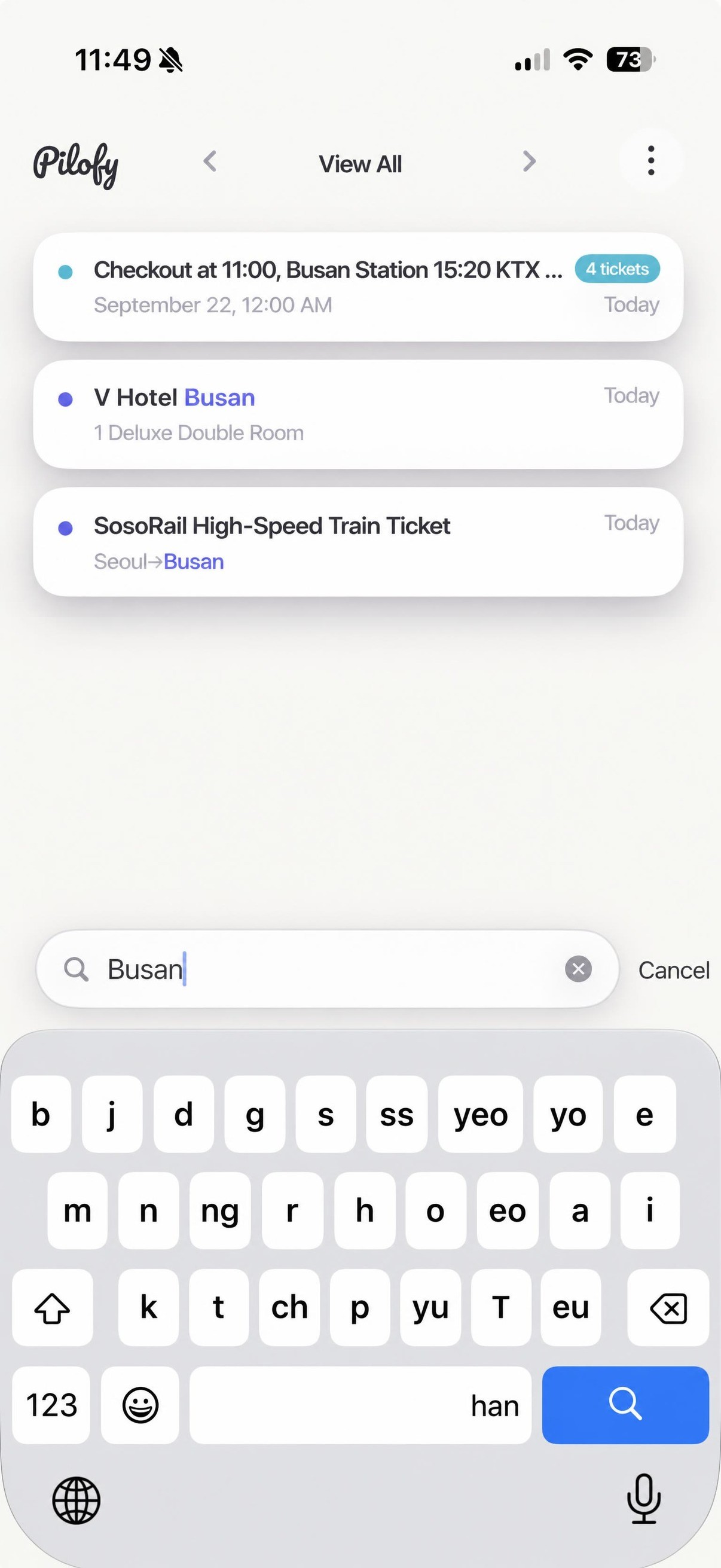 Search results by keyword — a screen showing only the relevant cards.
Recognizes memos left in multiple languages.
Supports 15 languages including Korean, English, Japanese, and Chinese (recognition accuracy for each language is being verified and improved sequentially).
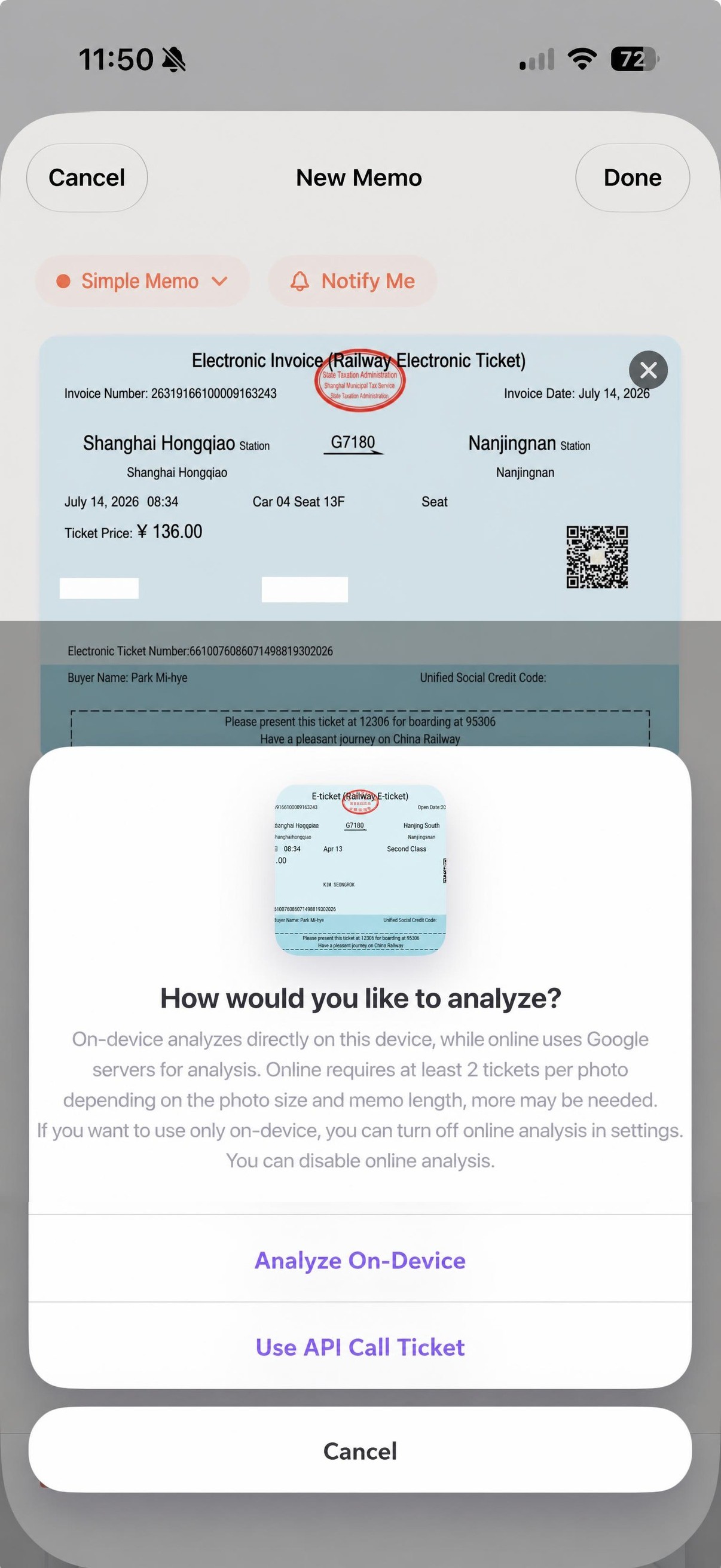 A screen for selecting the analysis method for a Chinese train ticket photo.
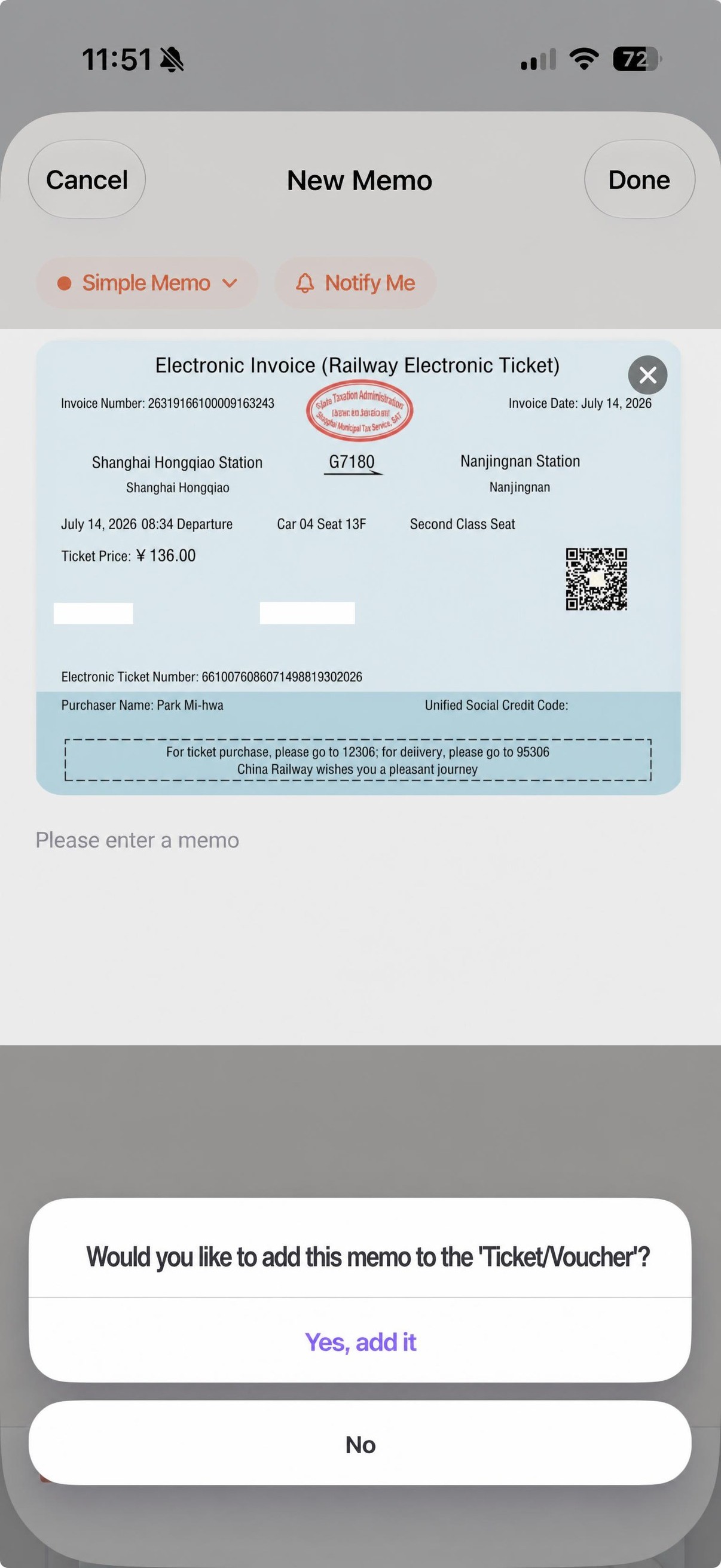 A screen to confirm whether to place this memo in the Ticket/Voucher category.
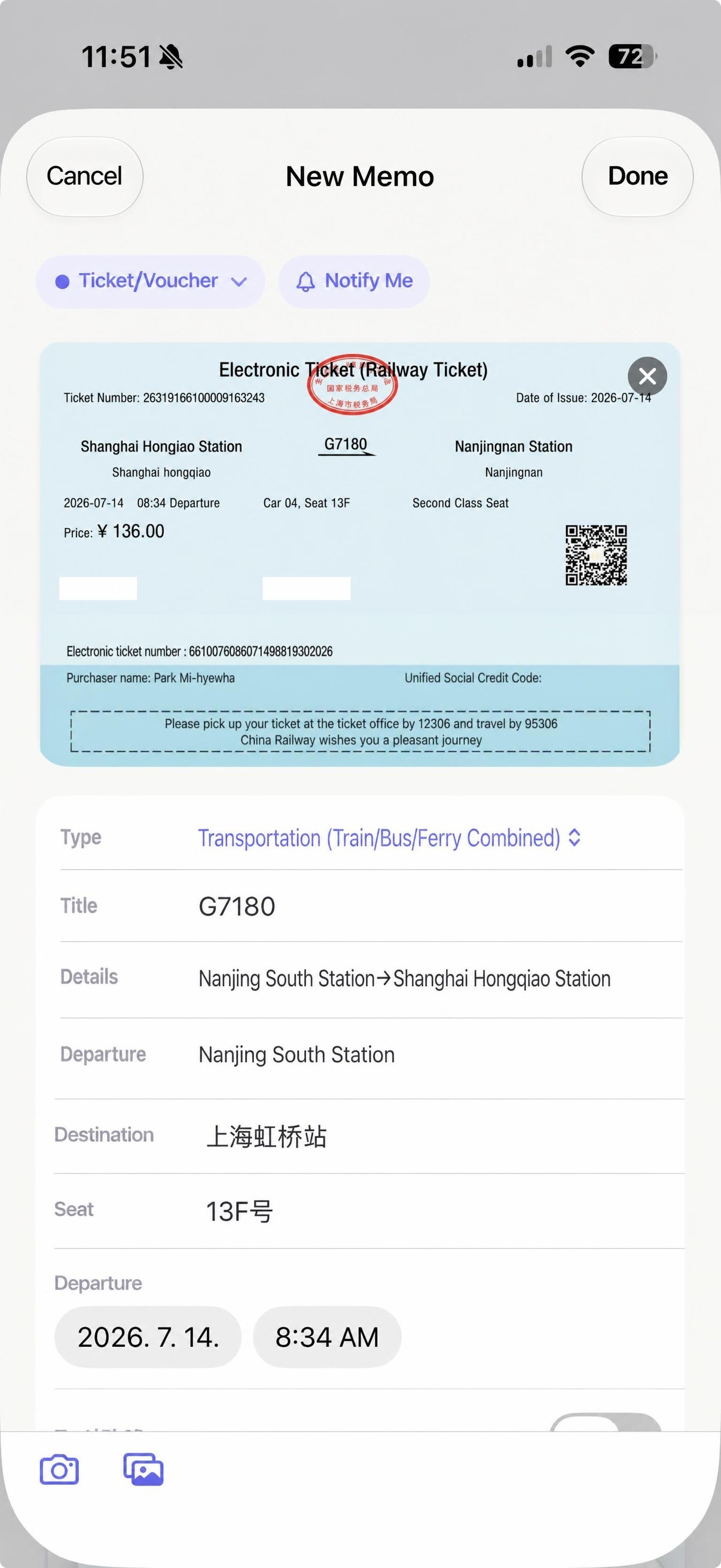 Chinese train ticket detail — a screen where departure, destination, seat, and time are automatically filled in.
Short memos are sent directly by email.
You can send short memos of one or two lines directly by email on the spot. It's useful when you want to deliver a memo you wrote in a hurry directly to the person in charge.
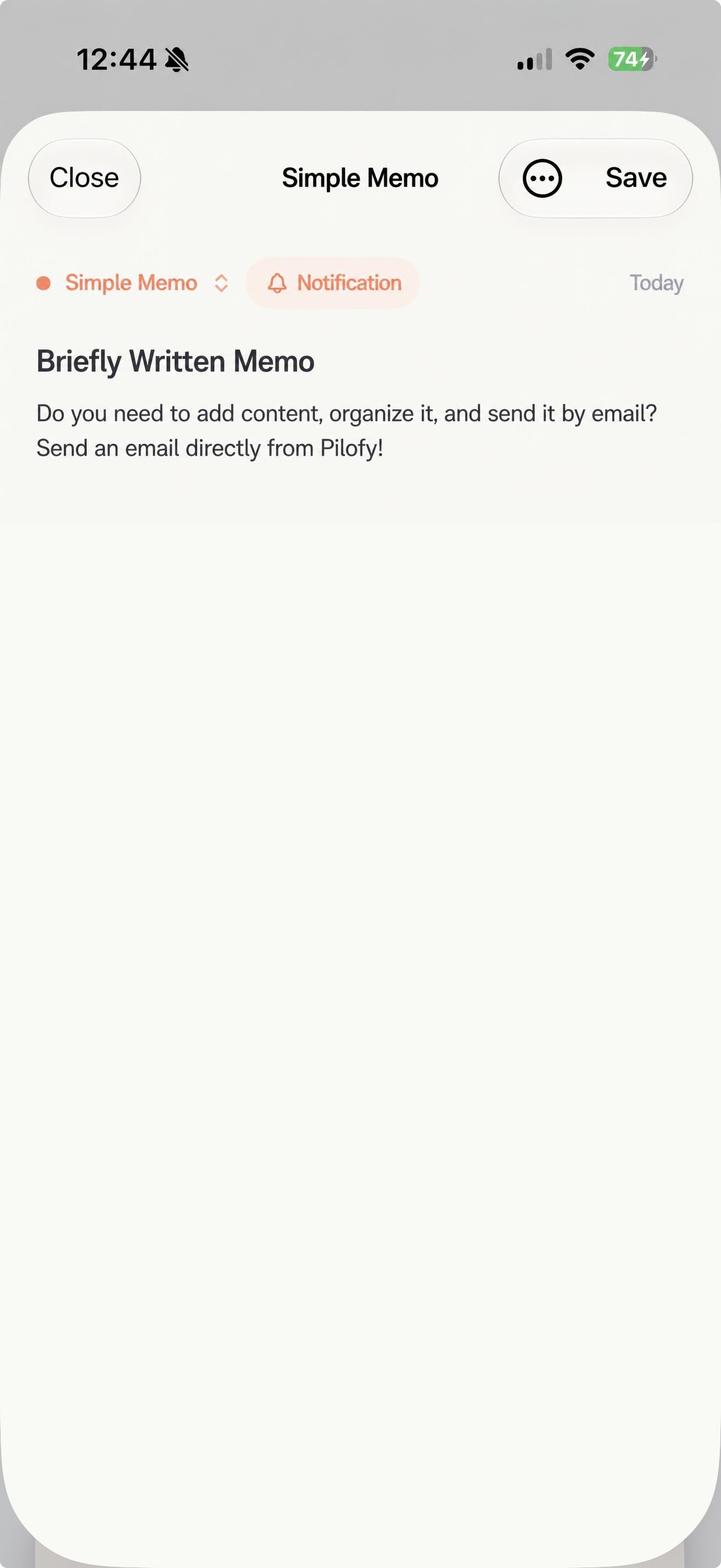 Screen showing a simply written memo.
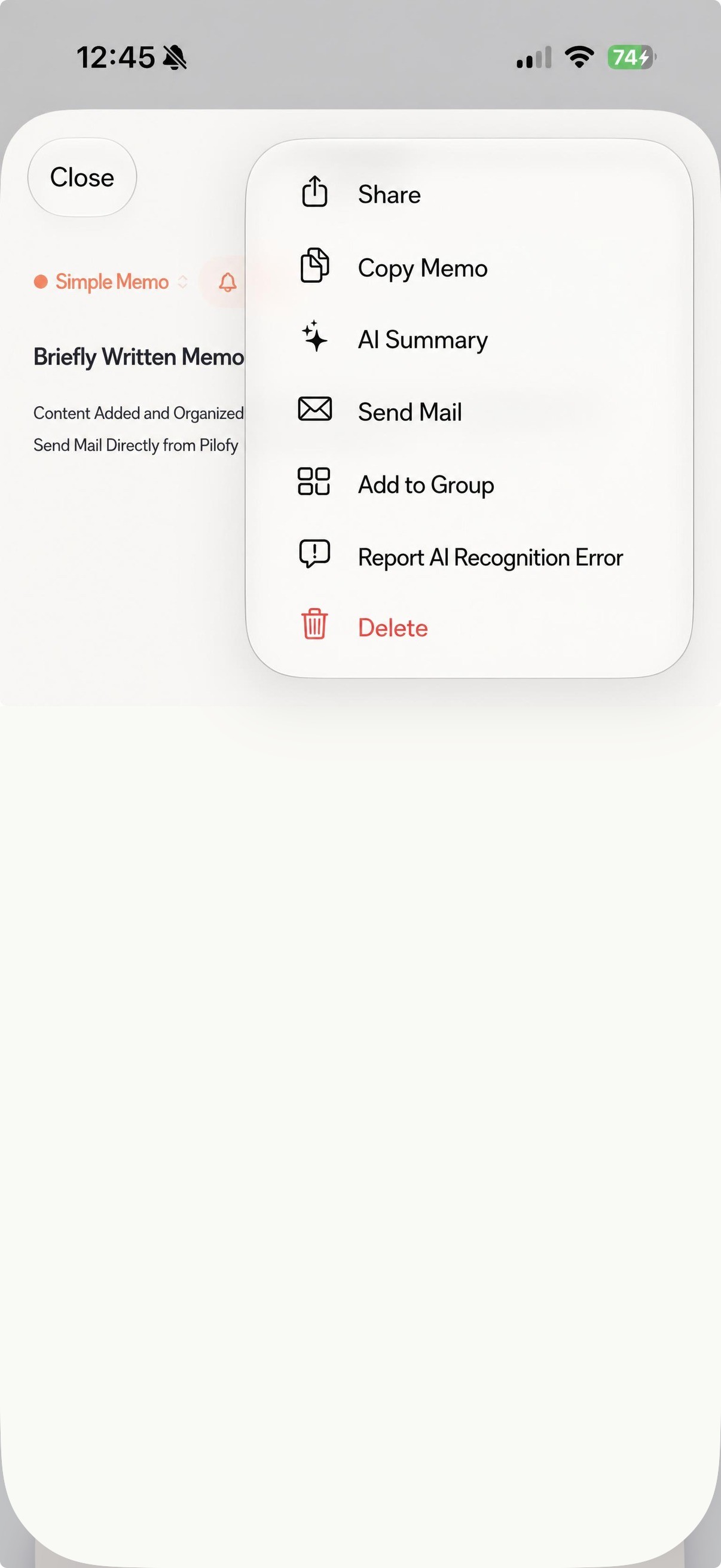 Screen where you can find the email send button in the kebab menu.
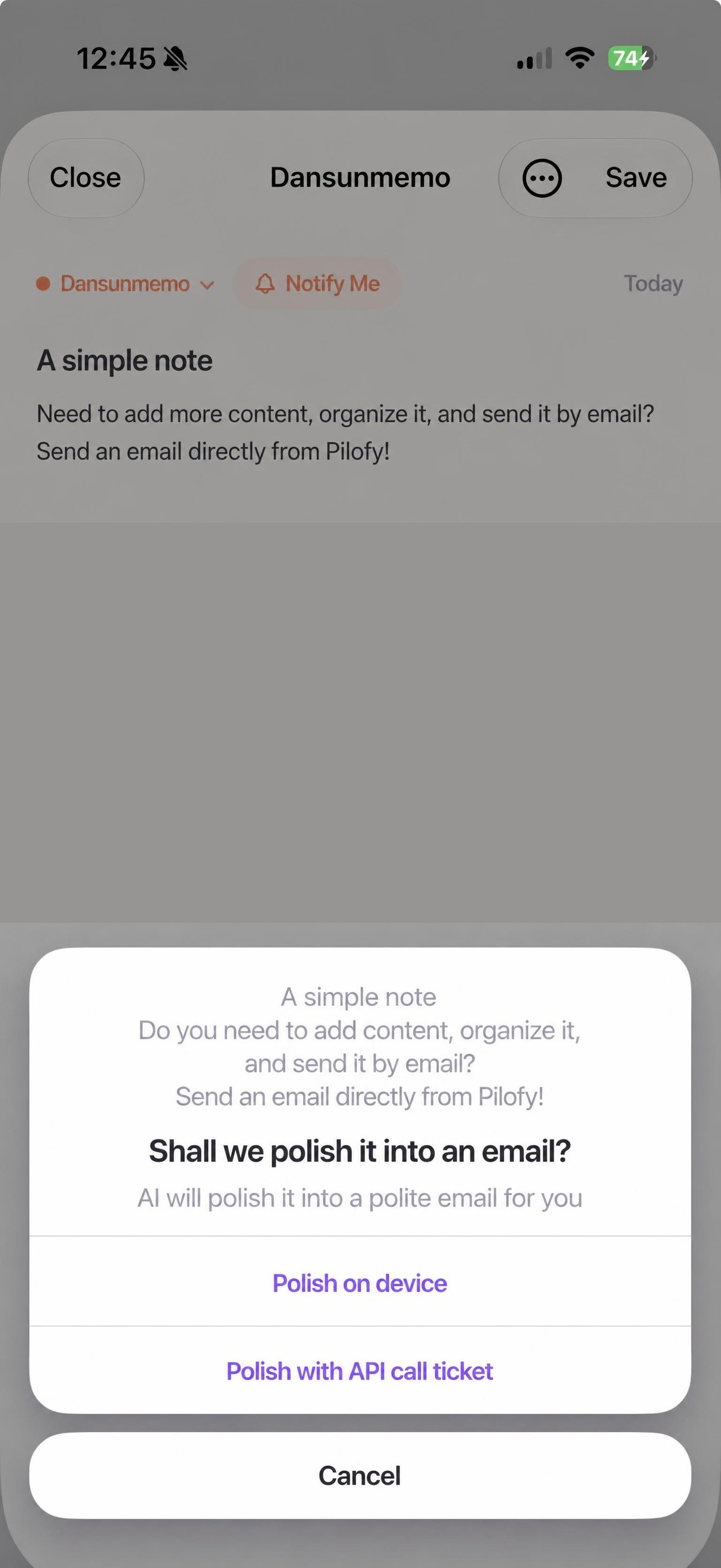 Screen asking if AI should refine the memo into a polite email.
Access directly from widget or lock screen.
With the home screen widget, you can quickly access new memos, camera, photos, and recordings. We plan to add a feature for quick access from the lock screen as well.
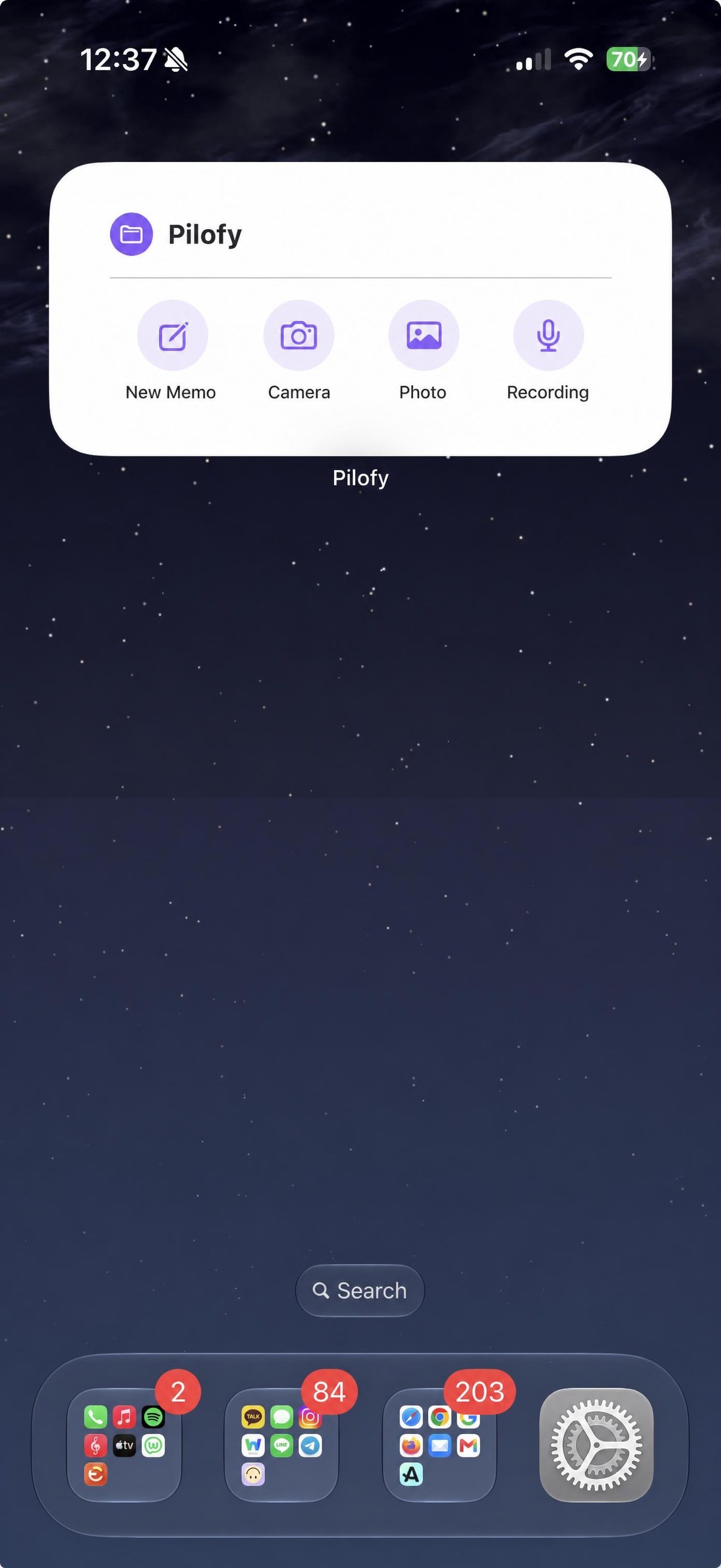 Home screen widget — Pilofy widget for instant access to new memos, camera, photos, and recordings.
In addition, we are continuously adding more features.
We will keep adding small convenience features that are not listed here, one by one. We believe these details are just as important as major features for daily use, so we will continue to make steady improvements.
On-device, and online if needed.
Pilofy's AI processing basically utilizes Apple's Intelligence on iOS.On-device processing is done. Photos and text are handled directly on your device without being sent outside.
However, this feature is supported by Apple Intelligence oniPhone 15 Pro or later devices with iOS 27 installed. It works properly only under these conditions. If you are using a device that does not meet these requirements, or if you need more thorough analysis, we have prepared an option to supplement with online AI. It only operates when the user selects it, and you can expect more stable recognition results through a powerful external AI model.

👇 The Reward for this campaign includes an online AI pass and lifetime ad removal.
How did we end up creating Pilofy?
People who connect others.
Pilofy Maker · Solo Developer
Hello, we are the people connecting relationships, creating Pilofy.
I once thought deeply about which program I spend the most time on while working. It turned out to be Excel and spreadsheets. Then I wondered which program I open most frequently, and surprisingly, it was the memo app. Whether receiving work instructions, capturing ideas before they slip away, or remembering things to buy—the starting point for anything was always a memo. In fact, the point where I begin my work is with a memo.
I've tried various memo apps, but I always ended up returning to the default Apple Notes app. So, I've just been using the default memo app for a long time.
The reason I started developing was so-called "vibe coding." I first encountered programming by writing code while conversing with AI, and gradually built my skills by creating simple web games, tools to assist with work, and camera apps. Based on what I learned, I even developed a trading platform that covers Android, iOS, and web—all as a solo developer. It was an experience of completing a service that people could actually use, after many trials and errors. So, Pilofy is not the first result I made when I just started vibe coding, but a product that came after gaining experience through various projects.
Going through that process, I thought, "This time, let's make a proper memo app." That's how the Pilofy project began. It's the era where everyone talks about AI. To the question, "What do you do with AI?""A secretary that organizes your memos." I wanted to create an app that could answer like that.
In fact, Pilofy is, above all, an app I made for myself to use every day. Because of that, I put a lot of affection into it, and that's why I want to keep refining and adding new features even after its release.
Reason for choosing Wadiz + Funding Usage Plan
In Pilofy, AI is not just an added feature but the most important differentiator. So, I wanted the first unveiling of this feature to be a place where I could hear the reactions of genuinely interested people, rather than quietly selling it at a fixed price. That's why I chose Wadiz.
Since I prepared this as a solo developer, I thought crowdfunding would be the best way to secure the initial costs needed before the official launch.
The funding will be used for the following purposes.
Initial development costs such as server and API usage fees needed to operate the online AI features.
Living expenses to allow full focus on development.
Costs for verifying and improving multilingual AI recognition quality, starting with Korean and expanding to English, Japanese, Chinese, and more.
Early bird pricing available only on Wadiz
This online AI pass will be sold at the regular price in the app after the official launch. For those who join us early on Wadiz, we have prepared an early bird price so you can be the first to experience it at a lower cost. The package includes "Ad Removal (Lifetime) + Online AI Usage Ticket."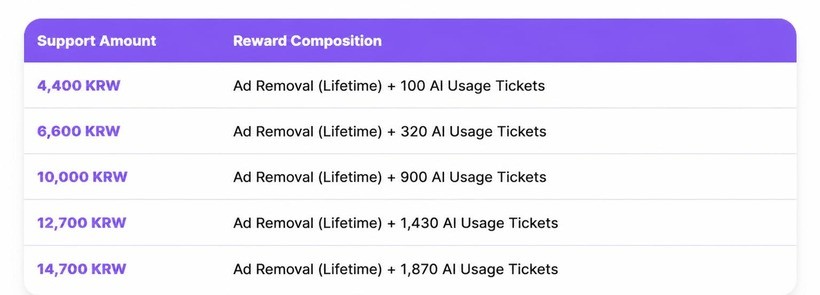
We intentionally did not create higher funding tiers. The ₩14,700 tier provides enough usage tickets, so it is designed to be accessible without burden. We will work diligently to deliver as much as you have supported us.
※ Online AI Usage Guide
This service uses the Google Gemini API.
For AI features, one ticket is consumed per use by default. (The number of tickets consumed may vary depending on the amount of data.)
The type of API may change depending on the API environment and provider circumstances at the time of service provision.
Let me clarify in advance so there is no confusion.
Ad Removal - iOS Applied in the Pilofy app, maintained for a lifetime without time limits, based on the in-app account.
AI Usage Ticket - Consumed with each use, can be held without expiration, usable only within the app (not provided as a key or code).
Due to unavoidable circumstances such as changes in external AI provider policies or fees, conditions may be adjusted. In such cases, we will replace it with a value as similar as possible and notify you in advance through updates.
When and how will I receive it?
Rewards are delivered safely through the official App Store procedures. After the campaign ends, we will provide detailed instructions on how to receive them, and you can get them easily without complicated steps.
The official launch is October 2026 We are preparing with this as our goal. Initially, we wanted to launch as quickly as possible in line with the official iOS 27 update (expected mid-September), but we decided to take a bit more time. Here is why.
- We wanted to maximize the quality of AI memo recognition and present it in a fully polished state.
- Since I am preparing this as a solo developer, I need a bit more time to refine it.
- Unexpected issues may arise right after the official release, and I wanted to secure enough time to respond to them reliably.

If the official launch happens earlier than planned, we will make sure you receive your Reward even sooner.
Pilofy is planned to expand in this way.
Pilofy will start as an iOS app first, but the next goal is already set.
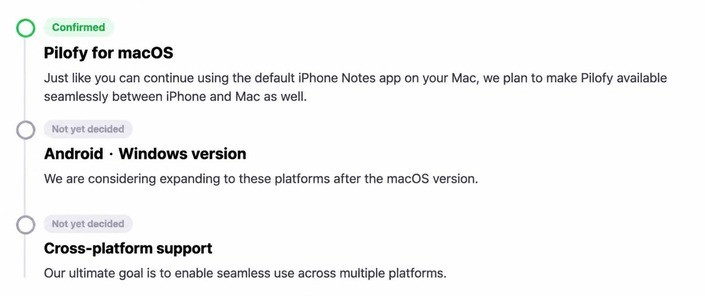
This is the current state of Pilofy – and launch is not the end.
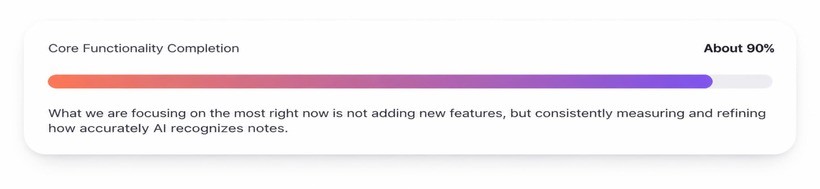
And this effort does not end with the official release.
Updates will not be limited to just fixing errors.
- We will continuously verify and improve the AI's note recognition logic (prompt) across all supported languages, including Korean.
- We plan to keep adding various categories, not just the current ones (receipts, travel, business cards, tickets, schedules, etc.).
- We will consistently collect and reflect user feedback on recognition errors, so the app can grow as much as the feedback we receive.
We will not take your support lightly.
No matter the amount, the fact that you trust Pilofy and support us first is equally precious. To make sure your support is worthwhile, we will create an app that gives back as much as—no, even more than—we receive. Thank you for reading to the end and for being with us.
Frequently Asked Questions
Why are you running Funding now, even though the official release hasn't happened yet?
Because we chose Wadiz as the place to introduce Pilofy to the world for the first time. We have prepared so that you can get the online AI usage pass, which will be sold at regular price in the app after the official release, at a lower price first on Wadiz.
Can I use it on Android?
For now, it is exclusive to iOS. We are preparing a macOS version as the next step, and are considering expanding to Android and Windows afterward, but there is no confirmed schedule yet.
Is there an expiration date for the online AI usage ticket?
No, there is not. You can keep the issued ticket without any validity period restrictions.
How far does ad removal apply?
It applies only to the iOS Pilofy app and is maintained for a lifetime without any time limit. It is based on the account within the app.
How exactly will I receive the Reward?
It will be delivered through the official App Store procedures. We will provide detailed instructions on how to receive it after the campaign ends.
What happens if the funding goal is not met?
It proceeds according to Wadiz's policy. If the funding goal is not met, the payment will be automatically canceled and your contribution will be fully refunded.
What happens if the announced Reward delivery date is not met?
According to Wadiz policy, if the Reward is not delivered by the specified date, backers may request a refund. To ensure we meet this commitment, we provide a generous timeline when announcing the schedule.
Can I continue viewing notes written in Pilofy on other devices?
Yes. Notes are synced based on iCloud, so you can continue to view them in the Pilofy app on other devices logged in with the same account. (Note: This refers to syncing notes written within Pilofy between devices — it is separate from importing notes from other apps such as the default iPhone Notes app into Pilofy.)